Trustezy
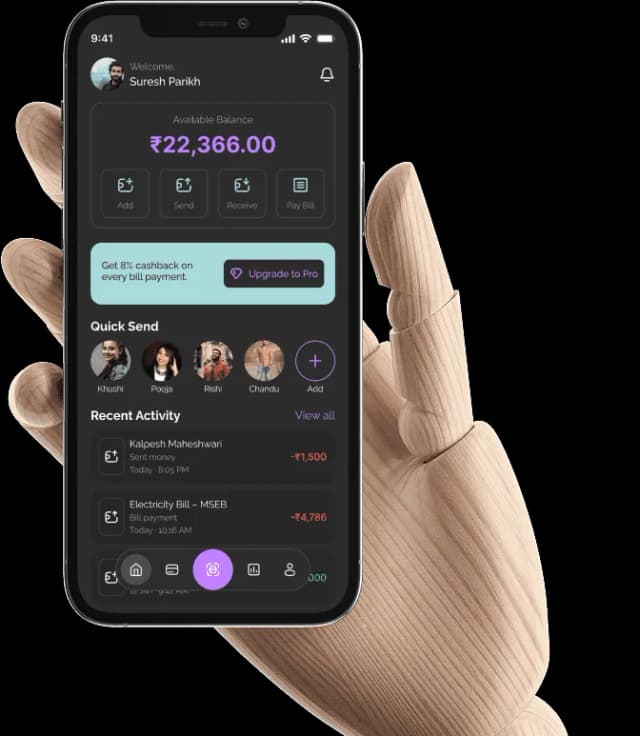
This case study explores the UX decisions behind building a secure, intuitive, and insight-driven fintech product.
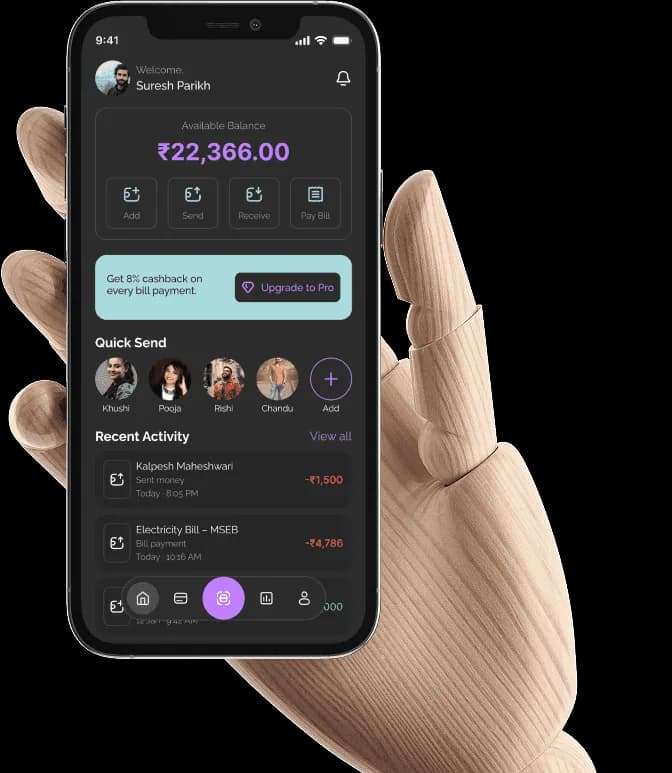
This case study explores the UX decisions behind building a secure, intuitive, and insight-driven fintech product.
Platform
Mobile App (iOS & Android)
Category
Fintech / Digital Wallet
Type
UI/UX Case Study
Tools
Figma, Protopie
WHAT IS TRUSTEZY?
Trustezy is a modern digital wallet designed to simplify everyday payments, money transfers, and financial management for users who want clarity, control, and security in one place.
With the rapid adoption of digital payments, users often rely on multiple apps to manage spending, track transactions, control cards, and understand their financial health. Trustezy brings these experiences together into a single, intuitive wallet powered by smart insights and user-first design.

“Money is personal. Uncertainty makes it stressful”
Digital payments have become a part of everyday life — from scanning QR codes and paying bills to managing cards and tracking expenses. Yet, for many users, the experience still feels fragmented, confusing, and anxiety-inducing. Despite having access to multiple wallet and payment apps, users often struggle to answer simple questions
Has the money gone through?
Why does adding money feel complicated?
Where can I clearly see my spending and limits?
- Users want speed, but value clarity even more
- Failed or pending payments are one of the biggest sources of frustration
- Financial data without explanation creates confusion, not insight
- Payment success and confirmation
- Trust is built not by more features, but by clear communication at every step
Users want visibility into:
- Wallet balance and activity
- Card usage and limits
- Monthly spending and expenses
Most wallet apps are designed around transactions not around how users feel while making them. They focus on what users can do, but not on how confident users feel doing it.
Users don't just want to:
- Send money
- Scan a QR
- Add funds
They want to:
- Understand what's happening
- Feel in control of their wallet and cards
- Trust that their money is safe and accounted for
- See meaningful insights instead of raw numbers
- Lengthy onboarding flows with unclear progress
- KYC and PAN verification steps that feel intimidating and opaque
- Wallet dashboards that prioritize features over clarity
- Transaction histories that lack context (status, timing, confirmation)
- Card management screens that don't clearly communicate control or limits
- Spending insights that show numbers but don't explain behavior
If users can understand their money at a glance, they can trust the experience.
PROBLEM & SOLUTION
The Design Approach
The Problem
Fast Payments, Low Confidence
Most digital wallets today are built for speed—but not for clarity or reassurance. Payments go through quickly, yet users are often left wondering what actually happened.
Transactions show pending without explanation, verification flows feel intimidating, and dashboards overwhelm users with features instead of answers. When something goes wrong, users are forced to refresh, retry, or switch apps.
Digital payments don't lack speed. They lack confidence.
The result?
Users keep backup wallets, hesitate before payments, and never fully trust a single platform with their money.
The Solution
Payments Designed for Confidence
Trustezy combines speed with certainty. Every flow is designed to clearly communicate what's happening, why it's happening, and what comes next. From onboarding and PAN verification to QR payments and transaction success, users are guided with clear language and visible feedback.
Core Priniciples
- Clear reassurance:
Immediate status updates, success confirmations, and detailed transaction summaries. - Guided clarity:
Simple language, structured flows, and helpful prompts at every step. - User control:
Centralized wallet overview, card management, spending insights, and limits that put users in charge.
FEATURES
Confidence-First Payments
Every payment is designed to remove doubt. Clear status updates, confirmation screens, and detailed transaction summaries ensure users always know when and where their money moves.
Secure & Transparent Wallet
From PAN verification to card management, Trustezy makes security visible. Users can view balances, transaction history, limits, and card controls without navigating complex settings.
Smart Spending Insights
Monthly income and expense breakdowns, category-wise visuals, and AI-powered suggestions help users understand their spending patterns and make better financial decisions.
Effortless Everyday Actions
Quick access to core actions—Add, Send, Receive, Scan QR, Pay Bills—keeps workflows short and intuitive, allowing users to complete tasks in just a few taps.
COLOR PALETTE
Raleway
Raleway was chosen as the primary typeface for Trustezy to support a clean, modern, and trustworthy financial experience. Its geometric structure and balanced letterforms create a calm visual rhythm, making complex financial information easier to scan and understand.
UI SCREENS
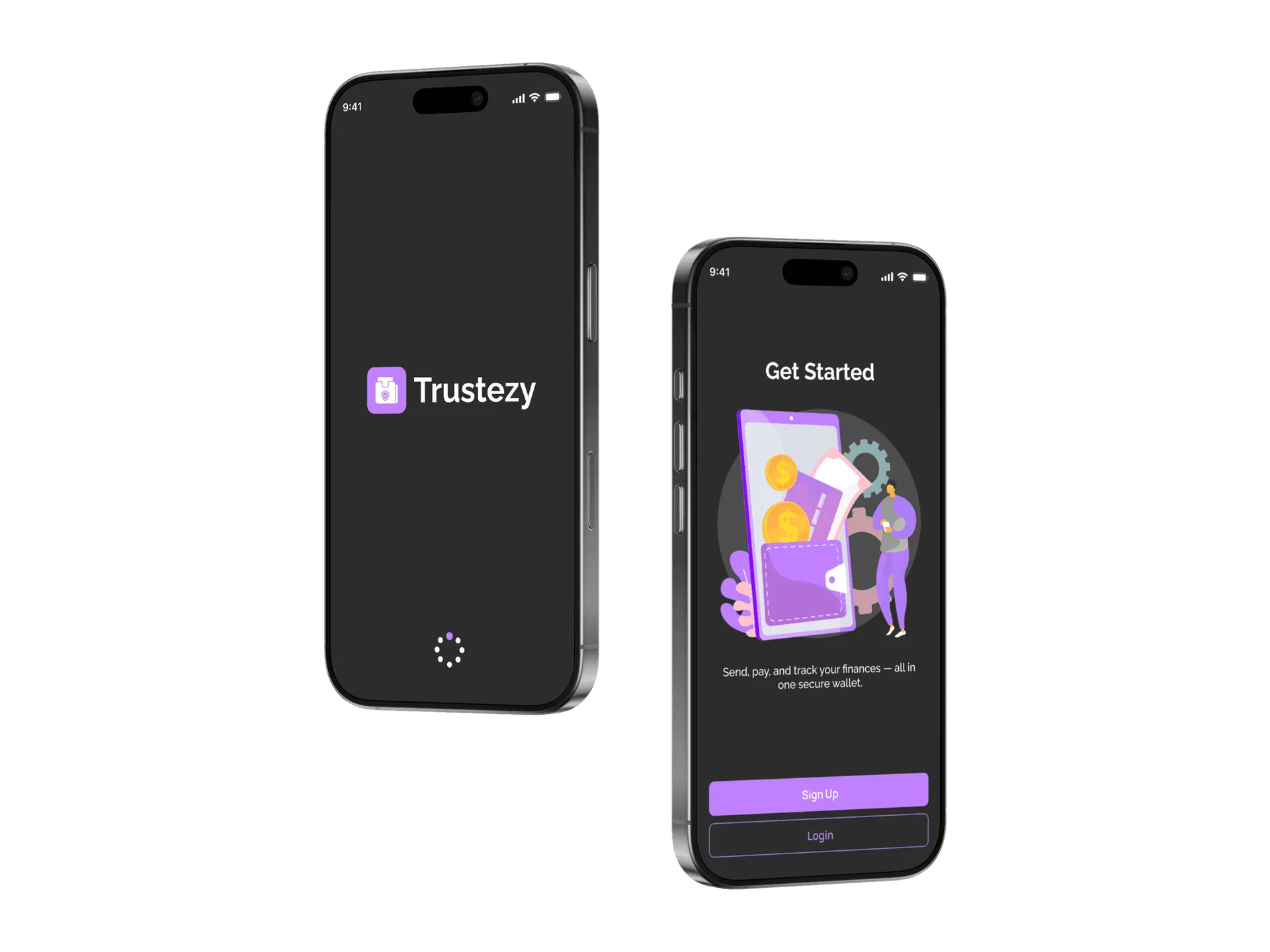
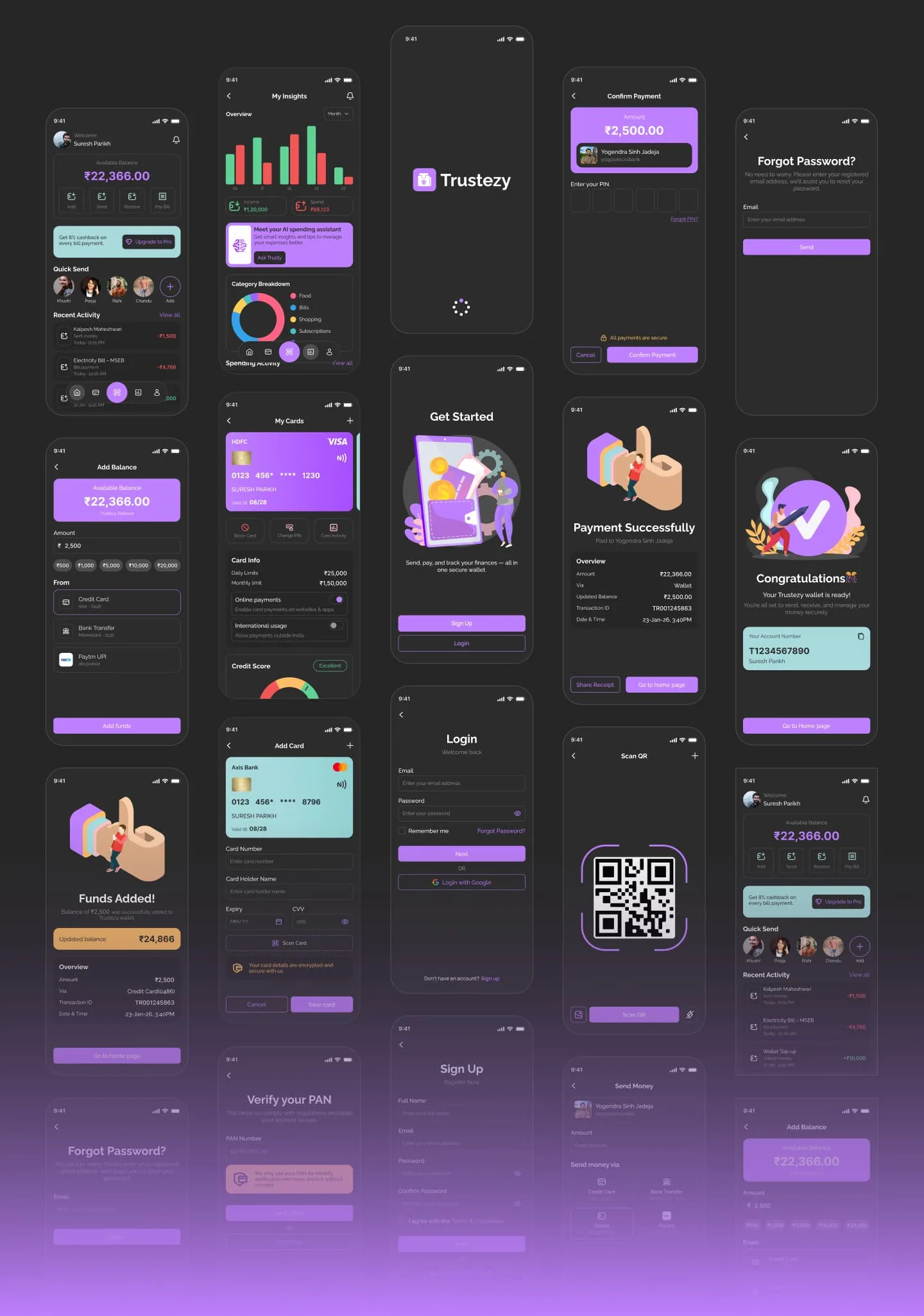
Splash Screen
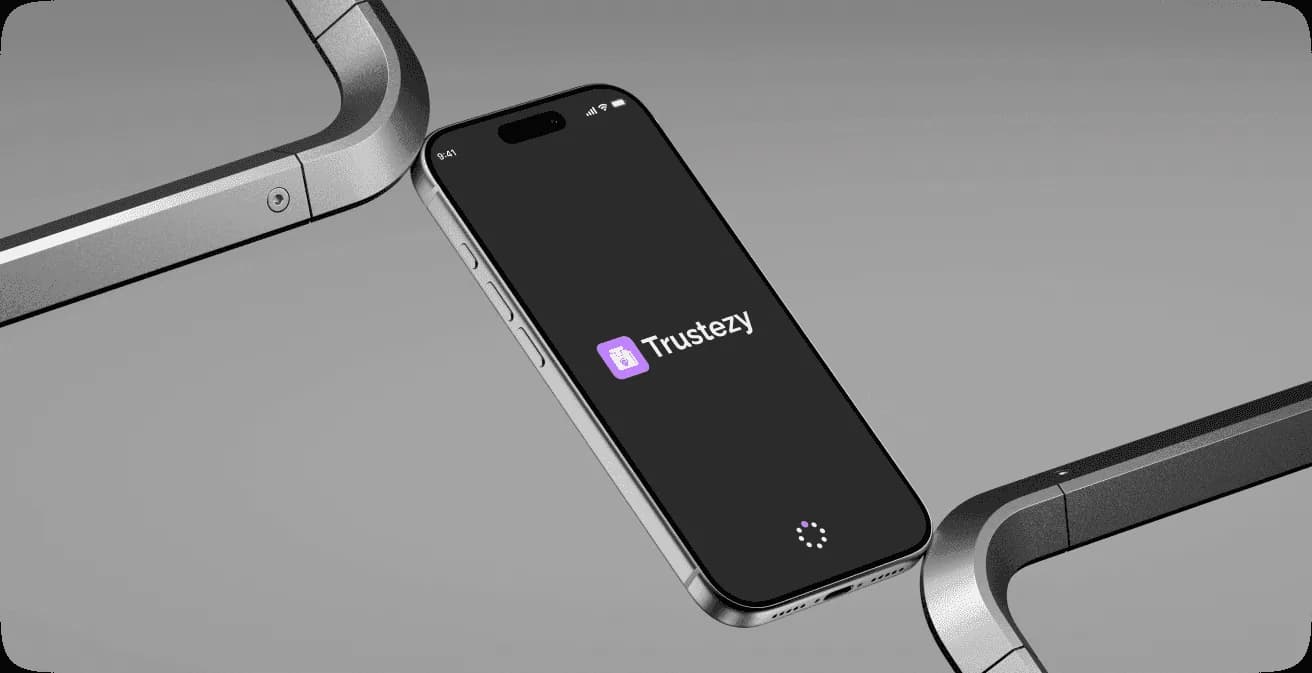
The splash screen introduces Trustezy with a clean, minimal interface that reinforces brand identity and trust. By keeping the experience simple and distraction-free, it sets a calm tone before users enter the app.
Onboarding
The onboarding screens highlight Trustezy's core value—confident payments, wallet control, and spending insights. The flow is intentionally short, helping users understand the product quickly without slowing down access.
Splash Screen
The splash screen introduces Trustezy with a clean, minimal interface that reinforces brand identity and trust. By keeping the experience simple and distraction-free, it sets a calm tone before users enter the app.
Onboarding
The onboarding screens highlight Trustezy's core value—confident payments, wallet control, and spending insights. The flow is intentionally short, helping users understand the product quickly without slowing down access.
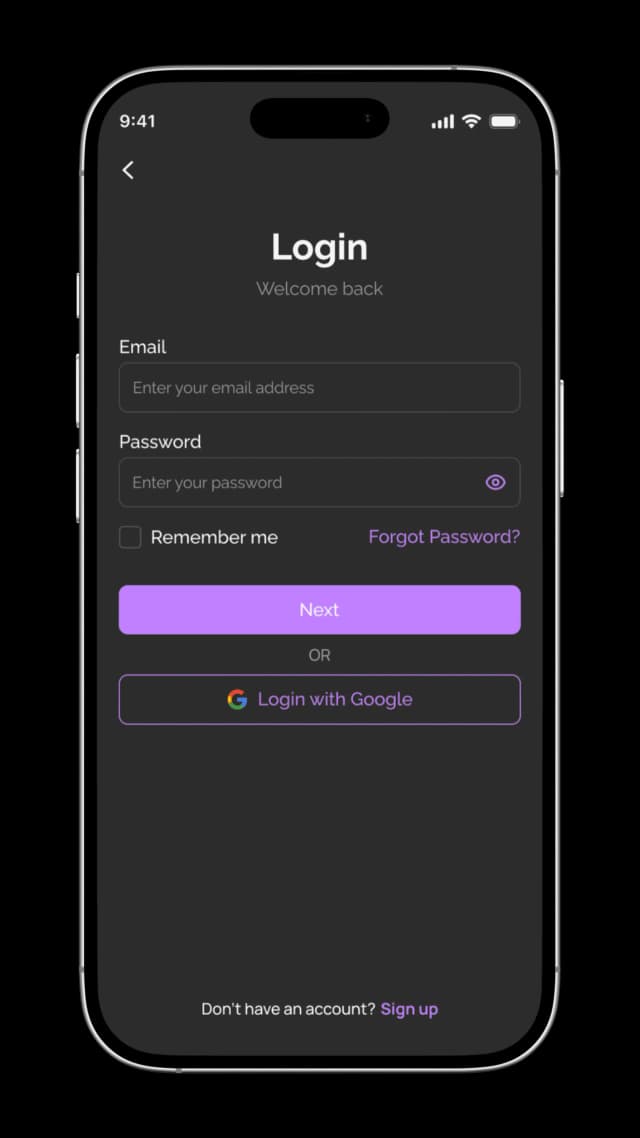
Login
The login screen is designed to feel familiar and effortless, reducing friction for returning users. Clear input fields, minimal distractions, and quick access options help users sign in confidently and continue their journey without delay.
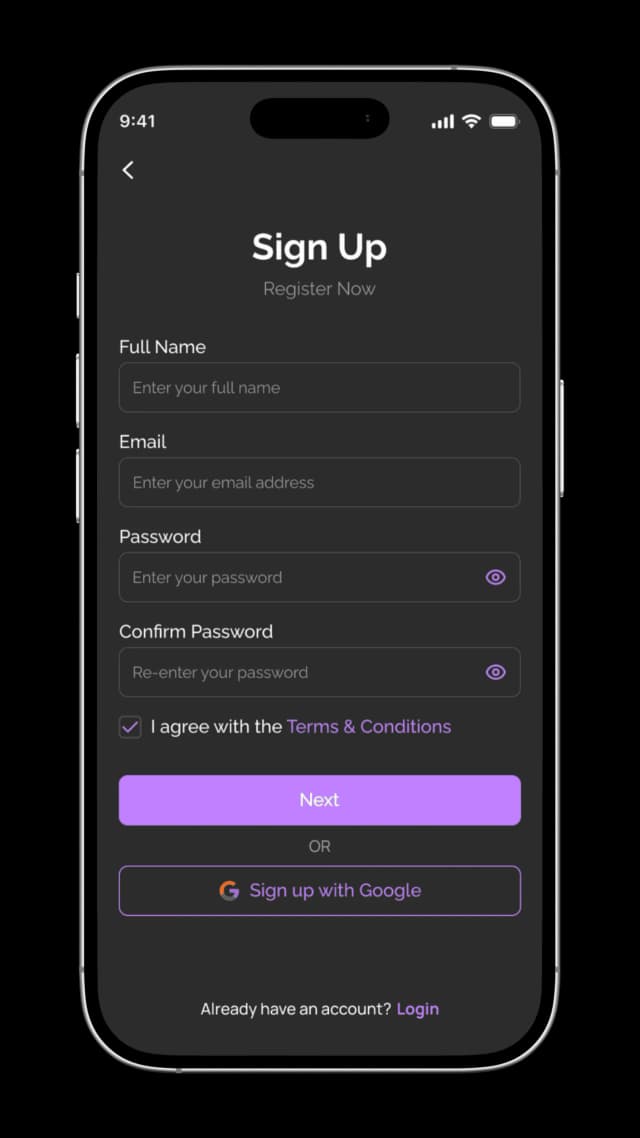
Sign Up
The sign-up experience focuses on simplicity and trust by collecting only essential information. A clean layout and clear actions guide new users smoothly toward account creation while maintaining transparency and ease of use.
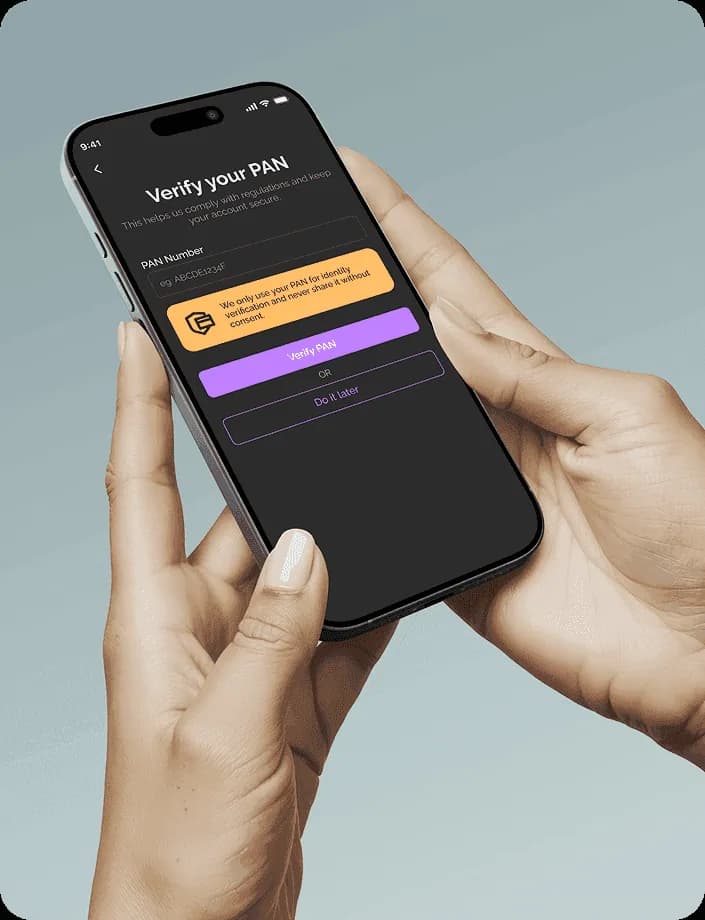
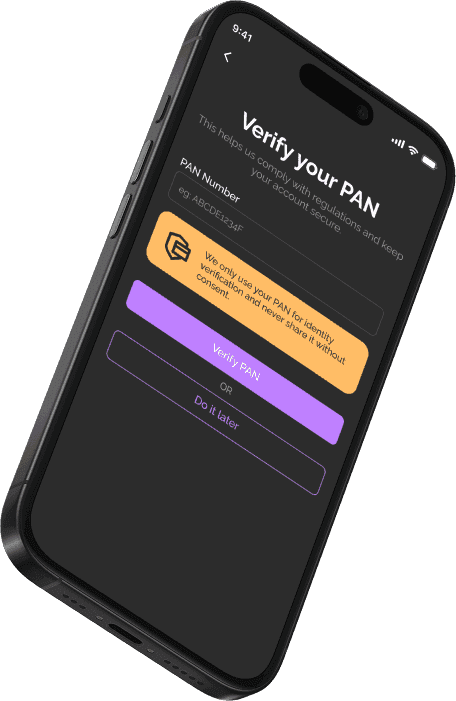
We only use your PAN for identity verification and never share it without consent.
Verify your PAN
The PAN verification screen is designed to make a mandatory compliance step feel simple and reassuring. Clear instructions, minimal input, and privacy reassurance help users complete verification confidently without feeling overwhelmed.
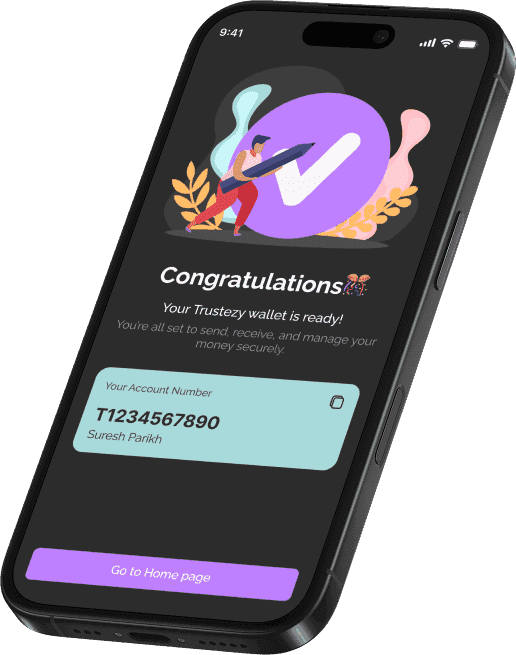
Your Account Number
T1234567890
Suresh Parikh
Account Created
The account creation success screen celebrates completion while clearly confirming that the wallet is ready to use. By displaying the account number and next steps, the screen reassures users and smoothly transitions them into the main app experience.

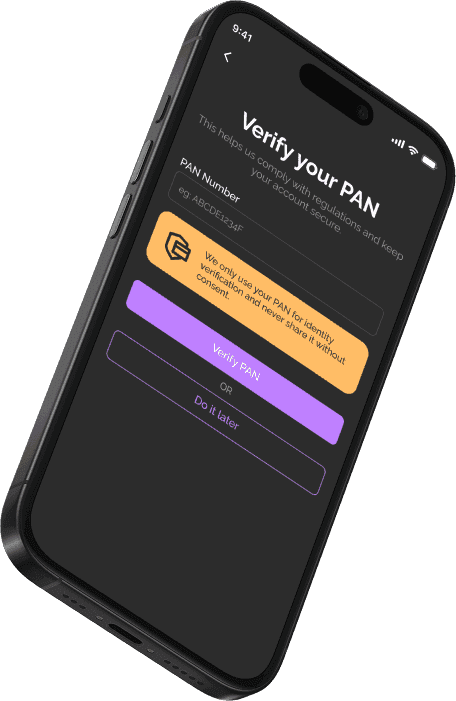
We only use your PAN for identity verification and never share it without consent.
Verify your PAN
The PAN verification screen is designed to make a mandatory compliance step feel simple and reassuring. Clear instructions, minimal input, and privacy reassurance help users complete verification confidently without feeling overwhelmed.
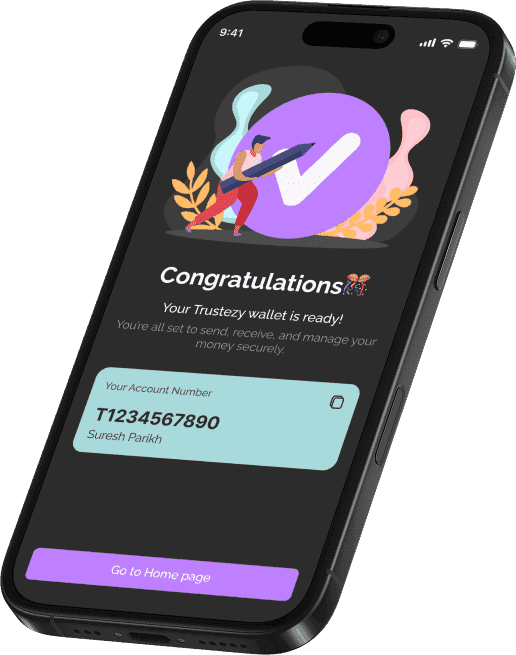
Your Account Number
T1234567890
Suresh Parikh
Account Created
The account creation success screen celebrates completion while clearly confirming that the wallet is ready to use. By displaying the account number and next steps, the screen reassures users and smoothly transitions them into the main app experience.
Home page
The home screen acts as the central hub of Trustezy, giving users an instant overview of their financial status. The available balance is placed at the top to provide immediate clarity, followed by quick-action shortcuts.
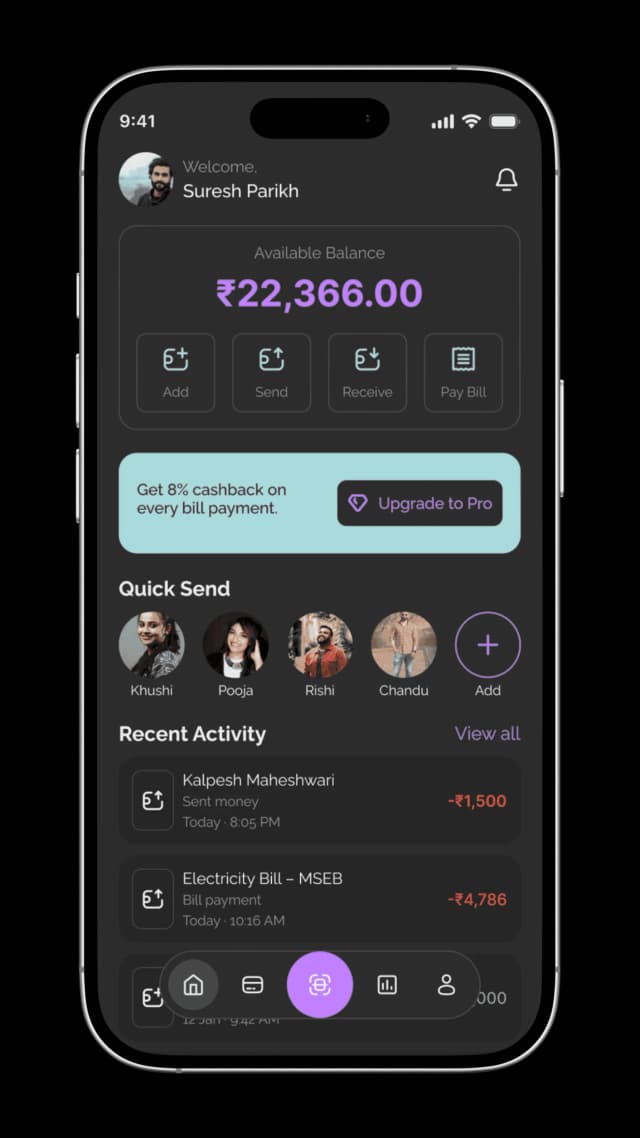
Available Balance
₹22,366.00
 Add
Add Send
Send Receive
 Pay Bill
Home page
The home screen acts as the central hub of Trustezy, giving users an instant overview of their financial status. The available balance is placed at the top to provide immediate clarity, followed by quick-action shortcuts for common tasks such as adding money, sending, receiving, and paying bills.
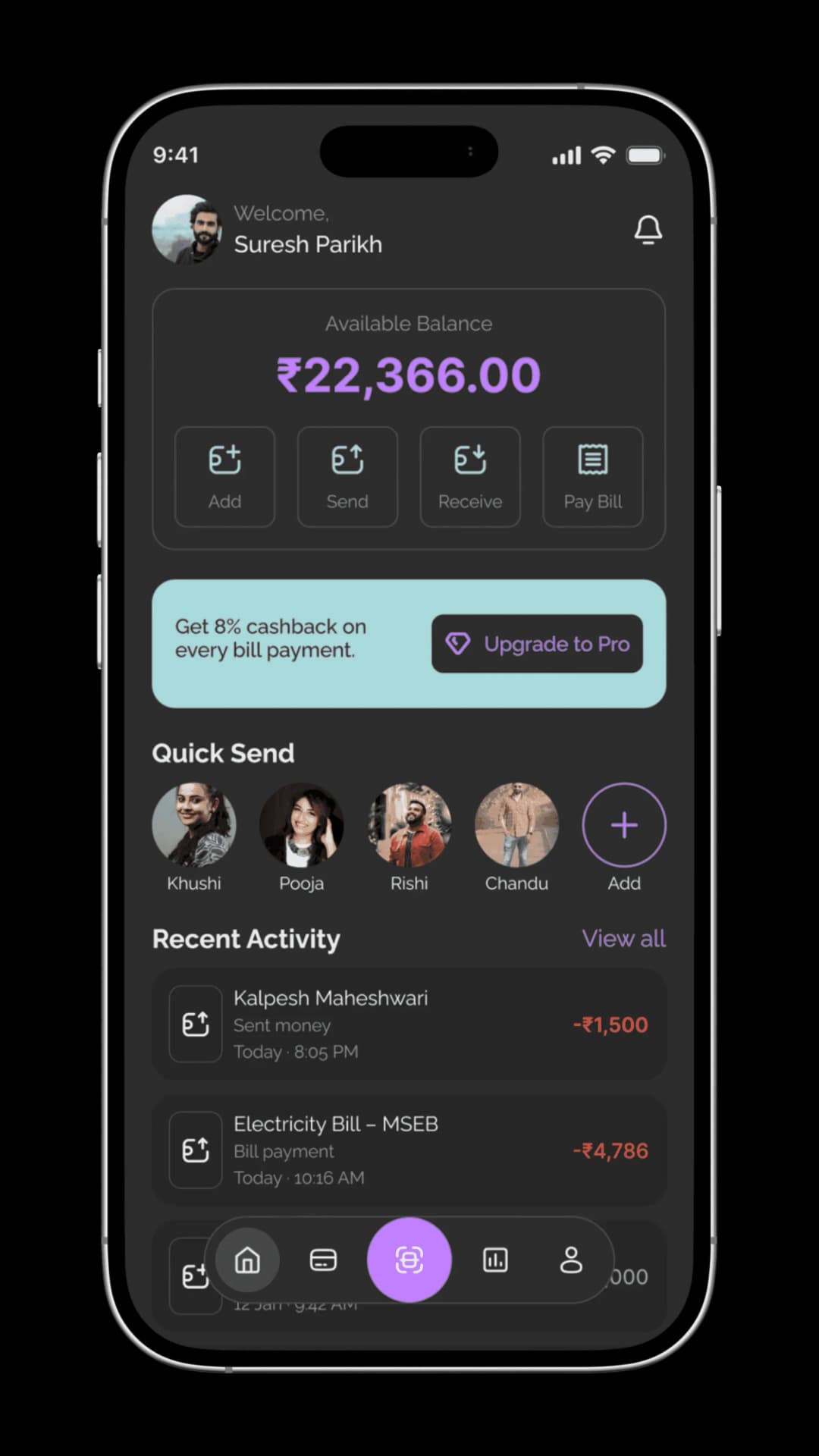
Available Balance
₹22,366.00
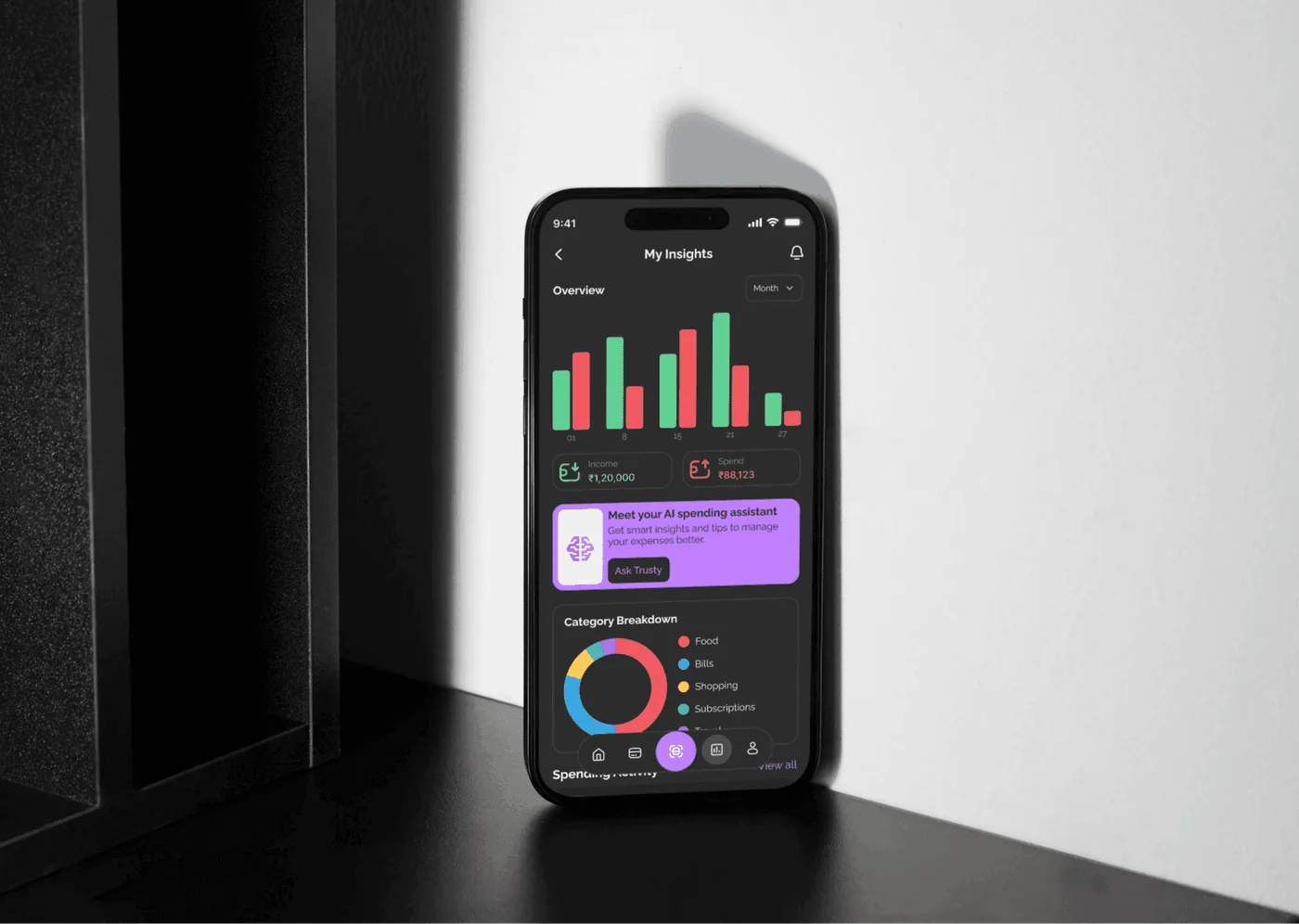
Insights
The Insights page helps users understand their financial behavior at a glance through clear visual summaries and meaningful breakdowns. Monthly spending trends, income versus expenses, and category-wise analysis make complex data easy to interpret.
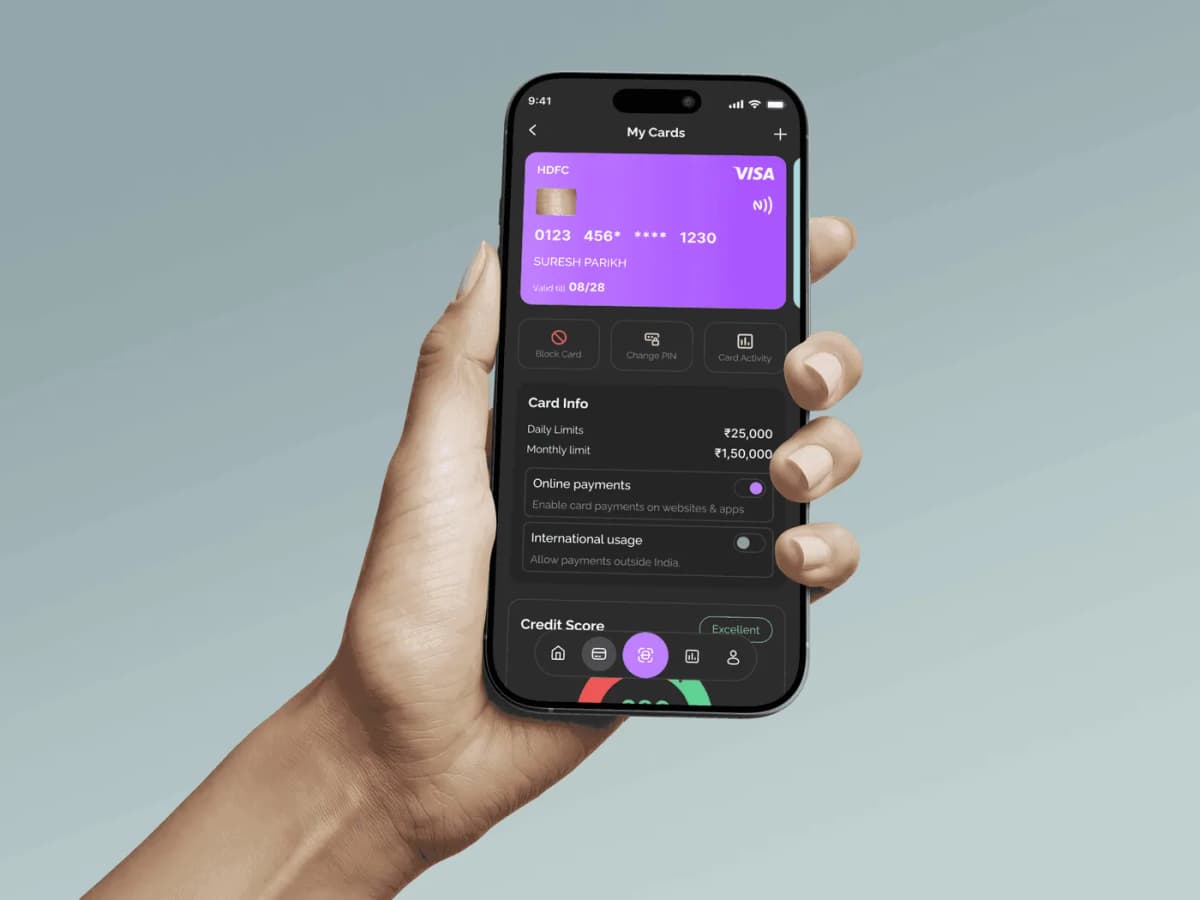
My Cards
The My Cards screen gives users a centralized view of their virtual and physical cards with clear visibility into card details, limits, and usage controls. Quick actions such as blocking a card, changing the PIN, and viewing activity make card management simple and secure.
By combining card controls, spending limits, and credit score visibility in one place, the screen empowers users to stay in control of their finances while reinforcing trust and transparency.
0123 456* **** 1230
SURESH PARIKH
Valid till 08/28
Credit Score
Excellent680
Your credit score is excellent
Last checked on 18 Dec 2025
PAYMENT FLOW
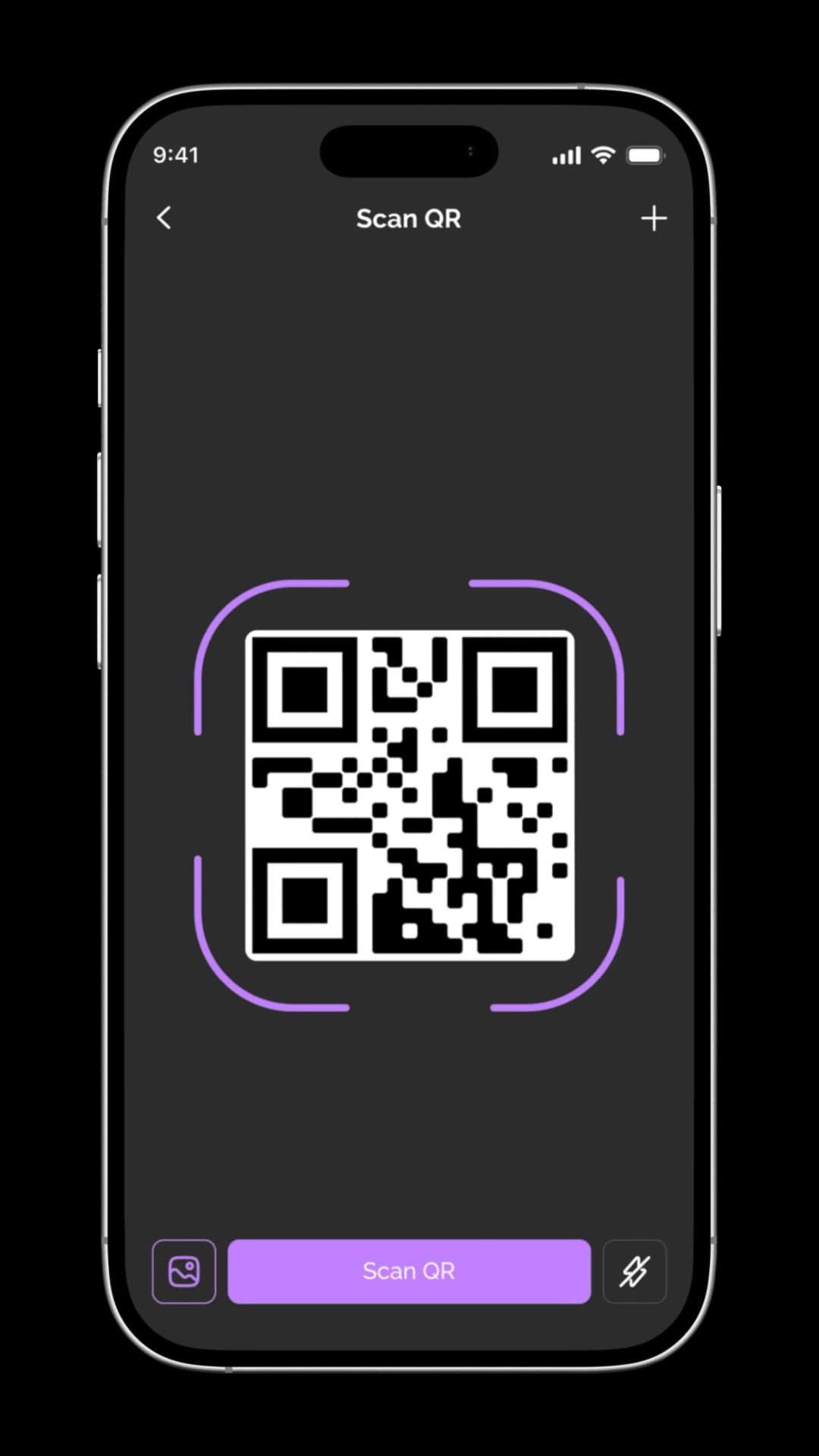
Scan QR
The payment journey begins with a simple and focused QR scanning interface. Clear visual framing and a distraction-free layout help users scan quickly and confidently, reducing errors at the very first step.
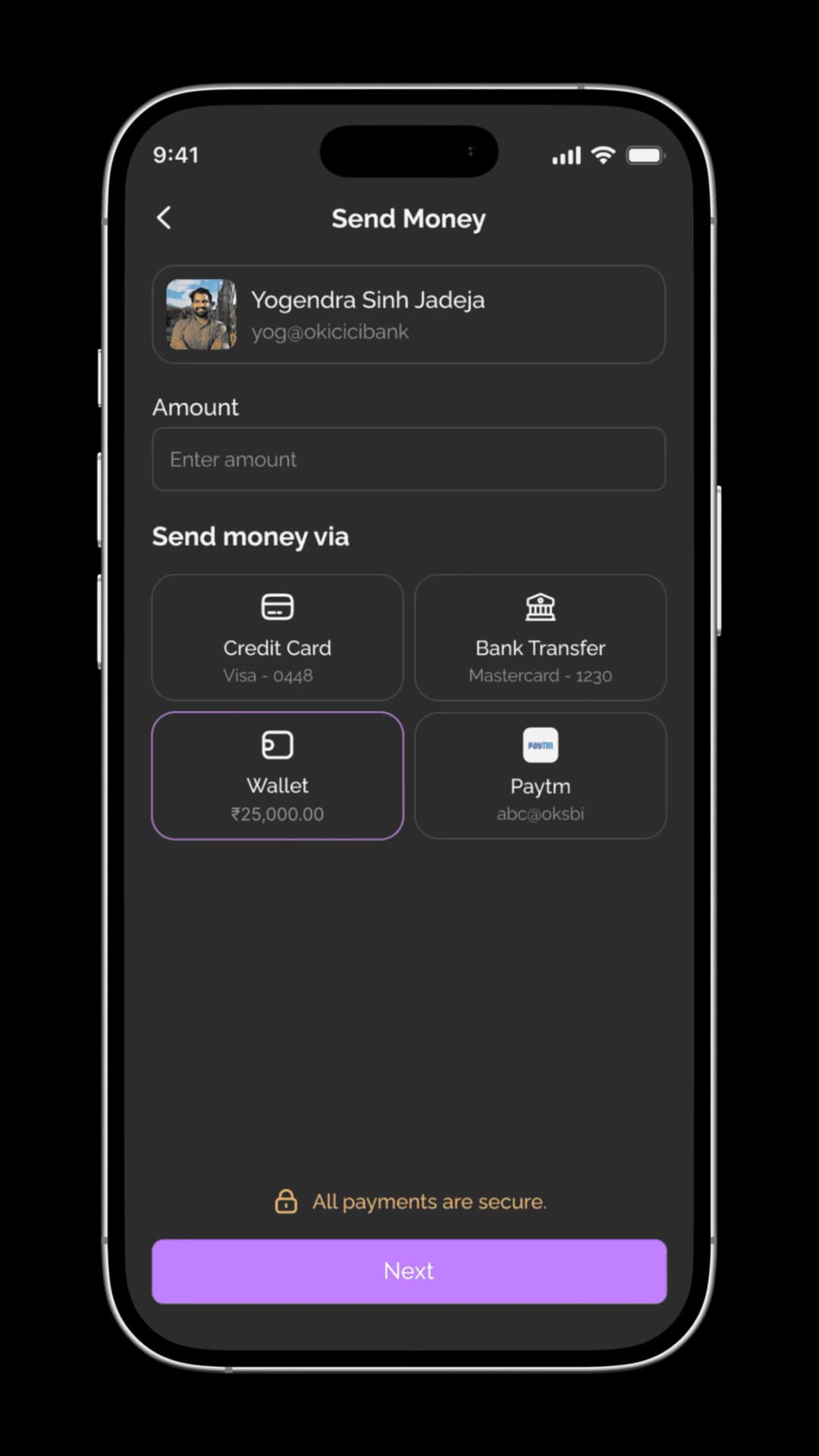
Send Money
Once the QR is scanned, users are guided to enter the amount and choose a preferred payment method. The screen keeps decisions minimal while clearly communicating available options and security reassurance.
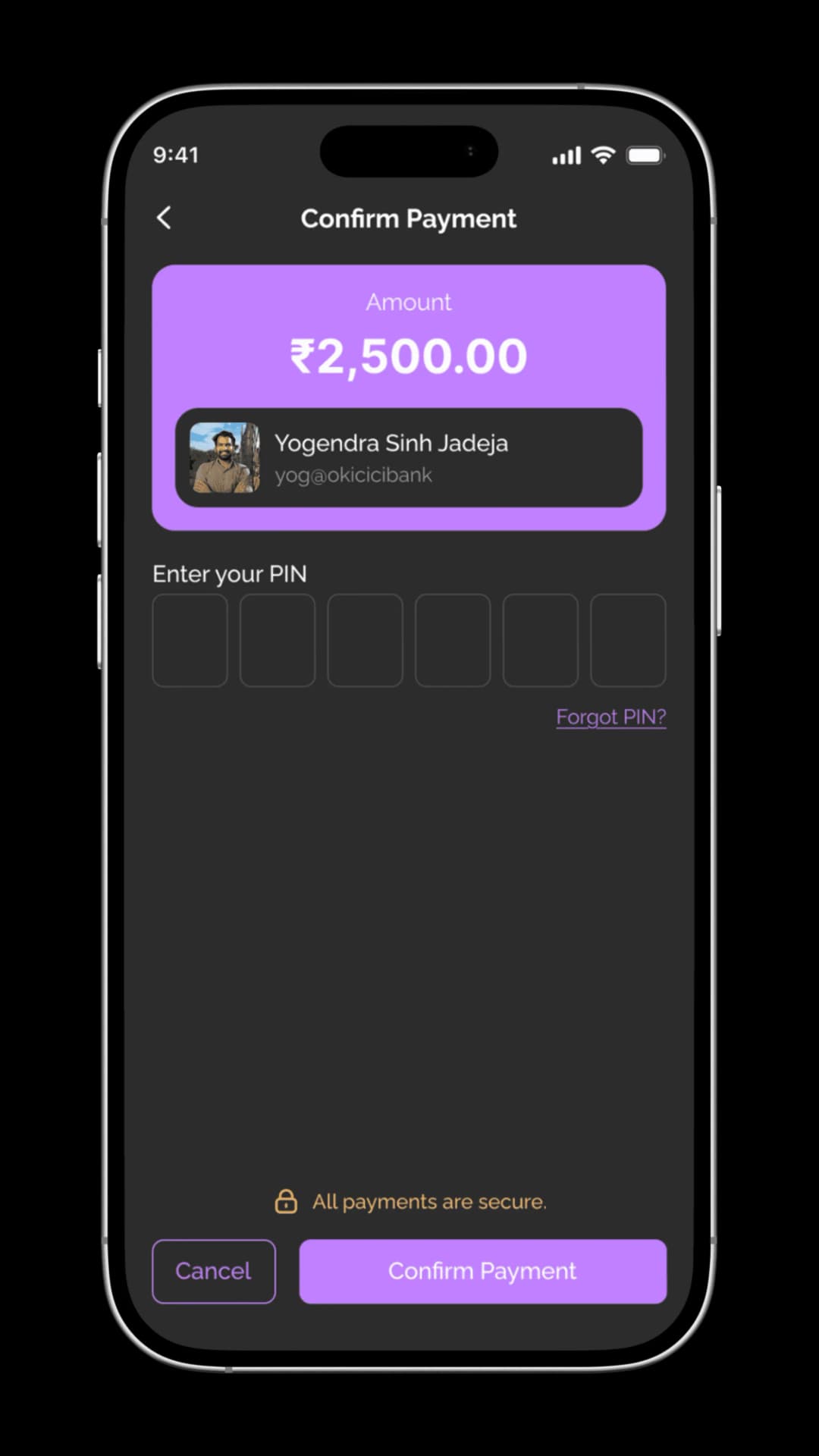
Confirm Payment
Before completing the transaction, users are shown a clear summary of the amount and recipient. PIN verification adds a layer of security while ensuring users feel in control before confirming the payment.
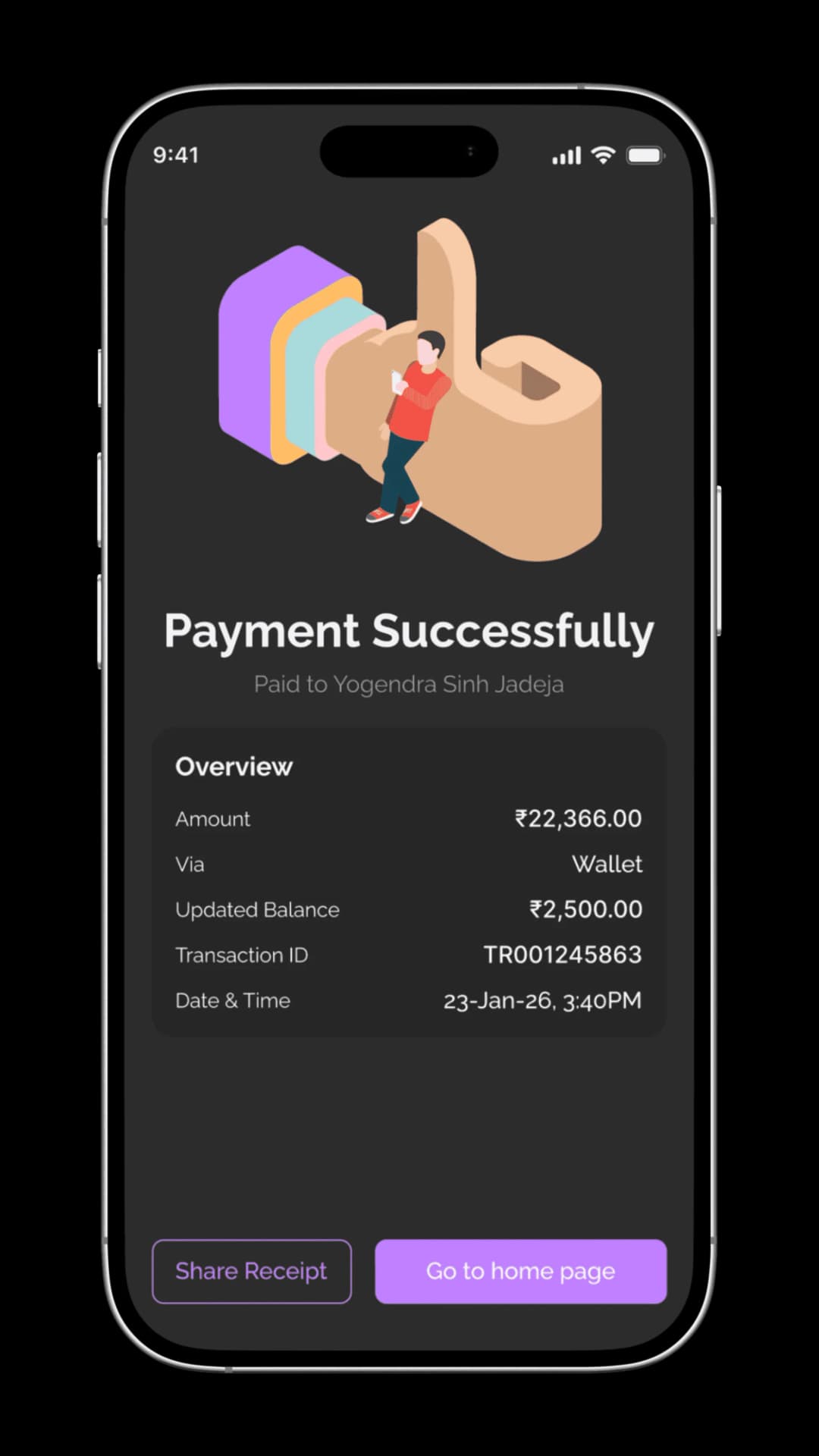
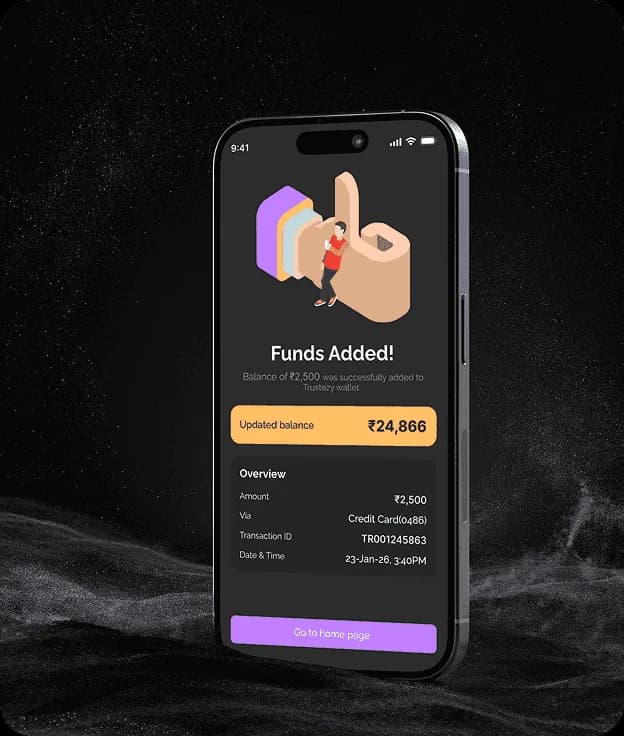
Payment Successful
The success screen provides immediate confirmation with transaction details such as amount, method, and time. By clearly closing the loop and offering receipt sharing or a return to the home screen, the flow reinforces trust and completion.
MORE SCREENS
Exploring additional screens that round out the Trustezy experience from spending insights and transaction history to profile settings and notification management.
Thank
you for
scrolling!
Explore More
More Case Studies
See how we solve real-world challenges through thoughtful design and engineering.
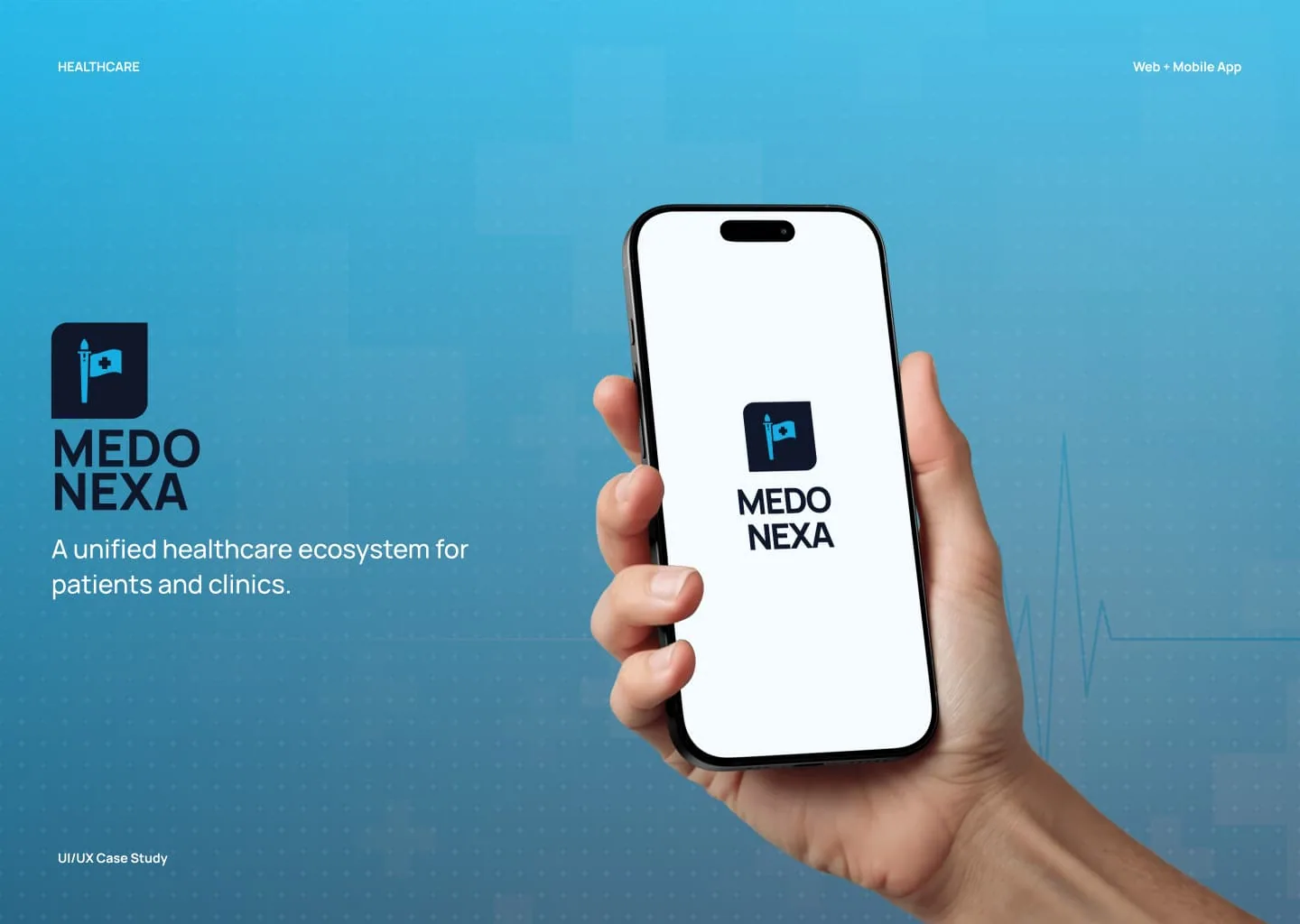
Healthcare Ecosystem
Medonexa - Modern Healthcare Appointment Platform
A modern healthcare appointment booking platform designed to simplify how patients access medical care and how clinics manage their daily operations.
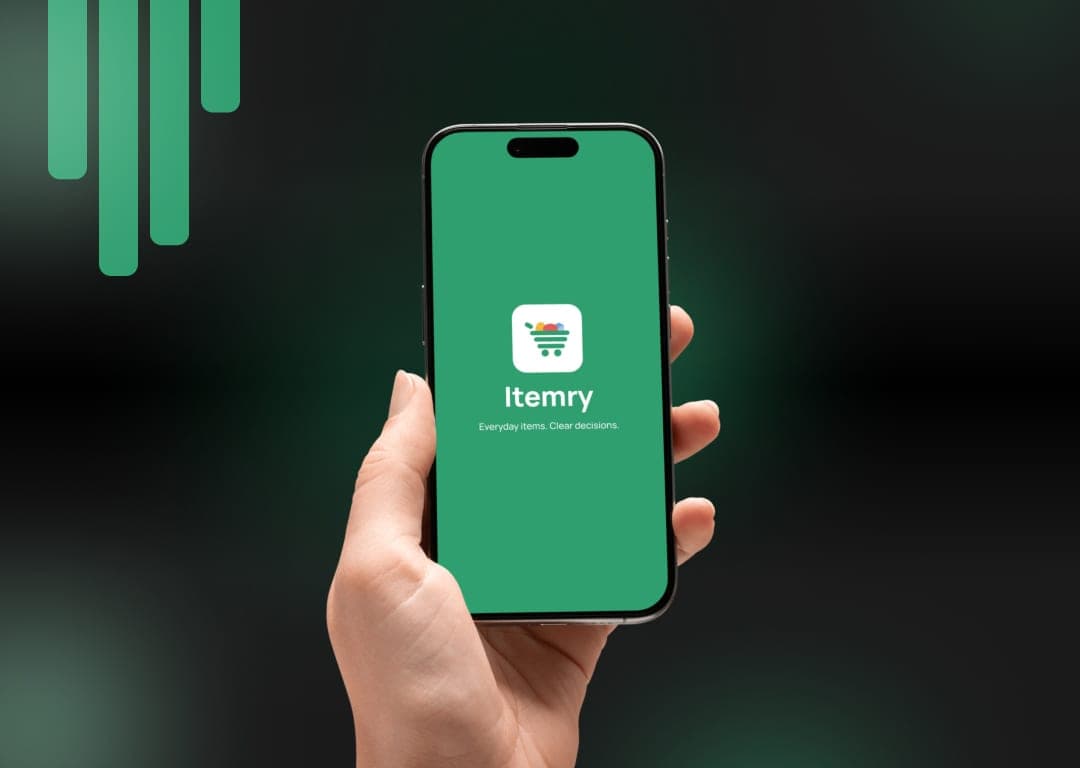
Quick Commerce | Mobile App | UI/UX Case Study
Itemry - Quick Commerce Grocery App
A quick-commerce grocery platform designed to help urban users order everyday essentials with speed, clarity, and confidence — from discovery to doorstep.
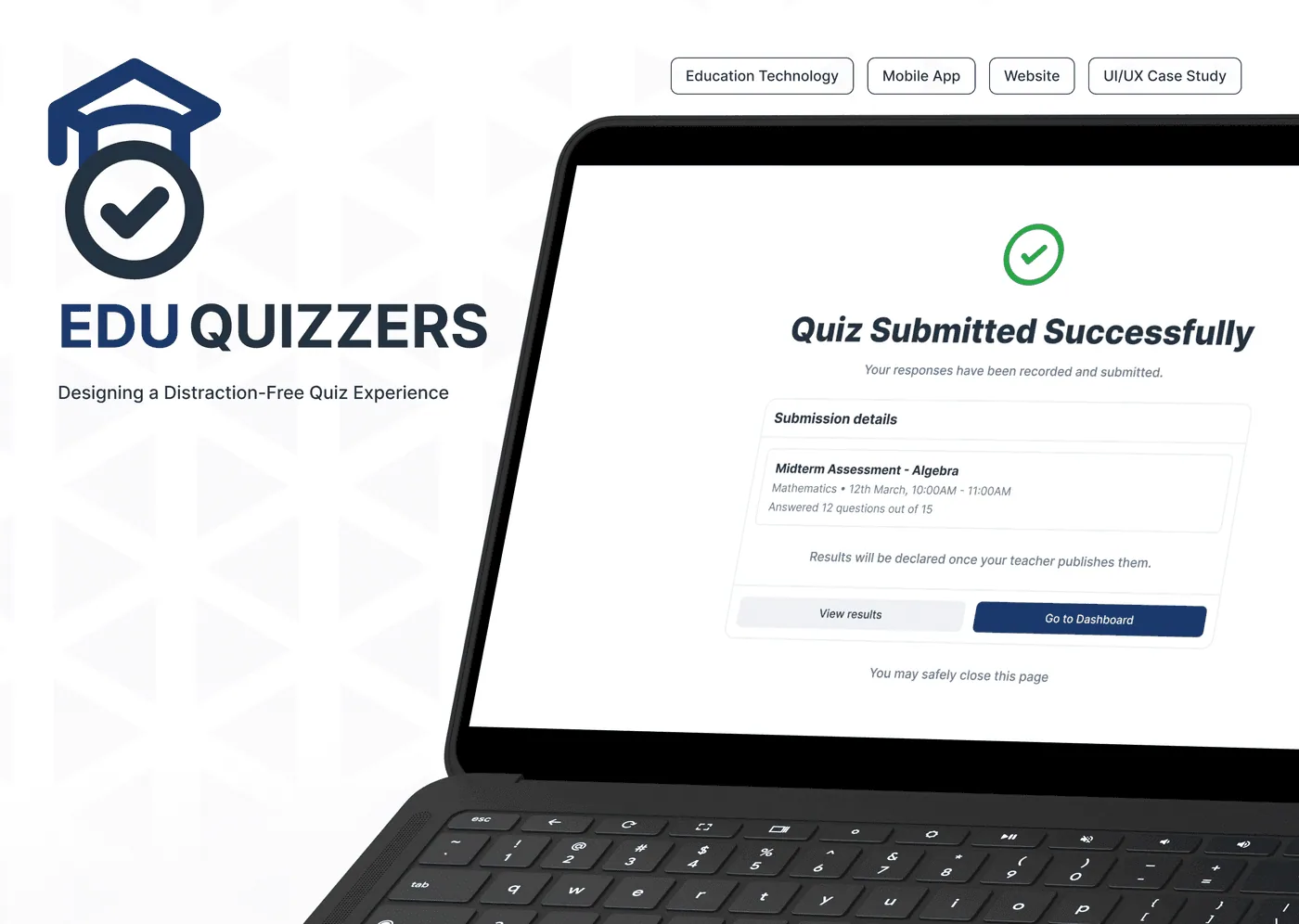
Education Technology | Mobile App | Website | UI/UX Case Study
EduQuizzers - Distraction-Free Quiz Platform
A distraction-free quiz platform designed to help students focus on assessments with clarity, confidence, and ease — from quiz creation to submission.
Have a Project in Mind?
We design and build digital products that solve real problems — from concept to launch. Tell us about your idea and let's bring it to life together.
50+
Projects Delivered
30+
Happy Clients
9+
Years of Experience
15+
Team Members