
EDUQUIZZERS
Designing a Distraction-Free Quiz Experience
Project Overview
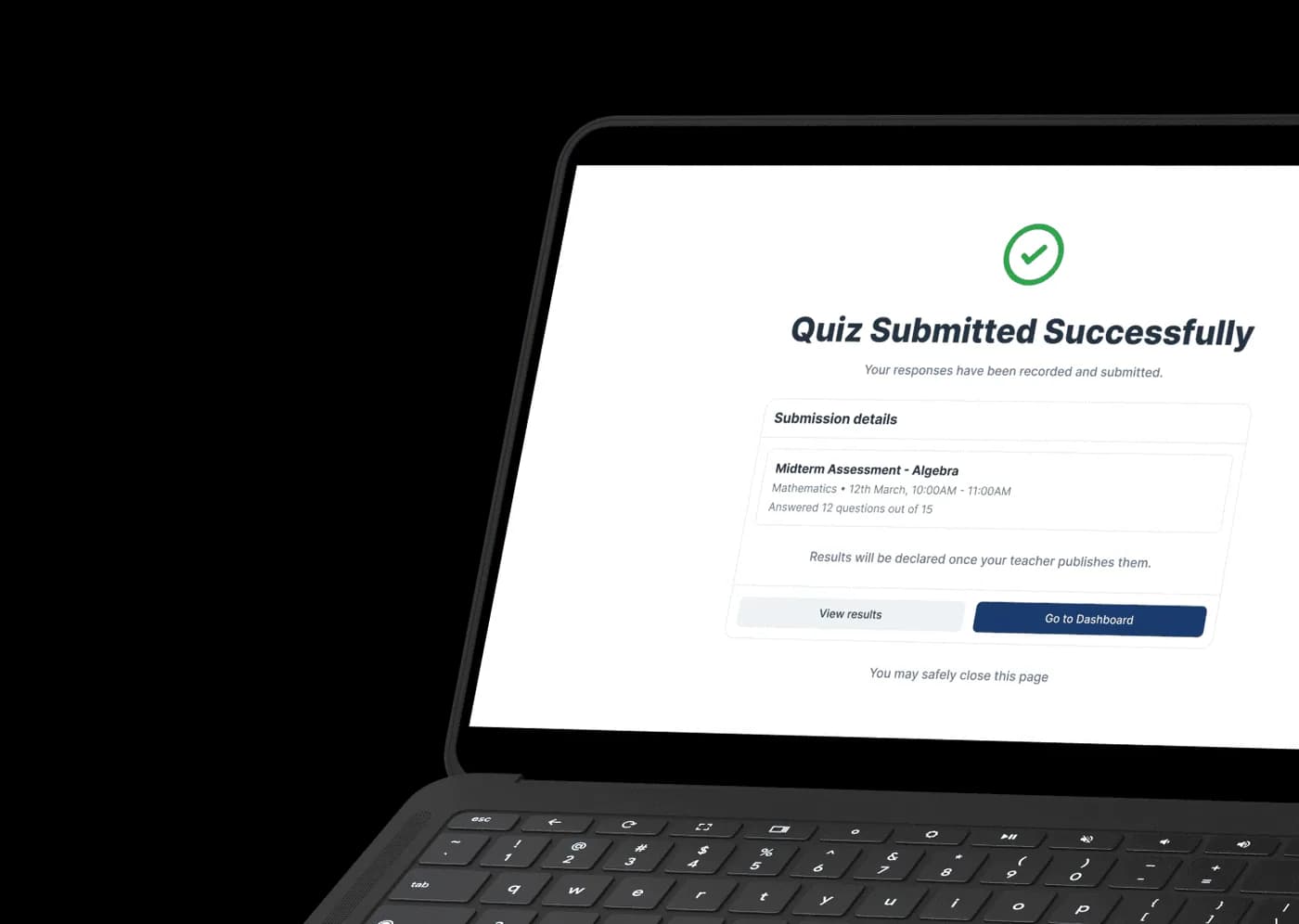
EduQuizzers is an online quiz and assessment platform built to streamline the academic evaluation process for both teachers and students. The system unifies quiz creation, question management, scheduling, live participation tracking, and performance analytics into one cohesive experience.
Designed with clarity and
focus at its core
Discover

Quiz creation workflows are complex and inefficient.
Students lose focus due to cluttered quiz interfaces.
Teachers lack real-time participation visibility.
Performance feedback is often overwhelming or unclear.

Designed a structured, step-based quiz authoring experience.
Created a distraction-free attempt environment.
Implemented live tracking and status indicators.
Designed simplified, actionable results & review screens.
User Persona - Teacher

Name:
Anita Sharma
Age:
38
Profession:
High School Teacher
Location:
Mumbai, India
“I need a system that helps me manage test assessments effortlessly.”
About
Anita is an experienced high school mathematics teacher responsible for preparing quizzes, assignments, and assessments for multiple classes. She values structured teaching methods and prefers tools that save time rather than add complexity.
Frustration
- Complicated quiz creation workflows
- Difficulty managing question banks
- Time lost in repetitive administrative tasks
Technology
- Laptop / Desktop
- Learning management systems
- Online teaching platforms
- Basic productivity tools
Personality
- Organized
- Practical
- Detail-oriented
Goal
- Create quizzes quickly and efficiently
- Track student participation without manual effort
- Identify weak-performing students
- Reduce time spent on grading
Influences
- School curriculum requirements
- Academic schedules
- Institutional policies
User Persona - Student

Name:
Aarav Mehta
Age:
15
Profession:
Grade 10 Student
Location:
Mumbai, India
“During a quiz, I just want everything to feel simple and clear.”
About
Aarav is a digitally active student who frequently uses his smartphone for studying, assignments, and communication. During quizzes and exams, he prefers clean interfaces that minimize distractions and confusion. He often experiences time pressure and needs clear progress indicators to stay oriented throughout assessments.
Frustration
- Cluttered quiz interfaces
- Small tap targets
- Confusing question navigation
- Anxiety during timed quizzes
Technology
- Smartphone (Primary Device)
- Educational apps
- Online resources
- Notifications & reminders
Personality
- Curious
- Tech-savvy
- Goal-driven
Goal
- Attempt quizzes smoothly
- Stay aware of time remaining
- Avoid navigation mistakes
- Understand performance feedback clearly
Influences
- Exam pressure
- Teacher expectations
- Peer competition
- Academic performance goals
User Journey Map - Teacher
“I want to create assessments quickly and trust the system to handle exams without issues.”
SCENARIO
A teacher needs to plan, create, conduct, and analyze an online assessment for a class of students using a digital quiz platform while ensuring accuracy, fairness, and minimal manual effort.
EXPECTATIONS
- Quick and error-free quiz creation
- Smooth exam execution without disruptions
- Clear visibility into student performance
- Reliable data and reporting
| STAGES | Plan Assessment | Create Quiz | Conduct Exam | Analyze Results | Improve Teaching |
|---|---|---|---|---|---|
| GOALS | Define learning objectives Decide quiz format and difficulty level | Build an accurate, well-structured assessment Avoid configuration mistakes | Ensure exam runs smoothly Monitor student participation in real time | Understand class performance quickly Identify weak topics or questions | Use insights to improve future lessons Reuse or refine assessment content |
| ACTIONS | Reviews syllabus or topic coverage Checks previous quiz performance Plans assessment strategy | Enters quiz details and instructions Adds or reuses questions from question bank Configures timing and scoring rules | Launches scheduled quiz Monitors live student progress Responds to system alerts if needed | Views quiz summary dashboard Reviews question-level performance Checks individual student scores | Identifies learning gaps Adjusts teaching approach Prepares better assessments for future |
| THOUGHTS | "Have I covered all important topics?" "What difficulty level is appropriate?" | "Did I configure everything correctly?" "Let me double-check before publishing." | "Is the exam running smoothly?" "Are students facing any issues?" | "Which questions were too difficult?" "Who needs extra support?" | "Now I know where students struggle." "Next quiz can be even better." |
| PAIN POINTS | Limited visibility into past performance Uncertainty around question coverage | Too many configuration options Risk of publishing with mistakes | Fear of technical disruptions Stress during live monitoring | Data overload without clarity Hard to spot meaningful insights | Lack of long-term performance trends Manual effort to track improvement |
| EMOTIONS | 🙂 | 😕 | 😟 | 😊 | 😊 |
| TOUCH POINTS | Teacher Dashboard Analytics Overview | Quiz Builder Question Bank | Live Monitoring Dashboard System Alerts | Results Dashboard Performance Reports | Student Profiles Historical Analytics |
| OPPURTUNITIES | Surface past quiz insights proactively Suggest question difficulty balance | Step-by-step guided quiz creation Draft saving and preview before publish Validation to prevent configuration errors | Real-time status indicators Auto alerts for issues Read-only safe monitoring | Visual performance summaries Highlight weak questions automatically Easy drill-down from summary to details | Long-term performance trends Reusable question recommendations Data-driven teaching insights |
User Journey Map - Student
“I just want the exam to be clear, fair, and not fail in the middle.”
SCENARIO
A student needs to discover an upcoming exam, prepare for it, attempt the assessment without disruptions, submit confidently, and understand their performance afterward.
EXPECTATIONS
- Clear exam instructions and timings
- Smooth, distraction-free exam experience
- Assurance that answers are saved
- Transparent results and feedback
- No technical surprises
| STAGES | Discover Exam | Prepare for Exam | Attempt Exam | Submit & Complete | Review Results |
|---|---|---|---|---|---|
| GOALS | Know when the exam is scheduled Understand exam status and availability | Read instructions clearly Ensure system readiness | Focus on answering questions Track progress and remaining time | Submit answers confidently Avoid accidental submission errors | Understand score and performance Identify areas for improvement |
| ACTIONS | Logs into student dashboard Checks upcoming exams section Opens exam details | Reads exam instructions Confirms duration and rules Completes system check | Starts the exam Answers questions sequentially Navigates between questions | Reviews attempted questions Confirms submission Receives submission confirmation | Views exam result status Checks score and breakdown Reviews feedback if available |
| THOUGHTS | "When is my exam scheduled?" "Is this exam online or in-person?" | "What are the rules?" "Will my system work properly?" | "How much time is left?" "Are my answers getting saved?" | "Did everything submit correctly?" "I hope nothing went wrong." | "Where did I lose marks?" "How can I improve next time?" |
| PAIN POINTS | Unclear exam status Missing or late notifications | Long or confusing instructions Anxiety about technical readiness | Fear of losing answers Confusing navigation or layout | Accidental early submission Lack of submission confirmation | No explanation for low scores Delayed result visibility |
| EMOTIONS | 🙂 | 😕 | 😟 | 😌 | 😊 |
| TOUCH POINTS | Student Dashboard Notifications | Exam Details Page Instruction Screen System Check | Exam Interface Question Navigation Timer & Progress Bar | Review Screen Submission Confirmation | Results Dashboard Performance Breakdown |
| OPPURTUNITIES | Clear exam status indicators Timely reminders and alerts | Simplified instructions Pre-exam system checks Clear start CTA | Auto-save answers Clear time and progress indicators Distraction-free UI | Review-before-submit flow Explicit submission confirmation Auto-submit on timeout | Visual performance summaries Question-level feedback Progress tracking over time |
Empathy Map - Teacher

Says
“We need a quiz system that is simple and quick to use. Managing multiple quizzes, marking schemes, and schedules with complex tools feels overwhelming. I want something that helps me focus on teaching, not configuration.”
Thinks
“Will I be able to set up quizzes without wasting time? I hope students don't face confusion while attempting. The system should give me clear participation tracking and meaningful performance insights.”
Feels
“Stressed when quiz creation becomes time-consuming. Frustrated by unclear workflows. Relieved when tasks are automated. Confident when student progress and results are clearly visible.”
Does
“Creates quizzes and assignments. Schedules assessments for multiple classes. Monitors participation and completion. Reviews performance analytics. Provides feedback based on results.”
Empathy Map - Student

Says
“I just want quizzes to feel clear and easy. I need to know which question I'm on and how much time is left. Complicated screens or confusing navigation make exams stressful.”
Thinks
“I must finish before time runs out. Did my answer save? I hope I don't click something wrong. The interface should help me stay focused during the quiz.”
Feels
“Anxious during timed quizzes. Pressured by countdown timers. Distracted by cluttered layouts. Comfortable when the interface feels clean and predictable. Reassured when progress is visible.”
Does
“Anxious during timed quizzes. Pressured by countdown timers. Distracted by cluttered layouts. Comfortable when the interface feels clean and predictable. Reassured when progress is visible.”
Design Process
“A Lean, Iterative Process Focused on Real User Needs”
1 / Research & Discovery
- User Interviews
- Teacher & Student Workflow Analysis
- Competitor Review
- Feature Expectation Mapping
2 / Problem Identification
- Friction in Quiz Creation
- Cognitive Load During Quiz Attempts
- Navigation & Flow Confusion
- Navigation & Flow Confusion
3 / Visual Design
- Color System & Visual Language
- Typography & Hierarchy
- Component Consistency
- Dashboard & Interaction Refinement
4 / Wireframing & Prototyping
- Low-Fidelity Screens for Key Modules
- Rapid Interaction Flow Validation
- Focus on Unique Layout Structures
- Clickable Prototype Creation
5 / Testing & Validation
- Usability Feedback
- Flow & Navigation Testing
- Interaction Clarity Checks
- Iterative Improvements
Typography
abcdefghijklmnopqrstuvwxyz
ABCDEFGHIJKLMNOPQRSTUVWXYZ
1234567890?"*&%@
Type Scale
Color Palette
Branding



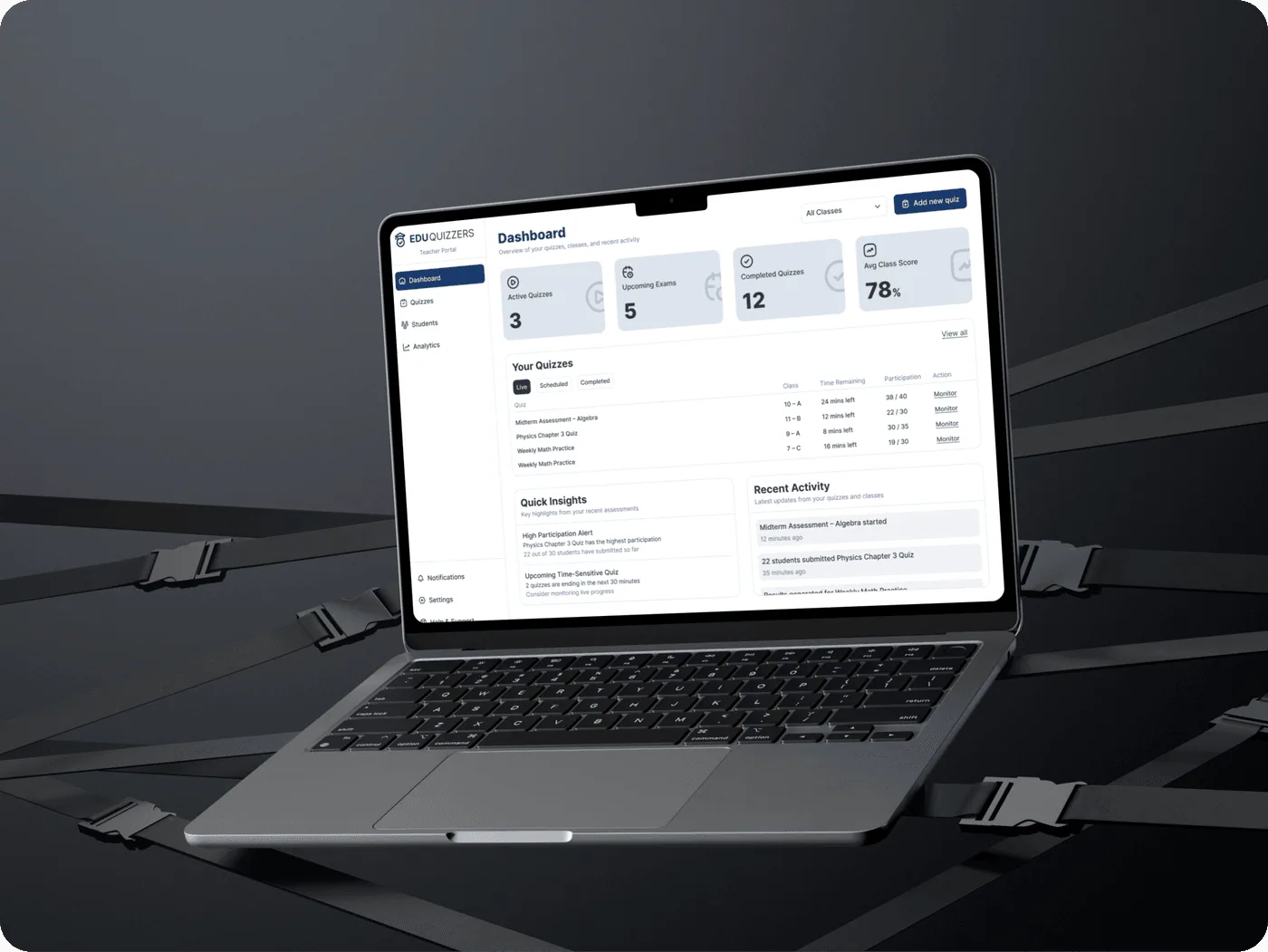
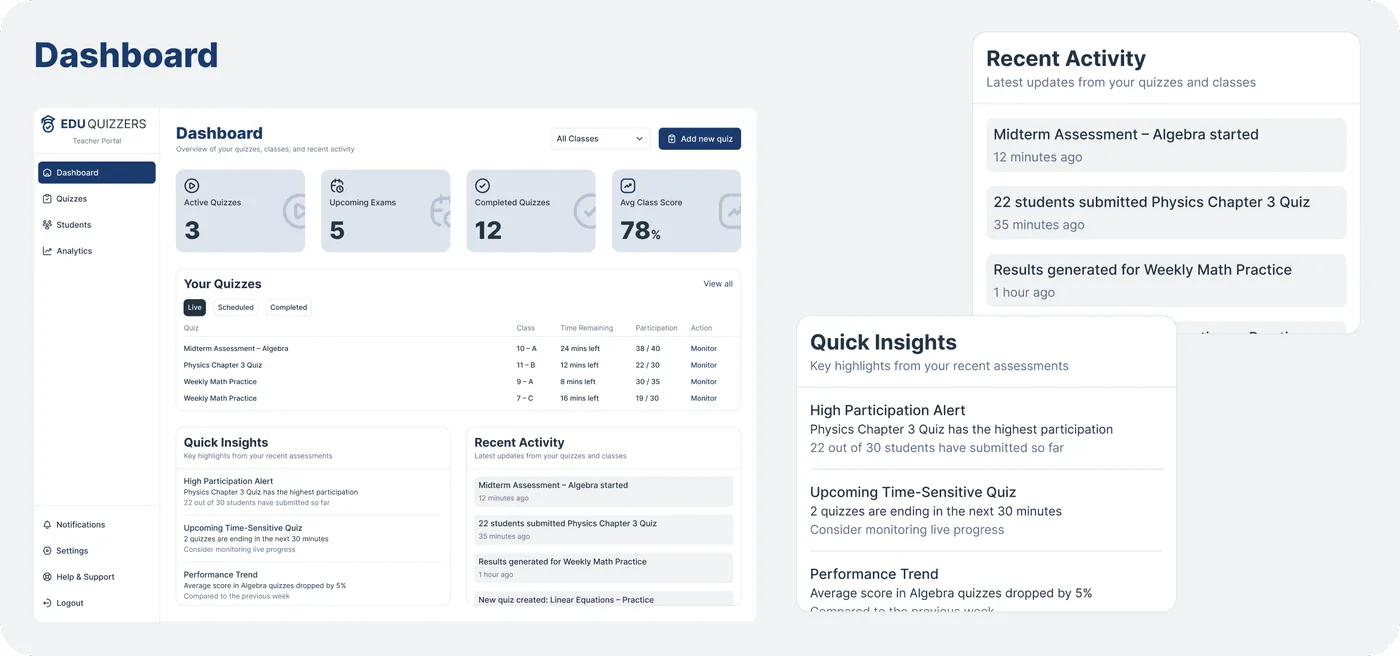
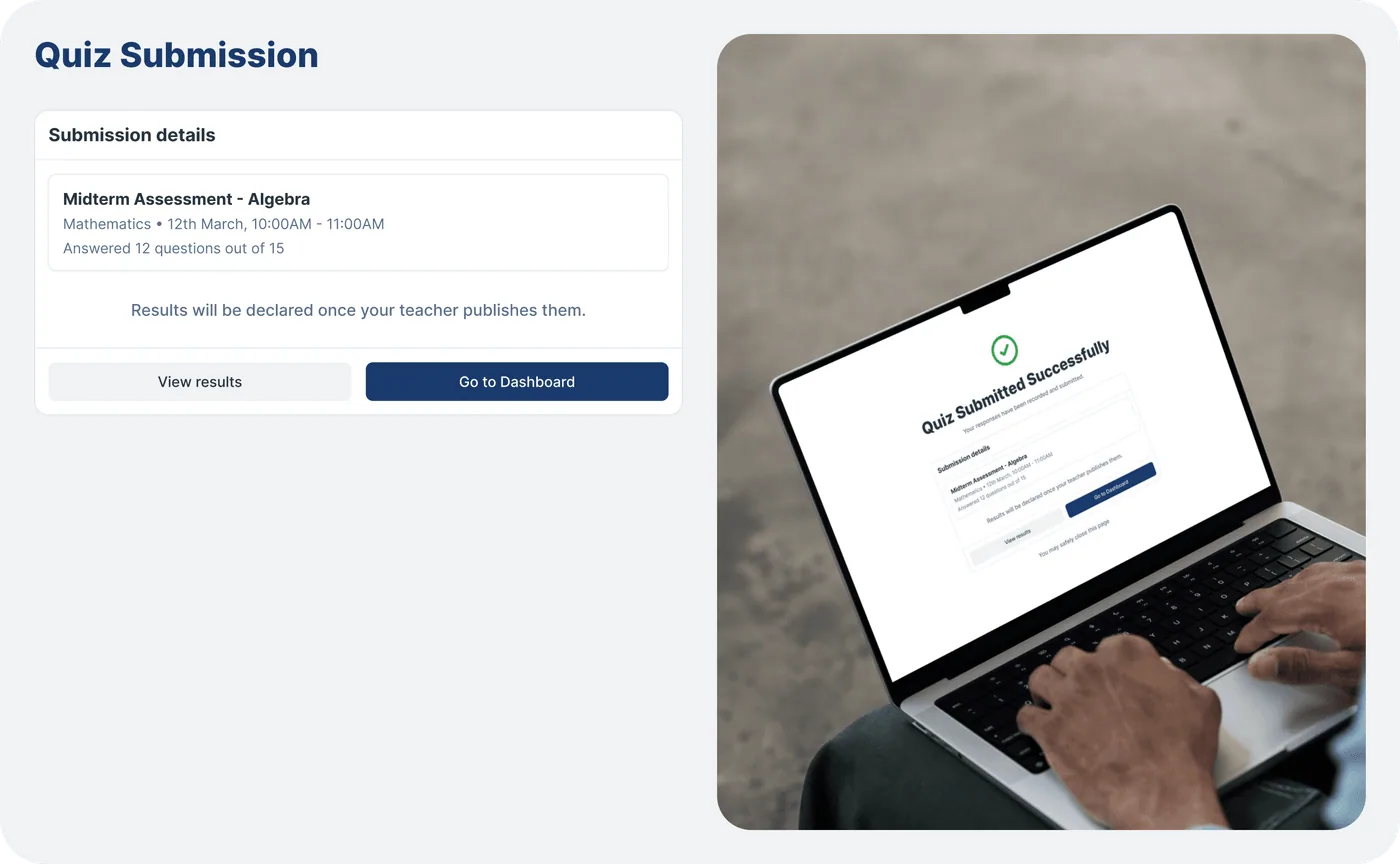
Web UI Screens - Teacher
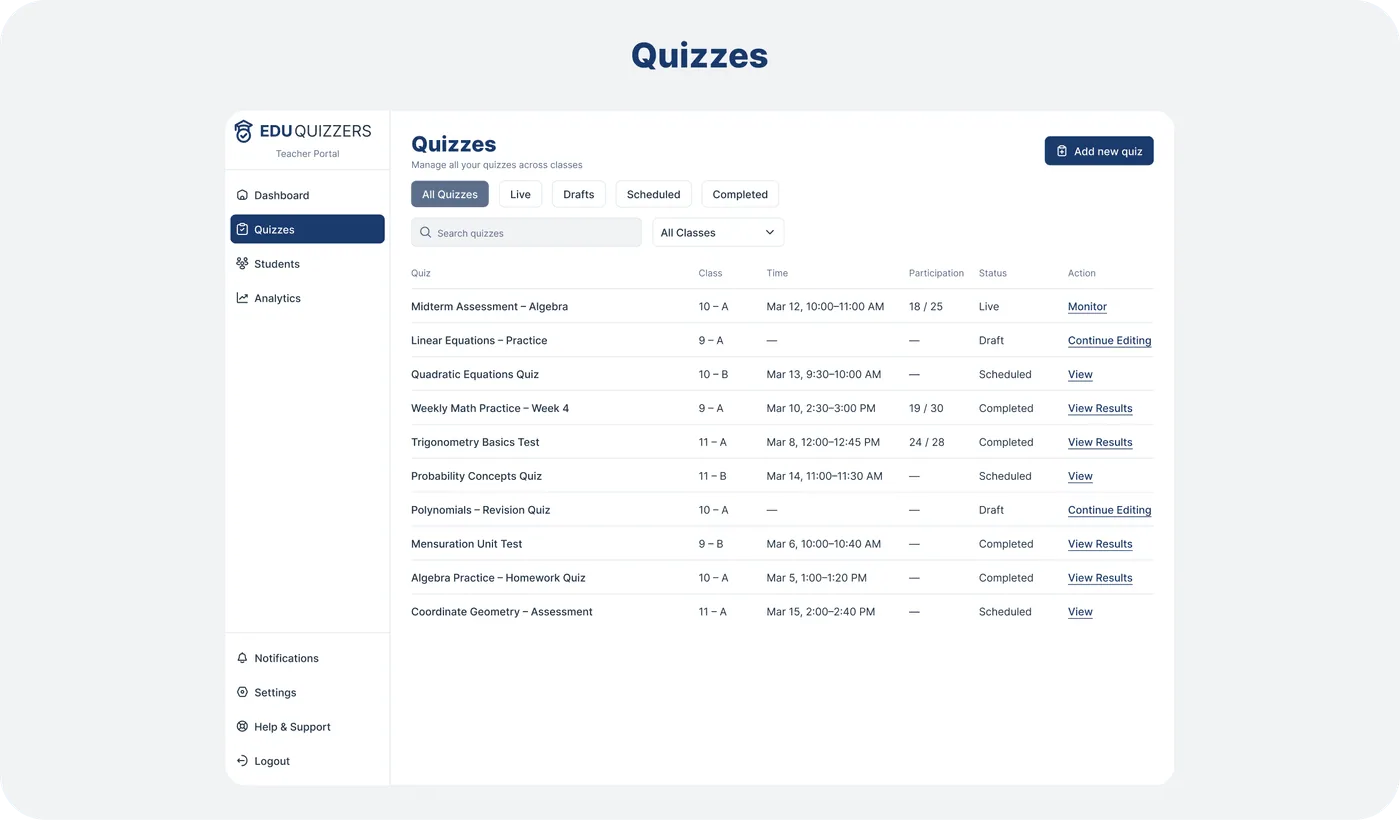
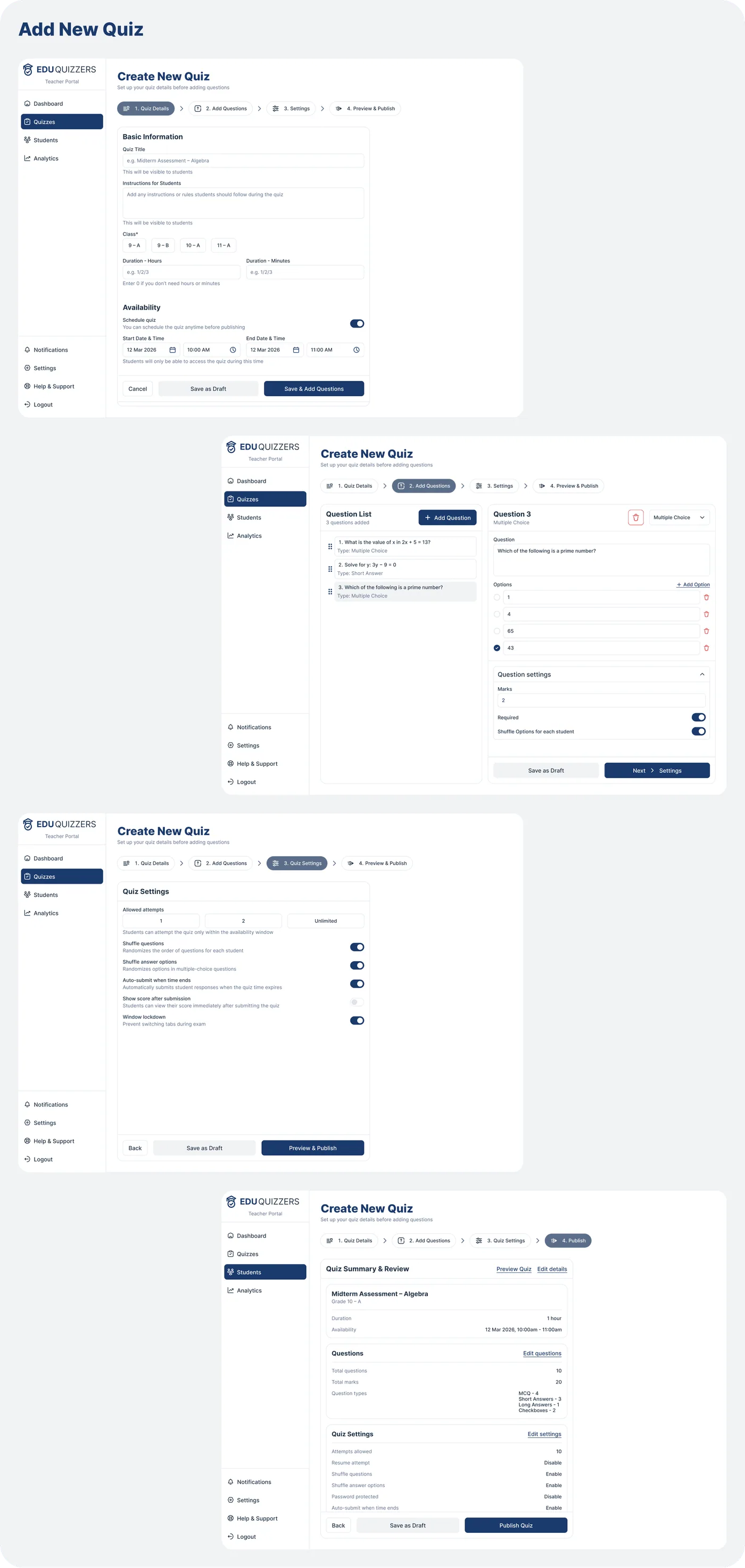
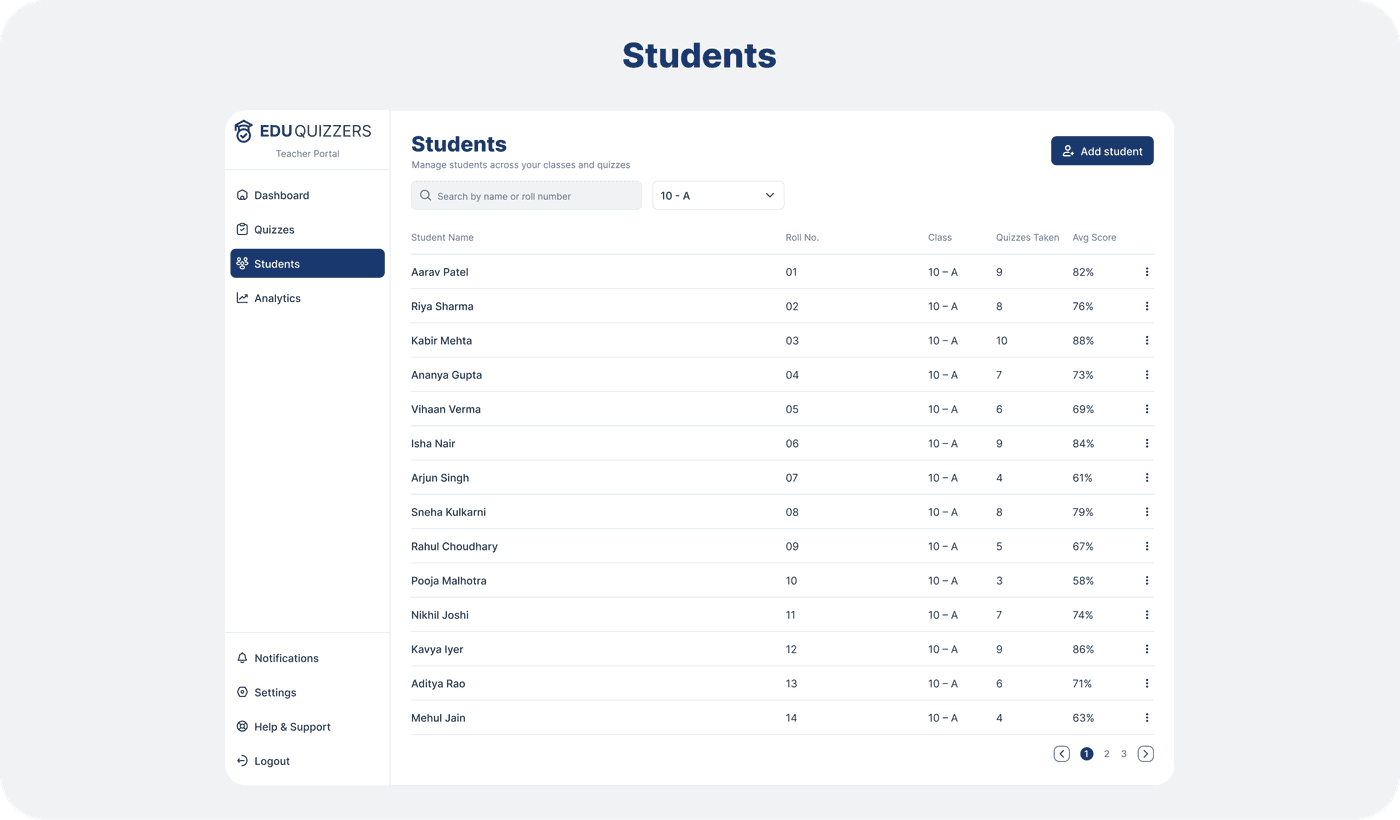
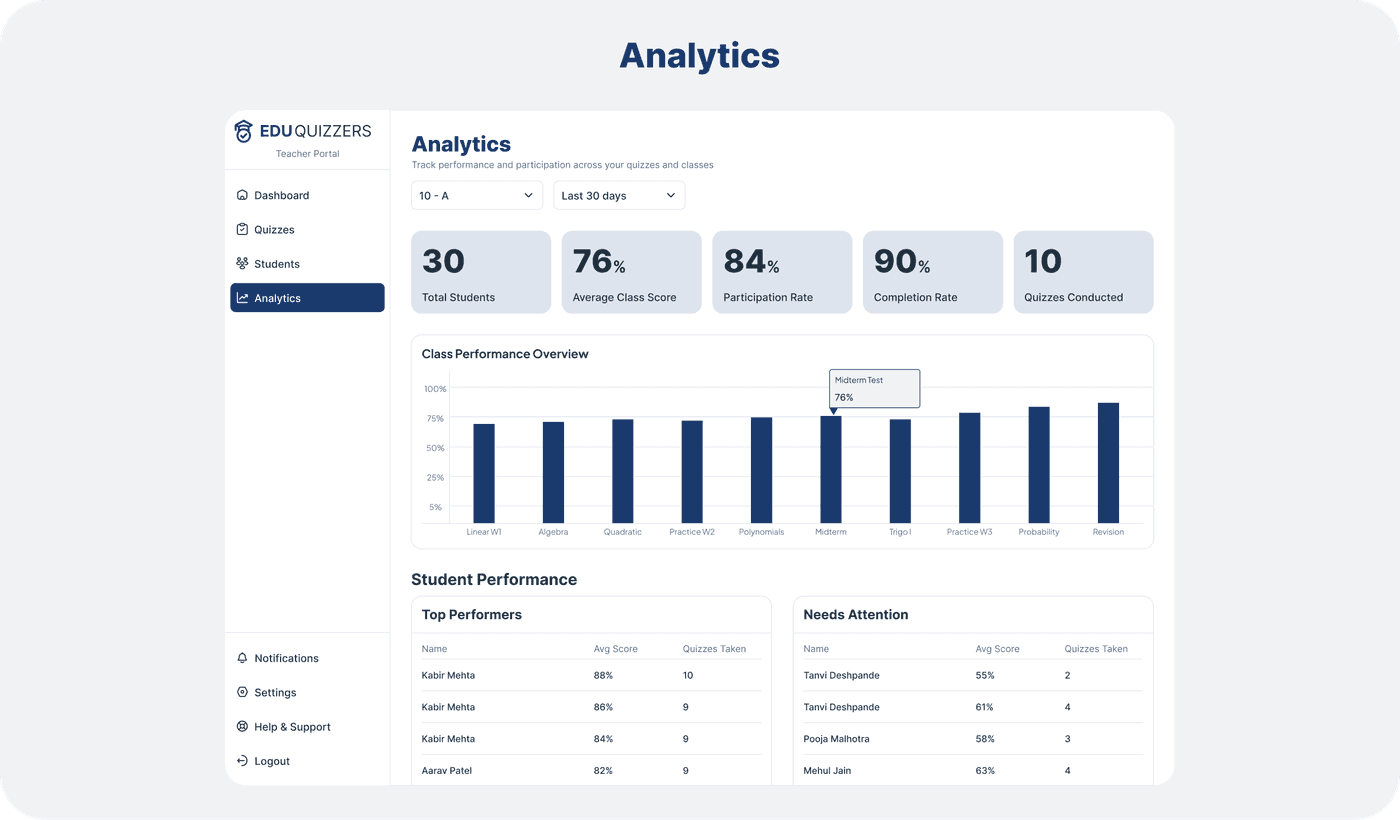
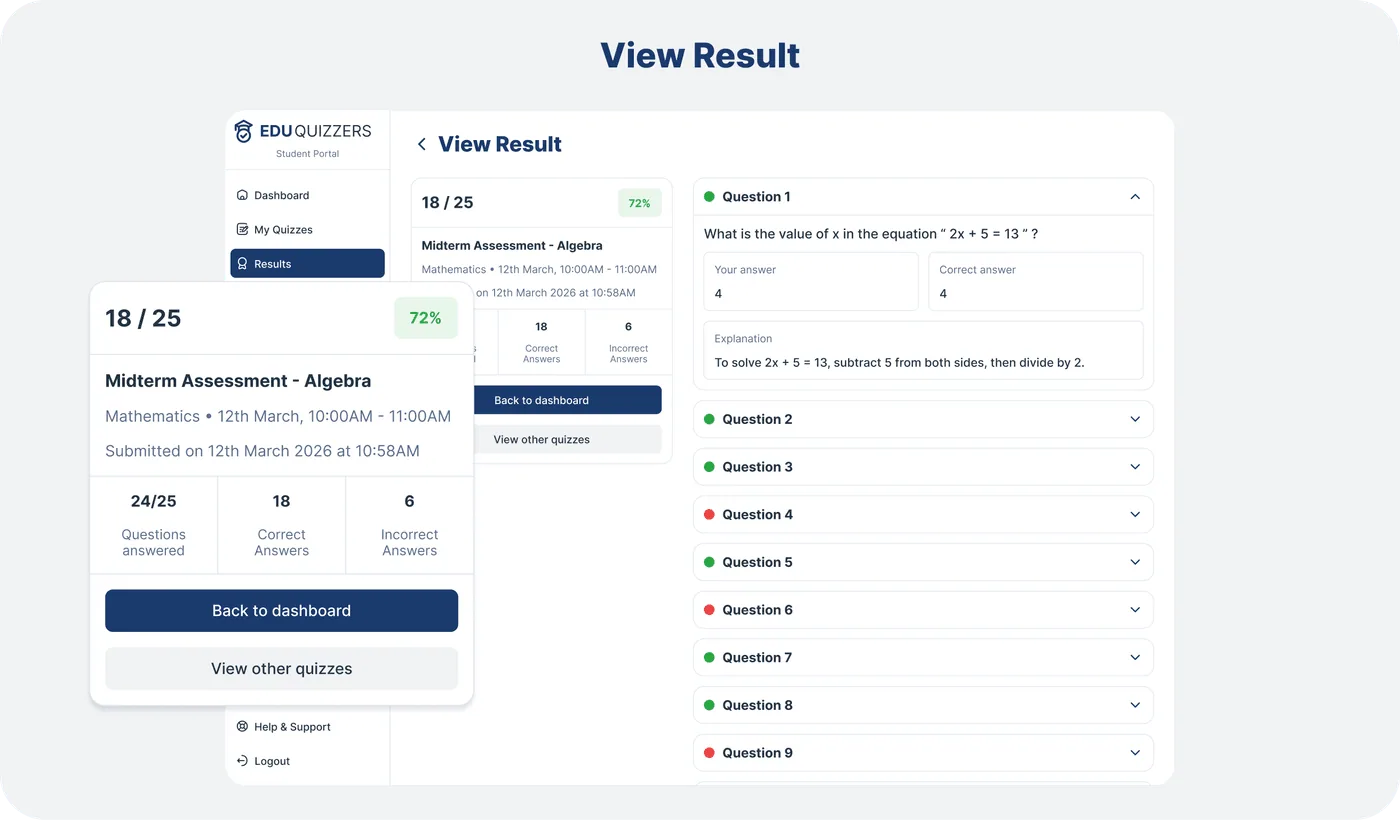
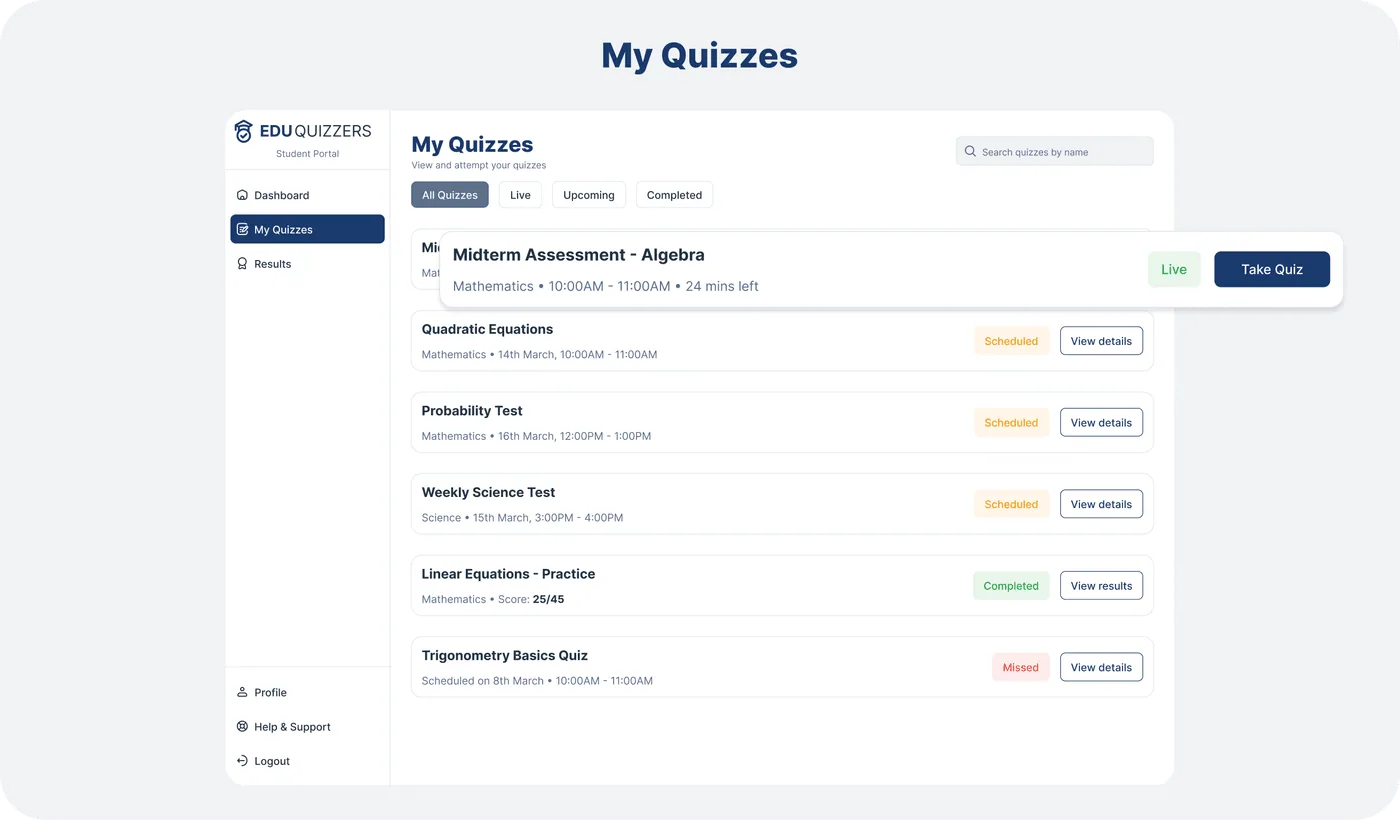
Web UI Screens - Student
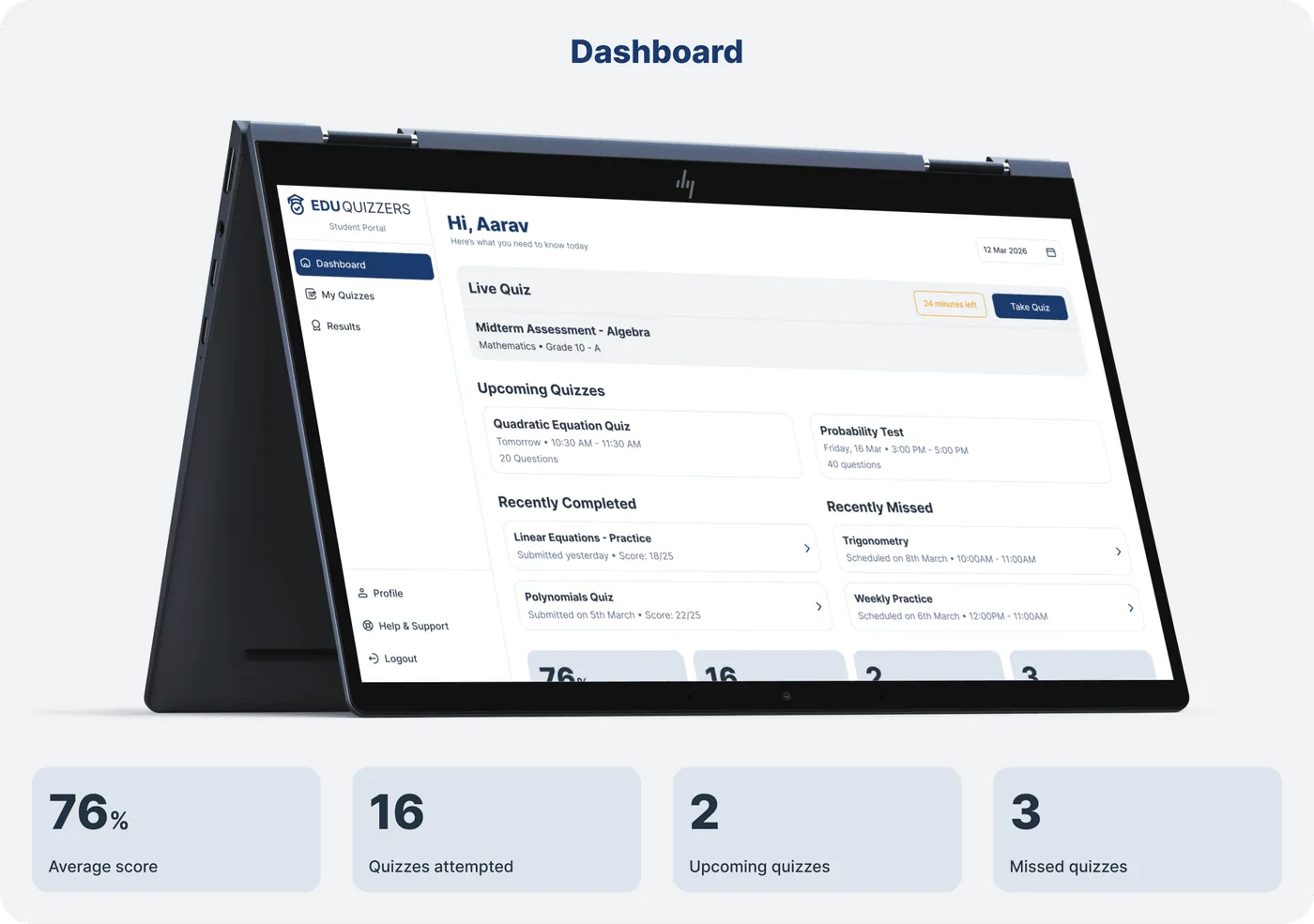
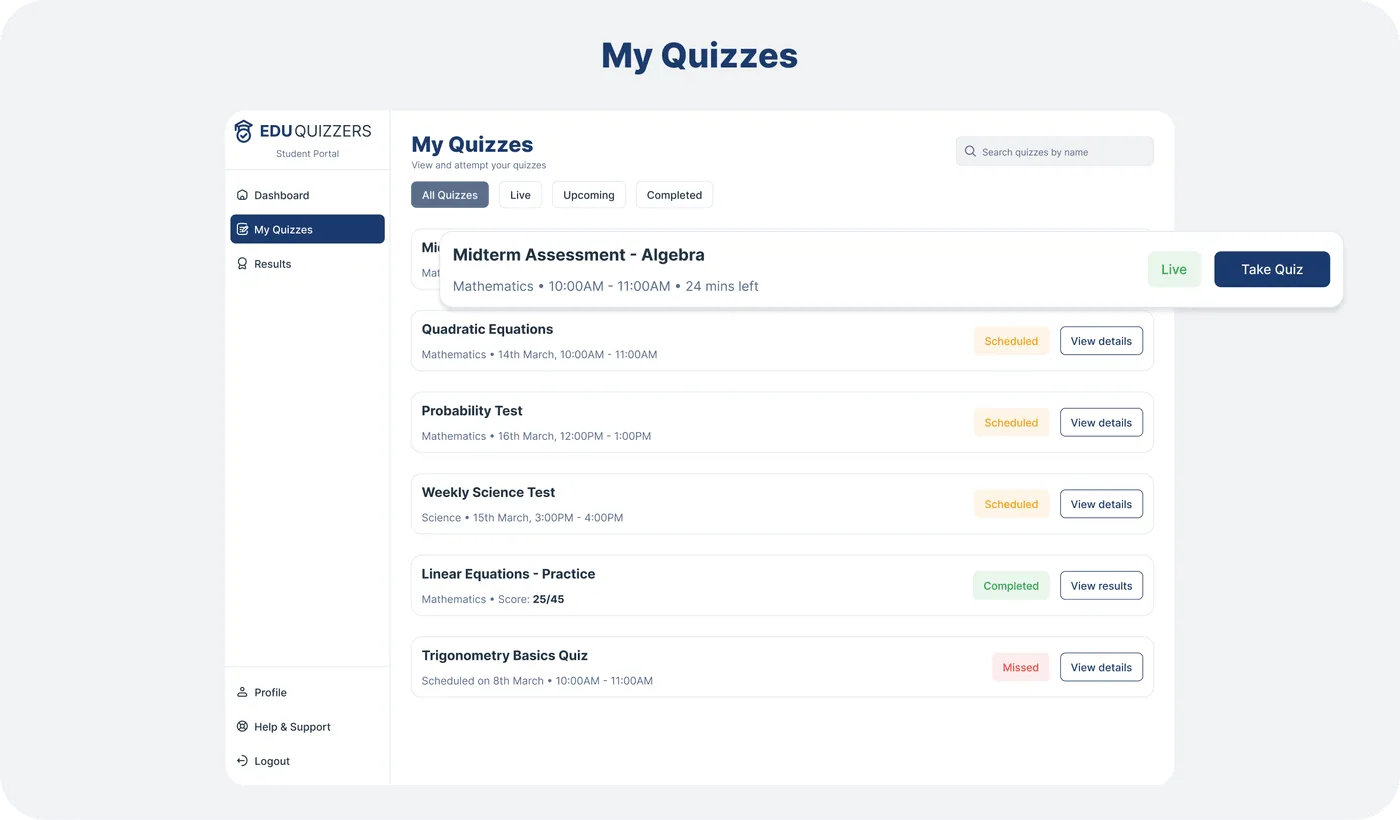
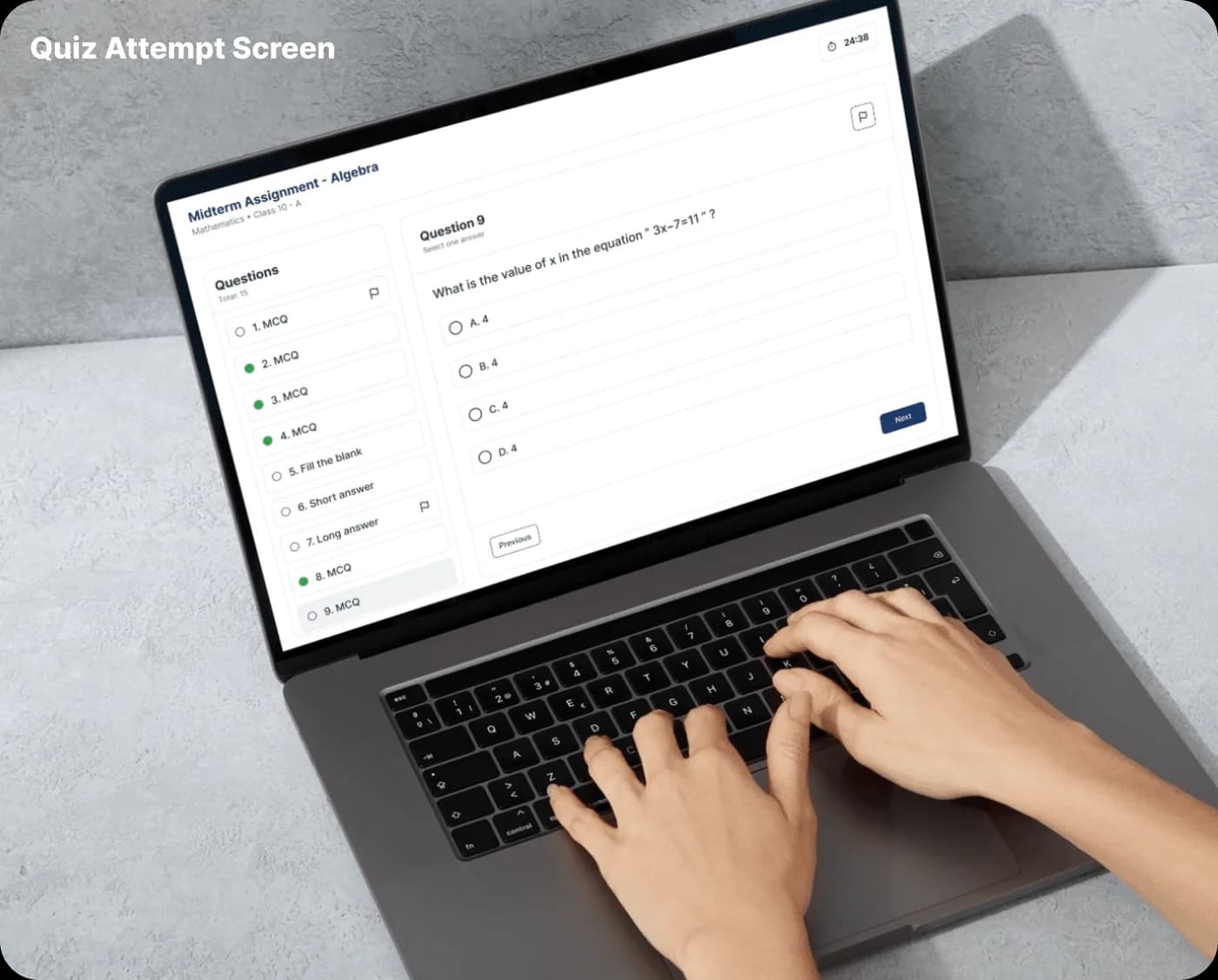
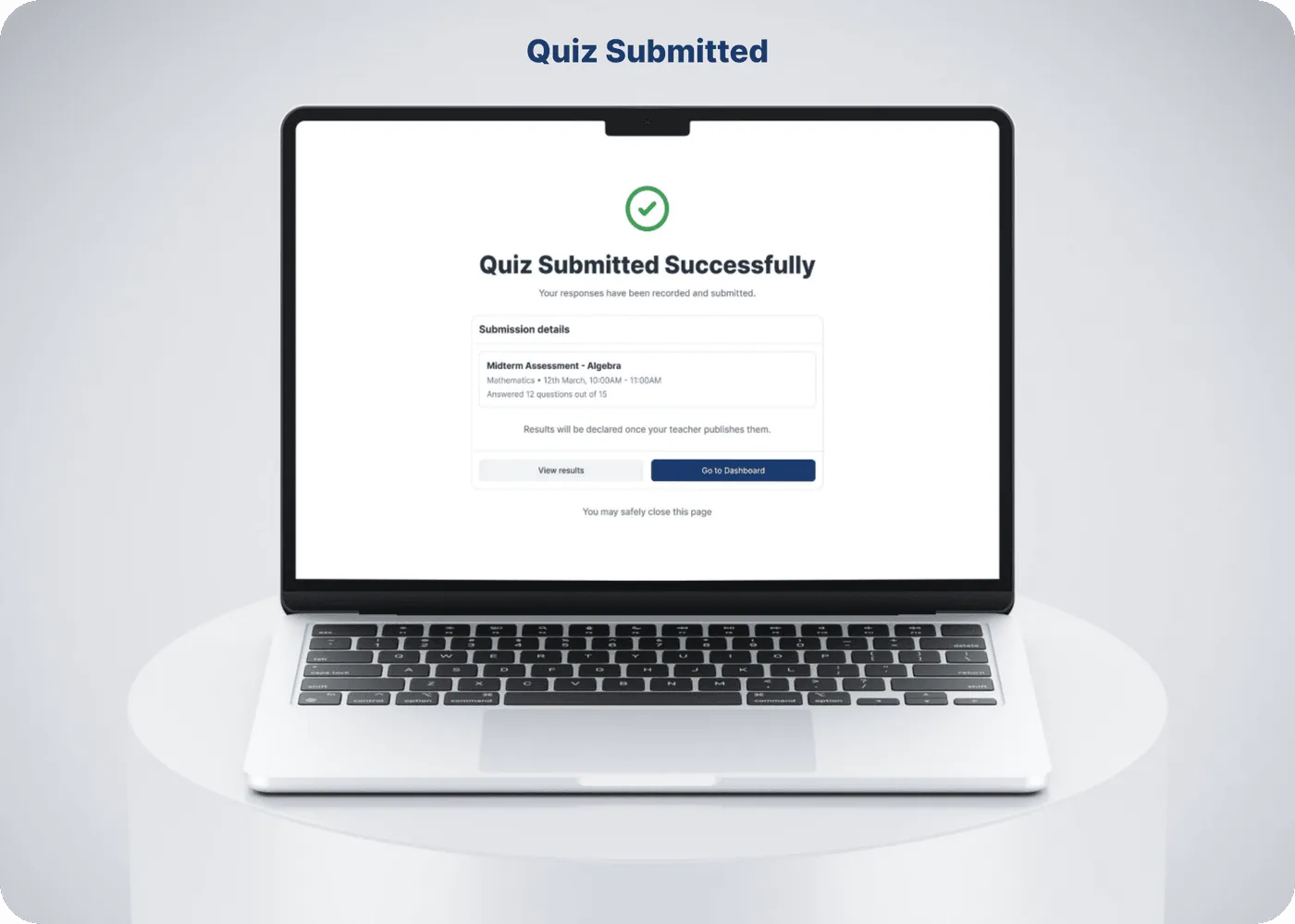
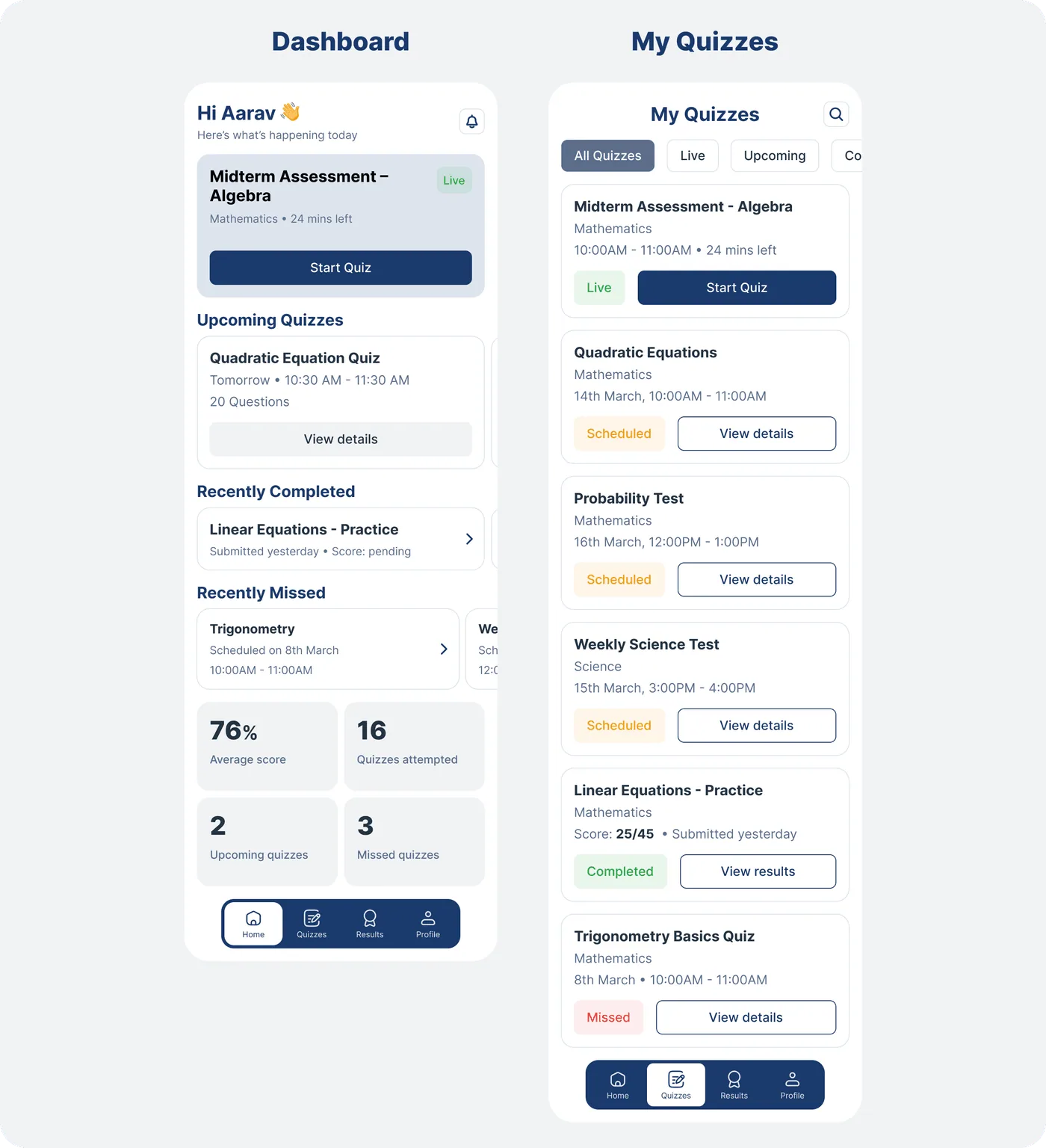
Mobile App UI Screens - Student
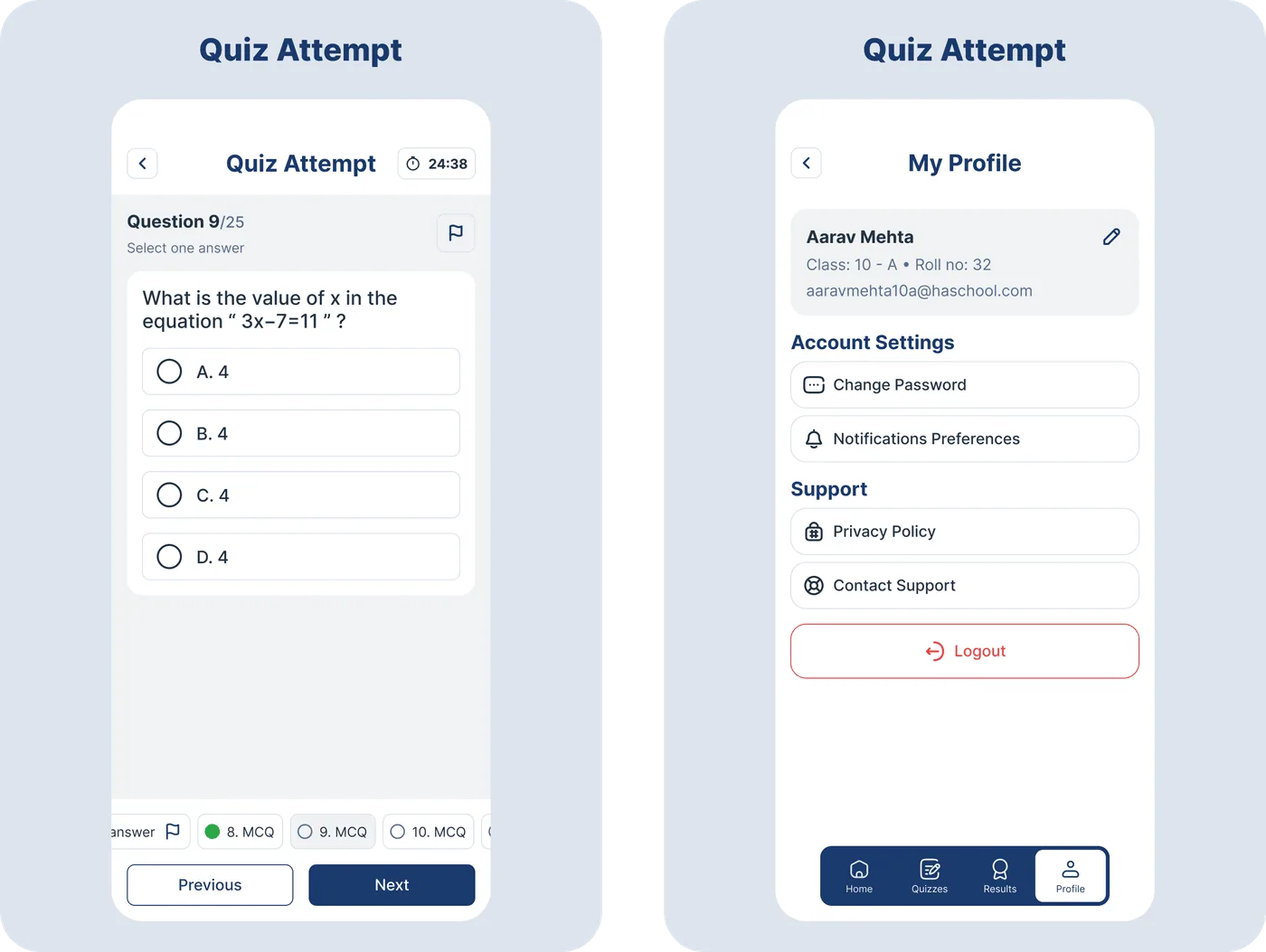
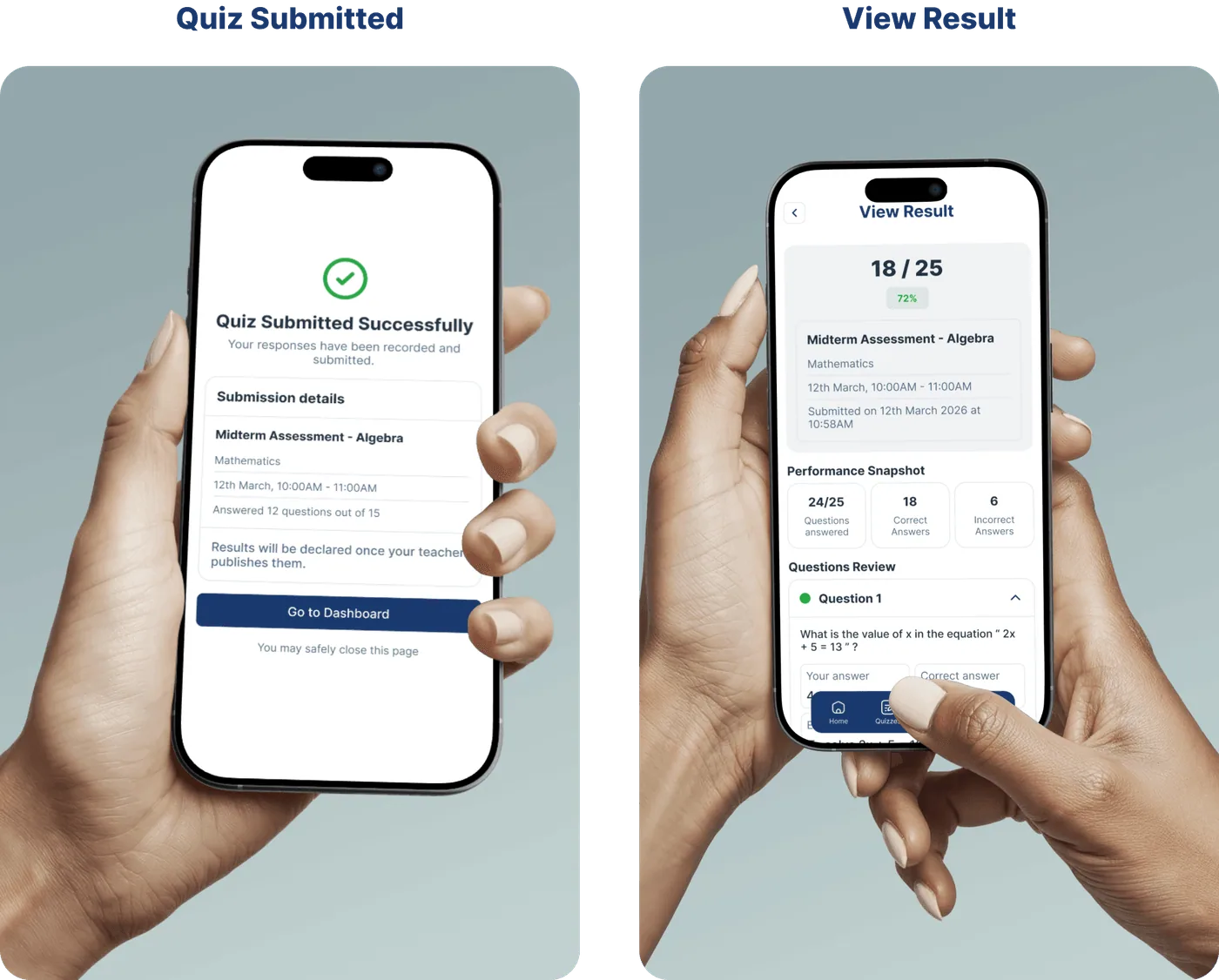
The mobile experience was designed using the same design system as the web platform, ensuring visual consistency and interaction familiarity, while introducing subtle adjustments for mobile orientation.
THANK YOU
FOR SCROLLING
Explore More
More Case Studies
See how we solve real-world challenges through thoughtful design and engineering.
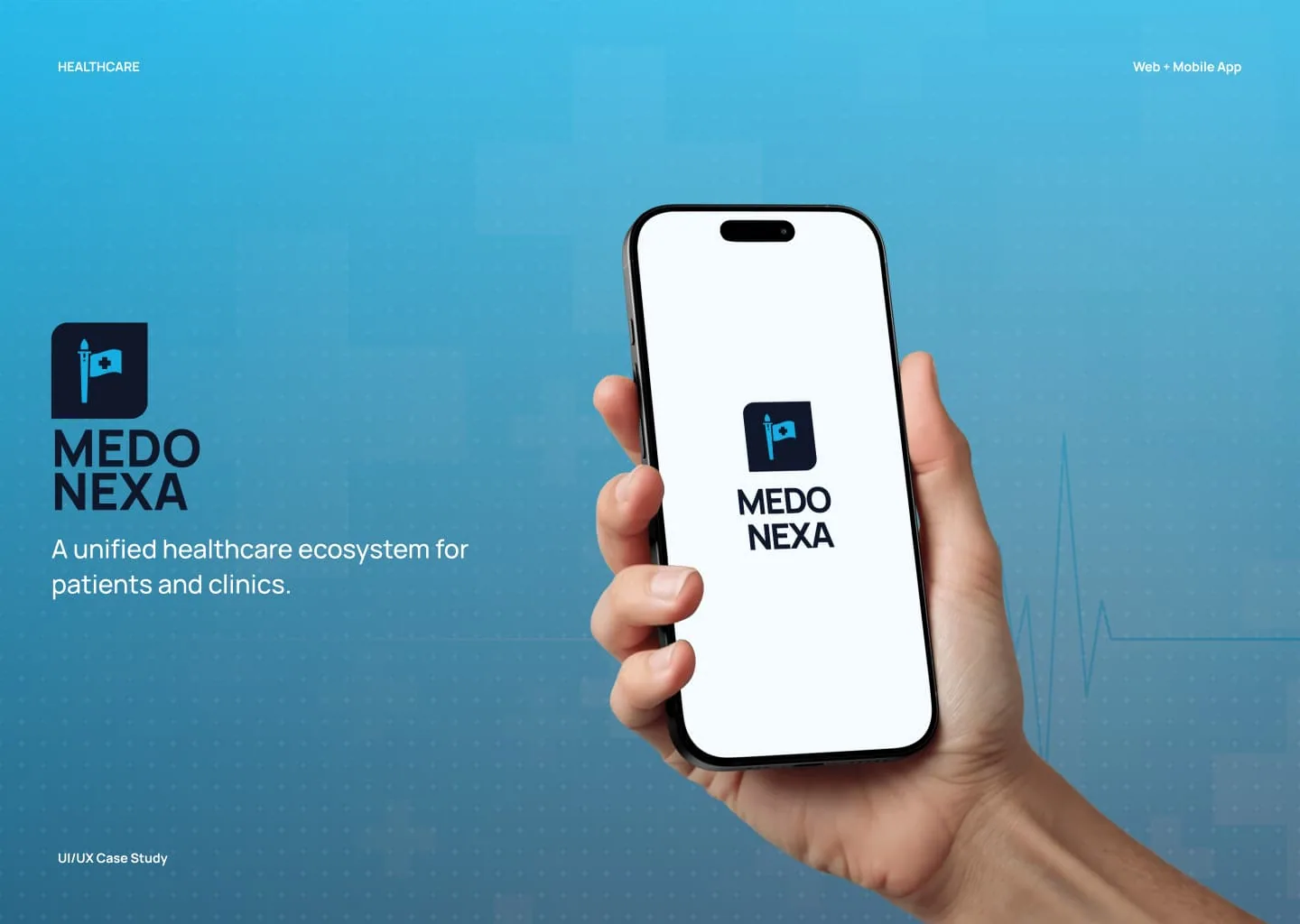
Healthcare Ecosystem
Medonexa - Modern Healthcare Appointment Platform
A modern healthcare appointment booking platform designed to simplify how patients access medical care and how clinics manage their daily operations.
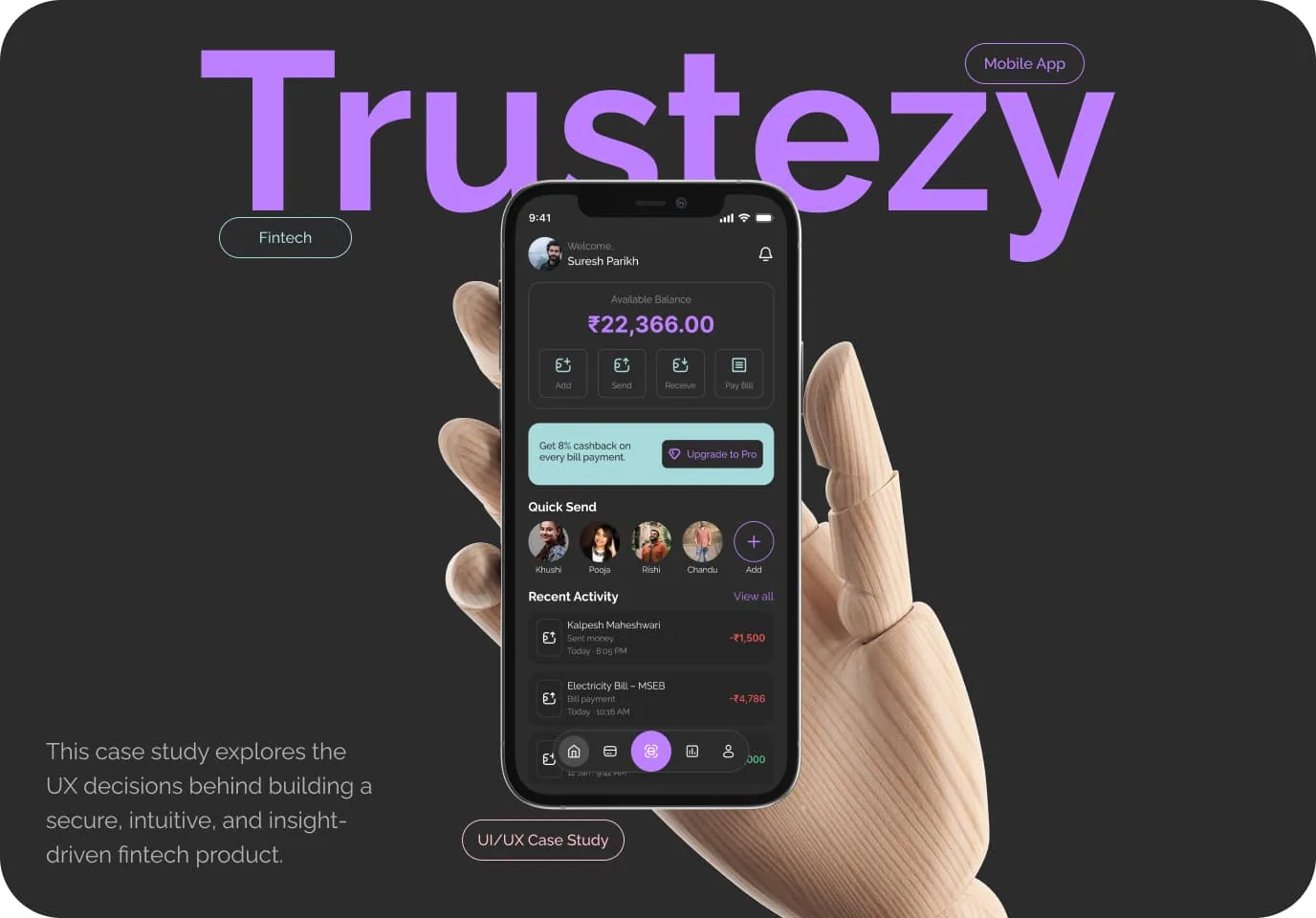
Fintech | Mobile App | UI/UX Case Study
Trustezy - Modern Digital Wallet & Fintech App
A modern digital wallet designed to simplify everyday payments, money transfers, and financial management with clarity, control, and security in one place.
Quick Commerce | Mobile App | UI/UX Case Study
Itemry - Quick Commerce Grocery App
A quick-commerce grocery platform designed to help urban users order everyday essentials with speed, clarity, and confidence — from discovery to doorstep.
Have a Project in Mind?
We design and build digital products that solve real problems — from concept to launch. Tell us about your idea and let's bring it to life together.
50+
Projects Delivered
30+
Happy Clients
9+
Years of Experience
15+
Team Members