
About Us
Itemry brings everyday groceries closer to your routine, designed for speed, clarity, and confidence. From fresh produce to household essentials, Itemry helps urban users find what they need, place an order in seconds, and receive it at their doorstep within minutes.
The goal wasn't just to design a grocery app, it was to remove friction from everyday decisions. Every interaction in Itemry, from product discovery to order tracking, was intentionally crafted to feel calm, predictable, and transparent.
Design choices across layout, navigation, and micro-interactions reflect a human-centered approach, ensuring users always feel in control of their order — without being overwhelmed by information.
Target Audience
Identifying Who Truly Uses the App
Itemry is a quick-commerce grocery platform designed to help users order everyday essentials with speed and clarity. The app focuses on simplifying product discovery, enabling fast reordering, and providing transparent pricing and delivery timelines making shopping effortless.
Itemry is designed for urban users aged 20–45, including working professionals, students, and families who rely on quick grocery deliveries for daily needs. These users value speed, predictability, and ease of use, often shopping multiple times a week and expecting a seamless mobile-first experience.
Itemry is designed for urban users aged 20–45, including working professionals, students, and families who rely on quick grocery deliveries for daily needs. These users value speed, predictability, and ease of use, often shopping multiple times a week and expecting a seamless mobile-first experience.
Users typically use Itemry during time-sensitive moments — before meals, while working, or during last-minute household needs. Usage peaks during mornings, evenings, and weekends, when quick access to groceries and reliable delivery becomes essential.
Itemry primarily serves users in urban and semi-urban areas with access to fast delivery networks. Most interactions happen on mobile devices, allowing users to browse, reorder, and track deliveries anytime, whether at home or on the move.
Problem & Solution
Problem
Busy urban users depend on quick-commerce grocery apps for everyday essentials, yet many existing platforms feel cluttered, overwhelming, and inefficient. Users often struggle to quickly find products, compare options, and understand final pricing or delivery timelines, leading to hesitation and abandoned carts. Poor categorization, excessive choices, and unclear feedback during checkout increase cognitive load in what should be a fast, routine task. As a result, grocery shopping becomes stressful rather than convenient, highlighting the need for a simpler, more transparent, and faster ordering experience designed around real user behavior.
Solution 1
A clean, predictable home experience that prioritizes everyday essentials
Solution 2
Clear category structures and smart shortcuts for repeat purchases
Solution 3
Transparent pricing and delivery timelines surfaced early in the flow
Solution 4
A focused, 2-step checkout that reduces cognitive load
Solution 5
Calm order tracking that reassures users after purchase
Experience Overview
Itemry is designed to deliver value through every interaction — from fast discovery to effortless reordering and real-time tracking — ensuring users can complete everyday grocery tasks with speed, clarity, and confidence.
App Benefits
Fast & Convenient
Order daily essentials in minutes with a clean, distraction-free experience.
Simplified Discovery
Browse clearly structured categories and find products without unnecessary scrolling.
Transparent Experience
Always know the final price, delivery time, and order status — no surprises.
Effortless Reordering
Quickly reorder frequently purchased items with minimal steps.
Reliable Tracking
Track your order in real time from store to doorstep.
How Users Interact with Itemry?
Browse & Search
Users explore categories or search directly for products using predictive suggestions.
Select & Customize
Choose quantities, variants, and preferences with clear pricing and availability.
Review & Checkout
Confirm items in a focused cart experience and complete checkout in simple steps.
Track Delivery
Follow real-time order updates with live tracking and clear status indicators.
Repeat & Reorder
Easily reorder essentials from past purchases for faster future checkouts.
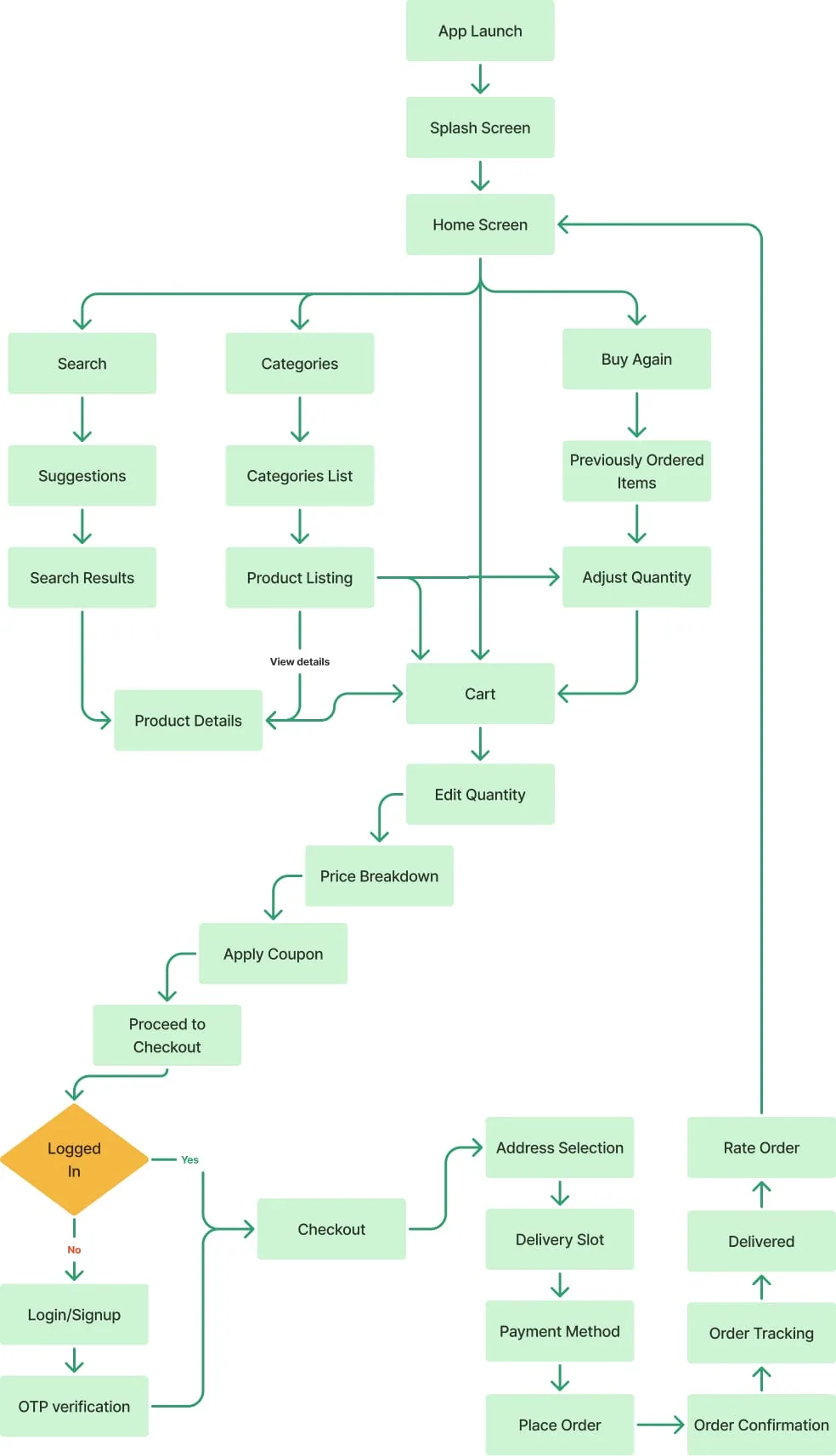
User Flow
Structuring a Clear and Efficient path from browsing to checkout.
About Design Process
Designing Itemry required balancing speed, clarity, and trust within a high-frequency grocery shopping context. The process followed a user-first approach, focusing on real behaviors rather than assumptions.
Understanding the Problem
Quick commerce users often shop under time pressure. Existing grocery apps overwhelm users with excessive options, cluttered layouts, and unclear delivery expectations — leading to hesitation and abandoned carts. The primary challenge was to design a system that allows users to find, decide, and order essentials quickly, without cognitive overload.
Research & Insights
Competitor analysis across platforms like Blinkit, Instamart, Amazon Fresh, and Zepto revealed recurring pain points:
- Overloaded home screens
- Inconsistent product categorization
- Hidden pricing and delivery details
- Friction during repeat purchases
Defining the Experience
Based on research, three core design principles were established:
- Clarity over choice – Reduce decision fatigue by surfacing only what matters
- Speed by design – Minimize steps across browsing and checkout
- Trust through transparency – Always show pricing, delivery time, and order status
User Flow & Information Architecture
User flows were designed to support both:
- First-time users exploring categories
- Returning users reordering essentials in seconds
The flow was intentionally split into focused steps — discovery, cart review, checkout, and tracking — ensuring users never feel overwhelmed at any stage.
Wireframing & Layout Exploration
Low-fidelity wireframes were used to explore layout hierarchy, content density, and interaction patterns. Special attention was given to:
- Thumb-friendly actions
- Consistent component behavior
This phase helped validate structure before moving into visual design.
Visual Design & Branding
The visual language was kept calm and minimal, using soft colors, generous spacing, and friendly iconography. The branding reinforces approachability while maintaining a modern, quick-commerce aesthetic. Every element — from buttons to product cards — was designed to feel familiar and effortless.
Final Outcome
The final design delivers a fast, intuitive, and trustworthy grocery shopping experience, optimized for daily use and repeat behavior — aligning seamlessly with the realities of quick commerce.
Logo & Branding
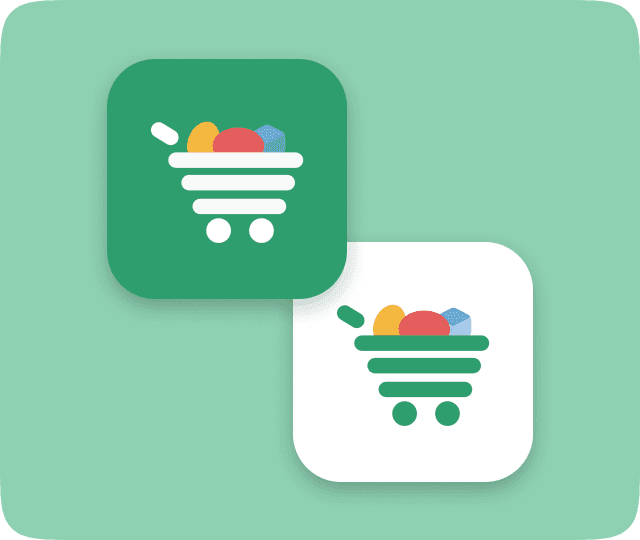
The logo combines a universal shopping symbol with organic shapes, representing Itemry's focus on fast, intuitive, and human-centered grocery experiences.
Color System
A purposeful palette built for trust, clarity, and energy
Primary Green
Brand / CTA
Light Green
Accent 1
Blue
Accent 2
Amber
Attention
Red
Error / Alert
Dark Navy
Primary Text
Gray
Secondary Text
Border Gray
Borders / Dividers
Typography System
Manrope — clean, modern, and built for readability
MANROPE
A B C D E F G H I J K L M N O P Q R S T U V W X Y Z
a b c d e f g h i j k l m n o p q r s t u v w x y z
0 1 2 3 4 5 6 7 8 9 ! @ # $ % & * ( ) - + = ? /
App Walkthrough
Splash
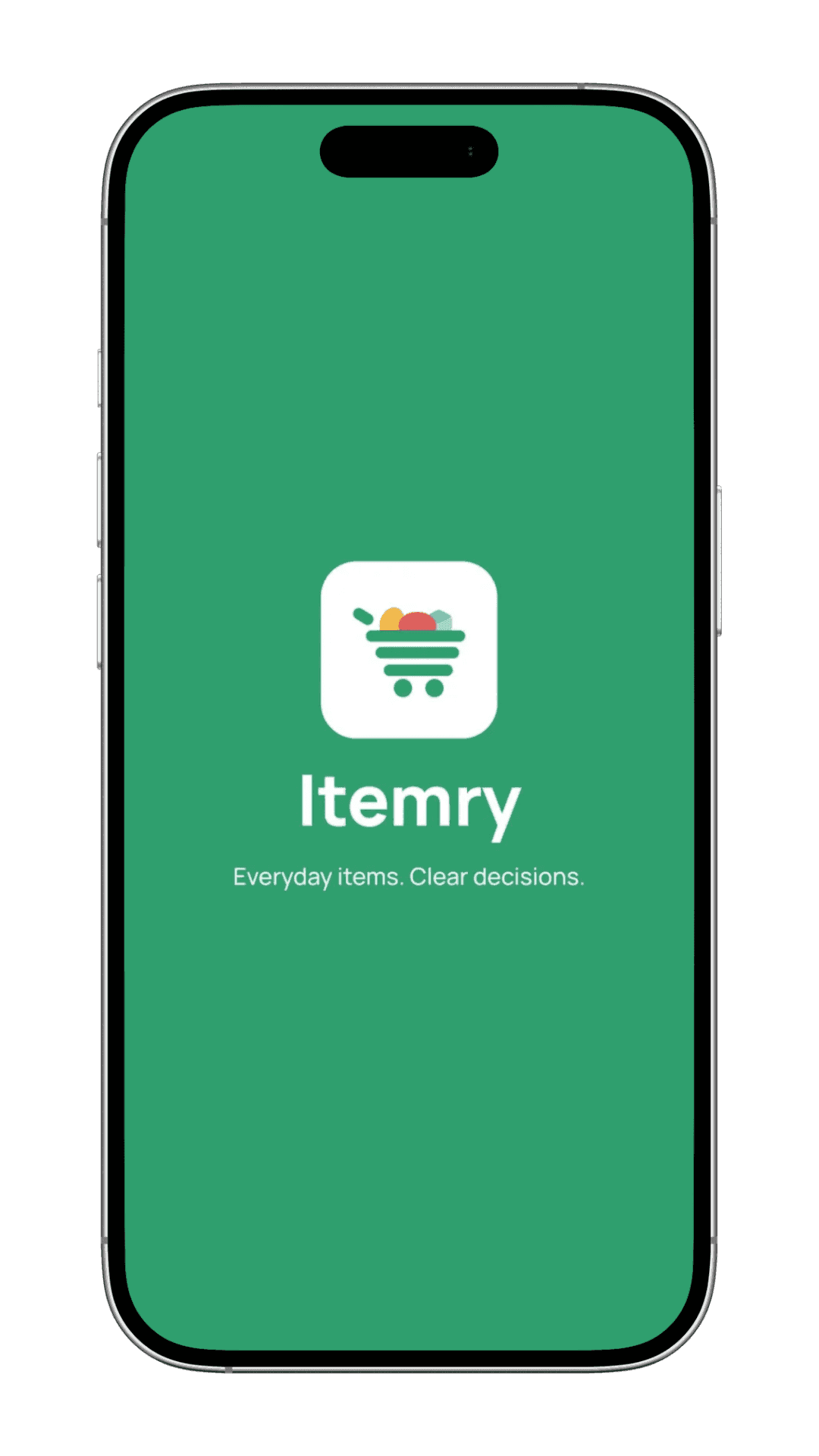
Designed as a lightweight entry point, the splash screen reinforces Itemry's brand identity while smoothly transitioning users into the app experience without delay.
Splash
Designed as a lightweight entry point, the splash screen reinforces Itemry's brand identity while smoothly transitioning users into the app experience without delay.
Onboarding
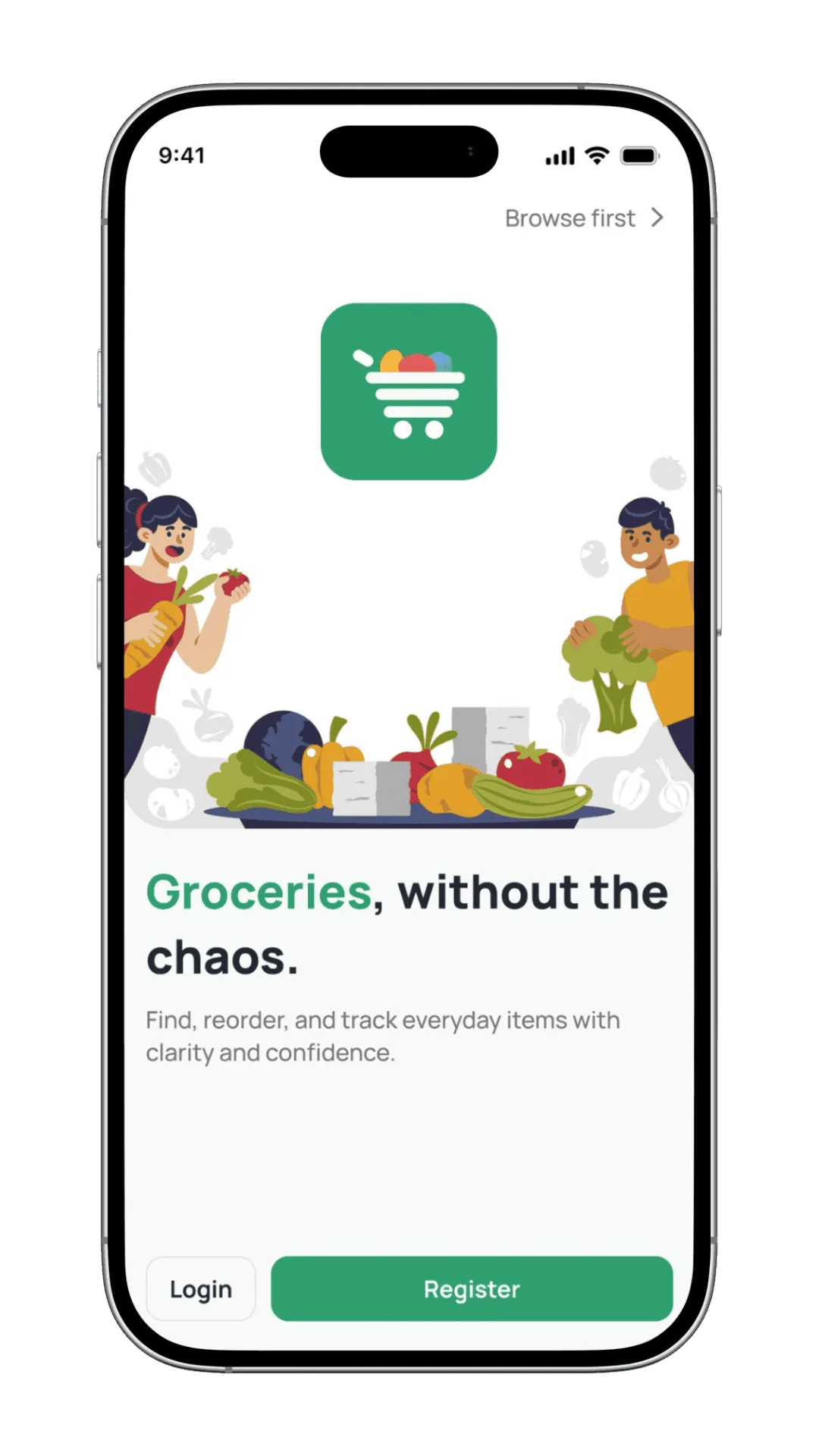
The onboarding experience introduces Itemry's core value in a simple, distraction-free flow — allowing users to understand the app's benefits before creating an account.
Onboarding
The onboarding experience introduces Itemry's core value in a simple, distraction-free flow — allowing users to understand the app's benefits before creating an account.
Login & Signup
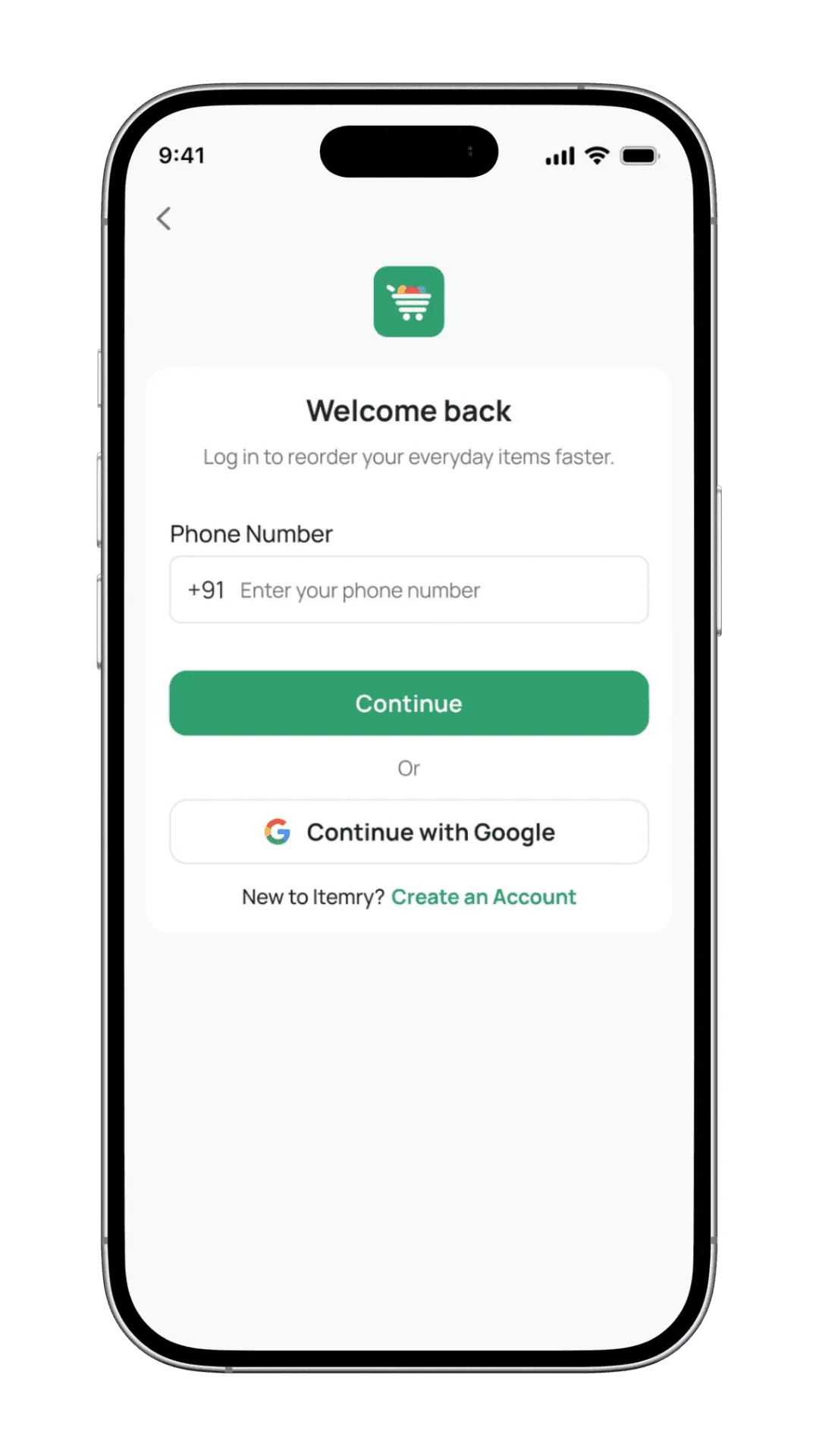
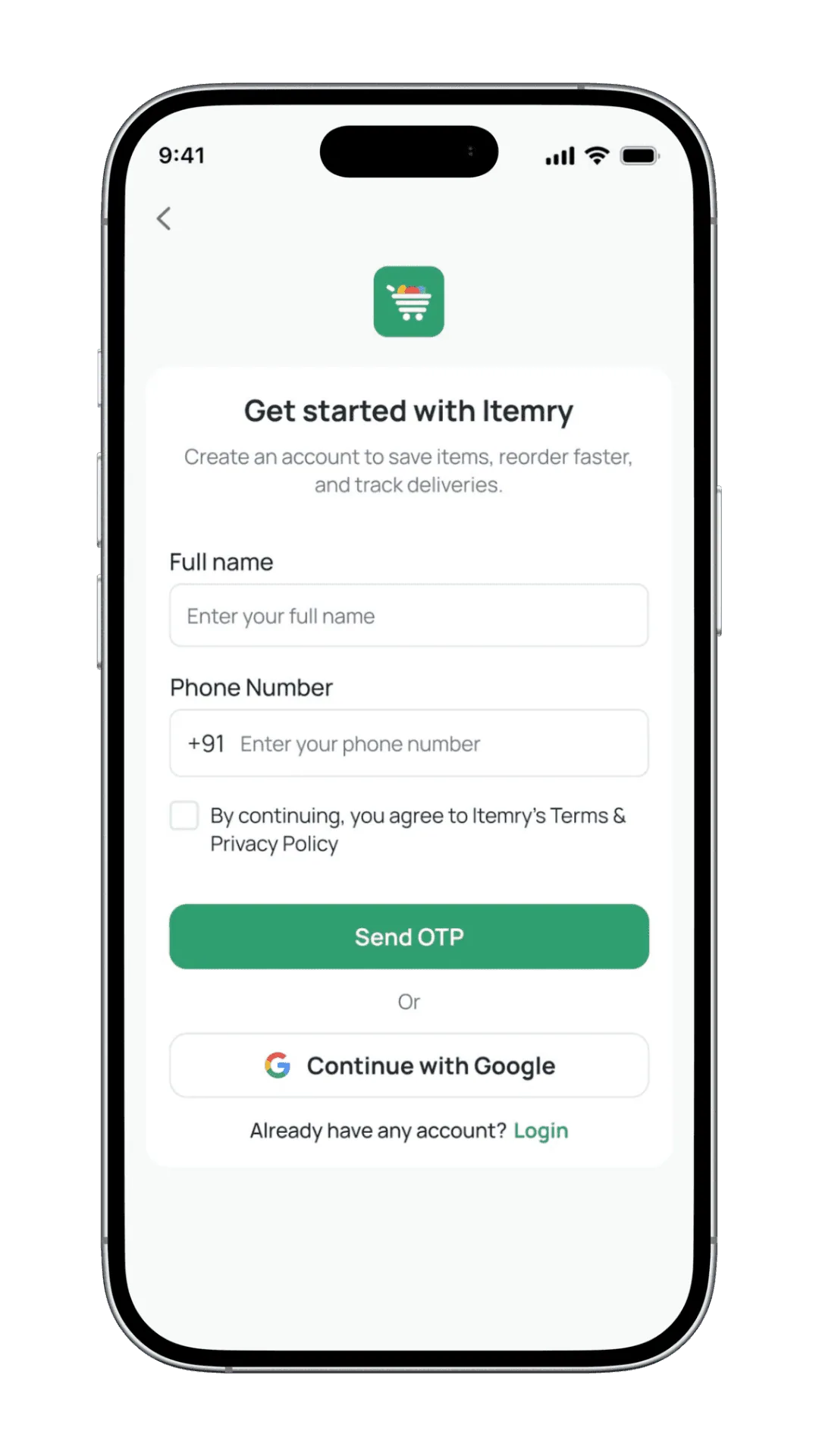
Login and signup are designed to be quick and unobtrusive. A simple OTP-based flow minimises effort and reduces drop-offs, allowing users to securely access their account without disrupting their shopping intent.
Login & Signup
Login and signup are designed to be quick and unobtrusive. A simple OTP-based flow minimises effort and reduces drop-offs, allowing users to securely access their account without disrupting their shopping intent.
Home Page
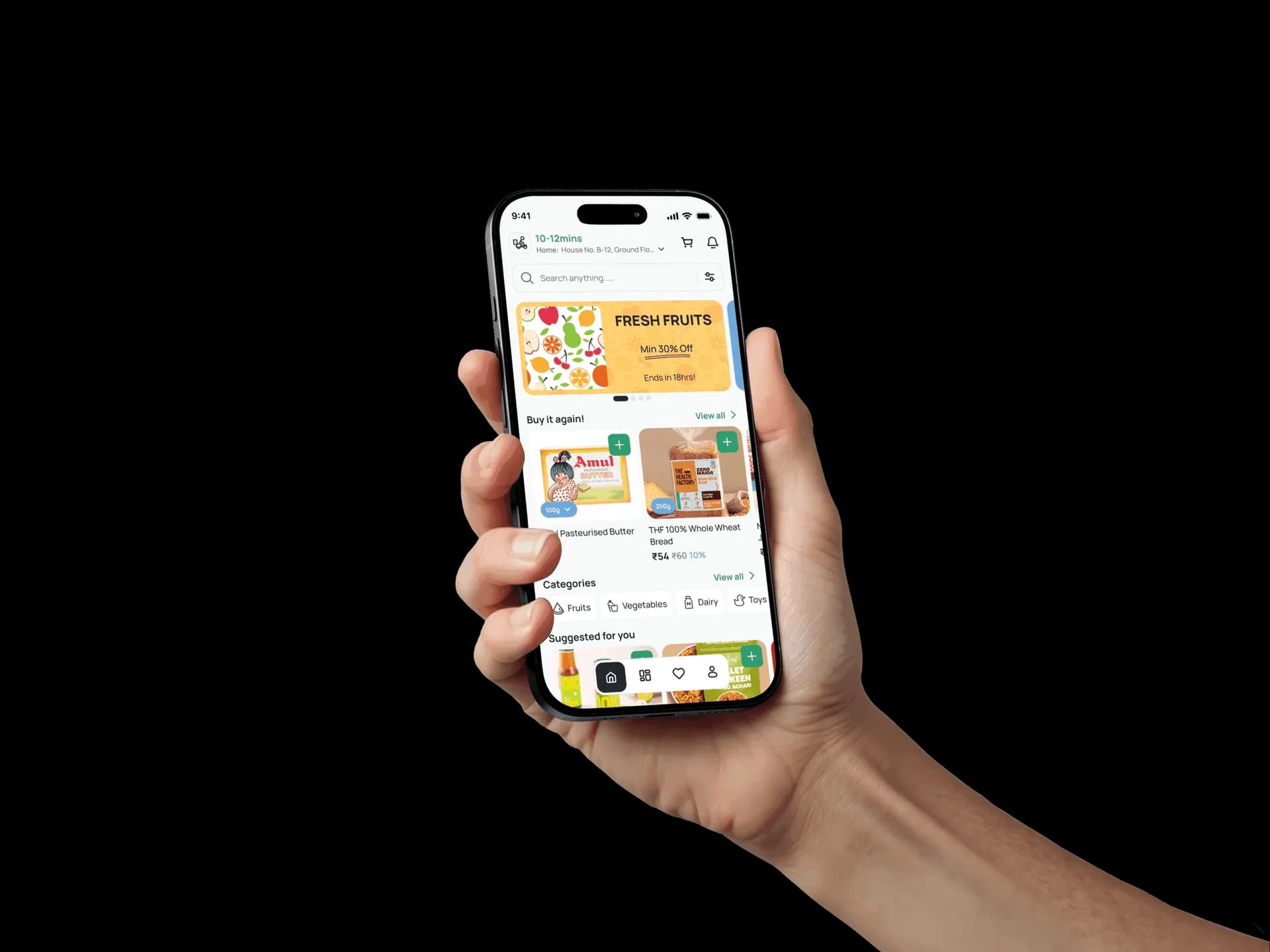
The home screen is designed as a fast decision hub. Personalised sections, time-bound offers, and a one-tap reorder panel ensure users find what they need quickly without unnecessary browsing.
Home Page
The home screen is designed as a fast decision hub. Personalised sections, time-bound offers, and a one-tap reorder panel ensure users find what they need quickly without unnecessary browsing.
Categories
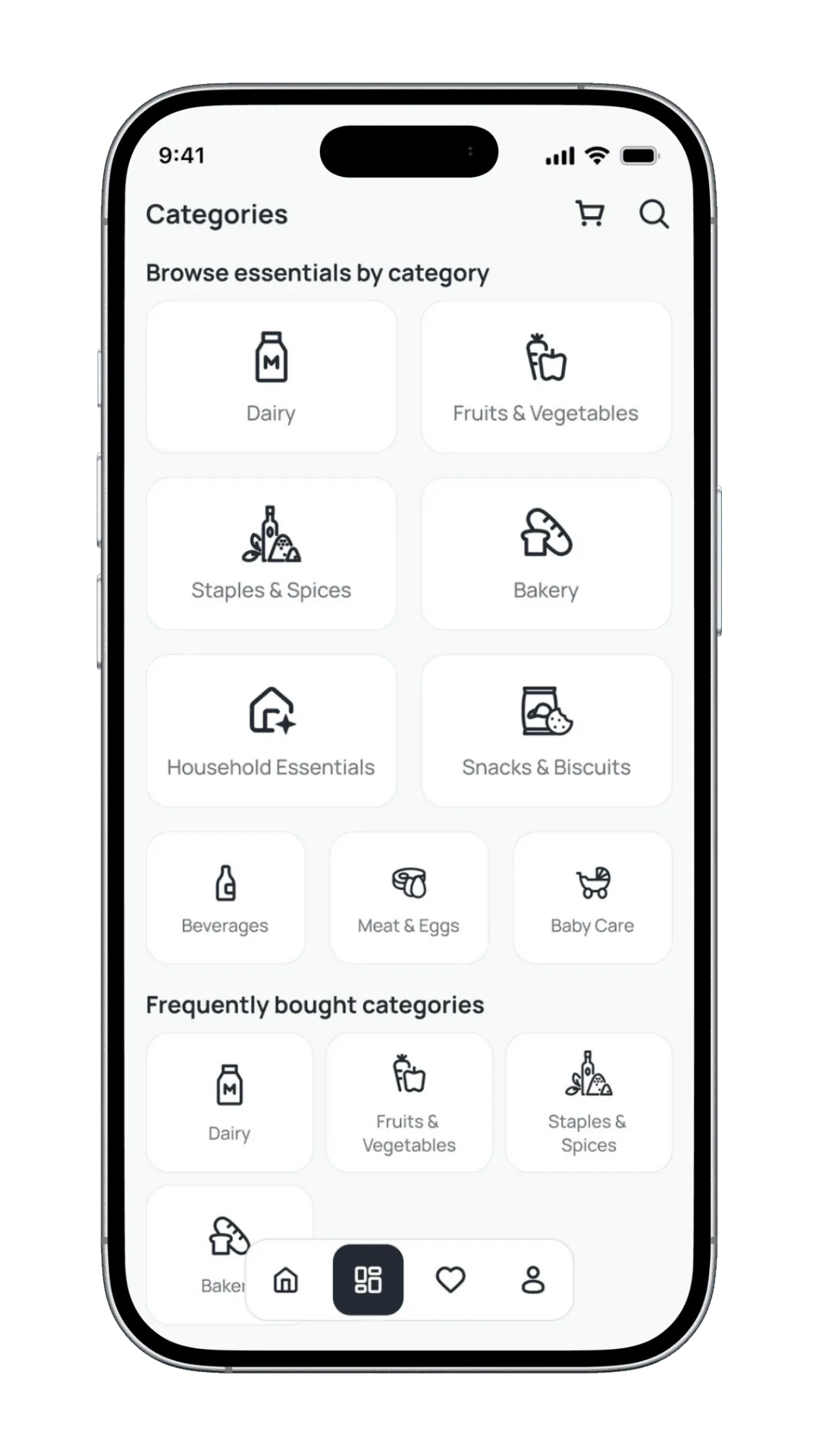
The categories screen presents a clear, scannable overview of all grocery groups. Icon-based cards reduce visual load and make category selection effortless, even for first-time users.
Curated Category View
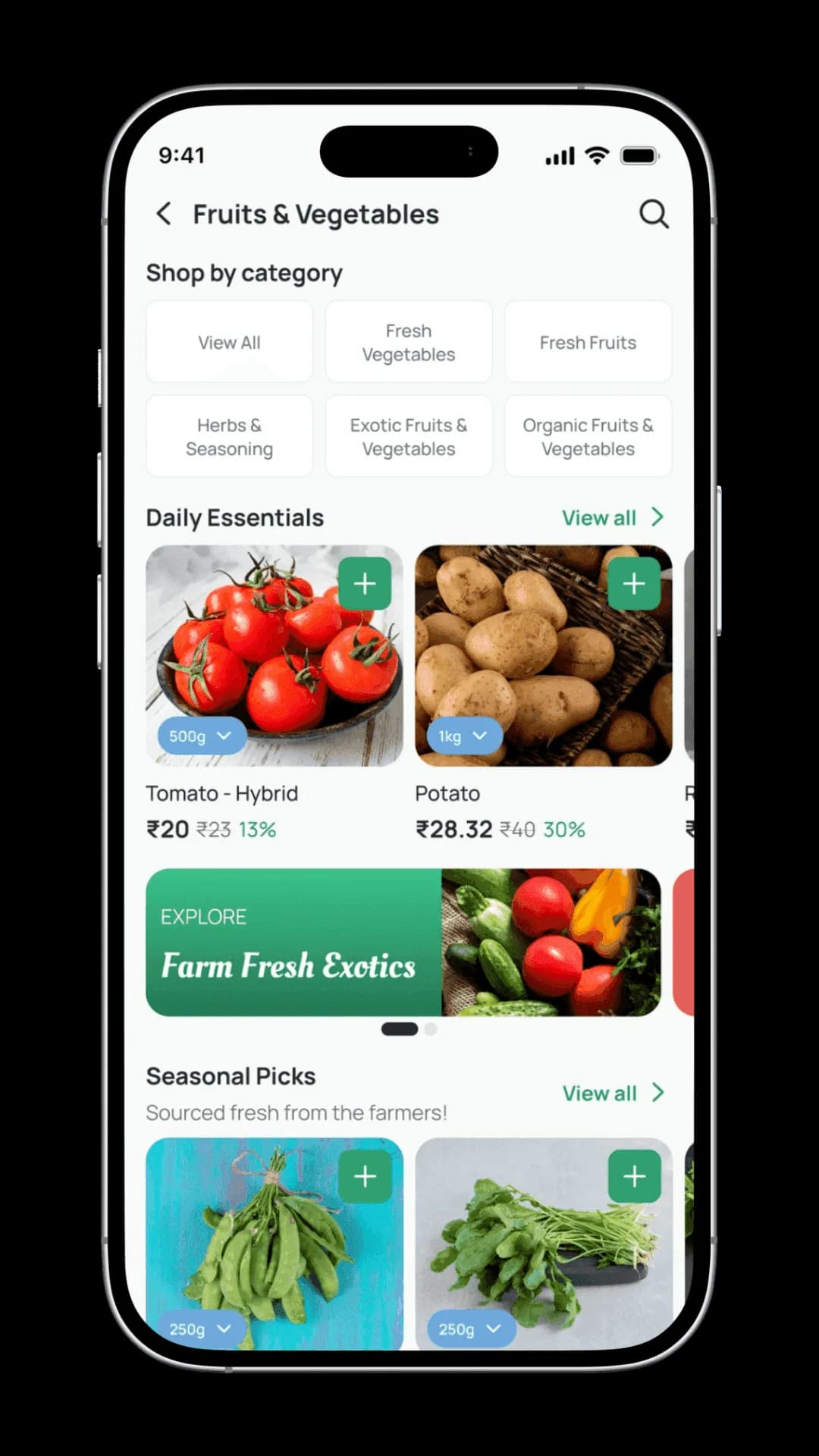
This view combines sub-category filtering with curated sections — daily essentials, seasonal picks, and promotions — to guide discovery and increase basket depth.
Product Listing
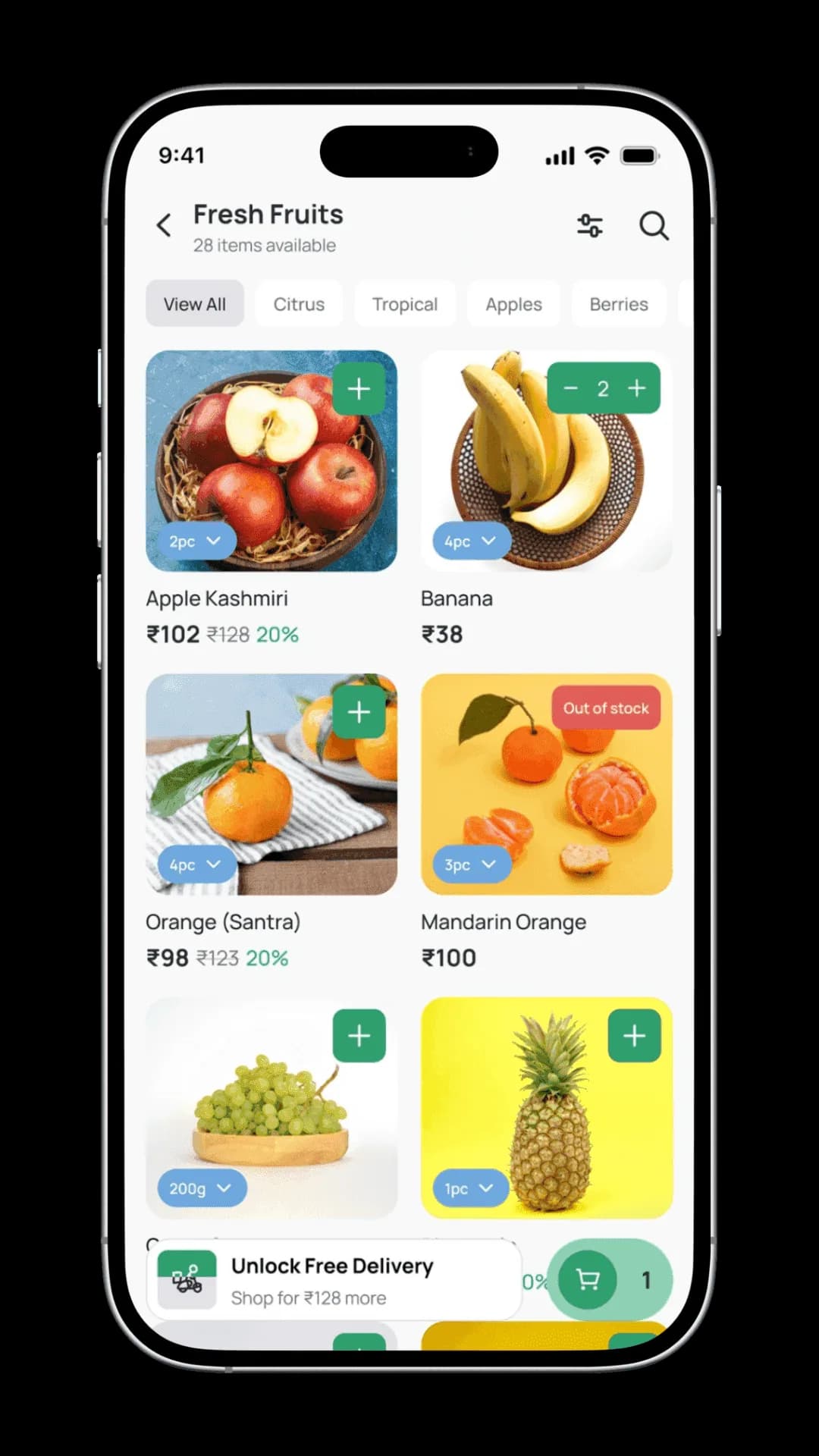
Quick filters for citrus, tropical, and seasonal varieties let users zero in on what they need. Inline quantity controls and clear stock indicators enable fast decisions without leaving the list.
View Product
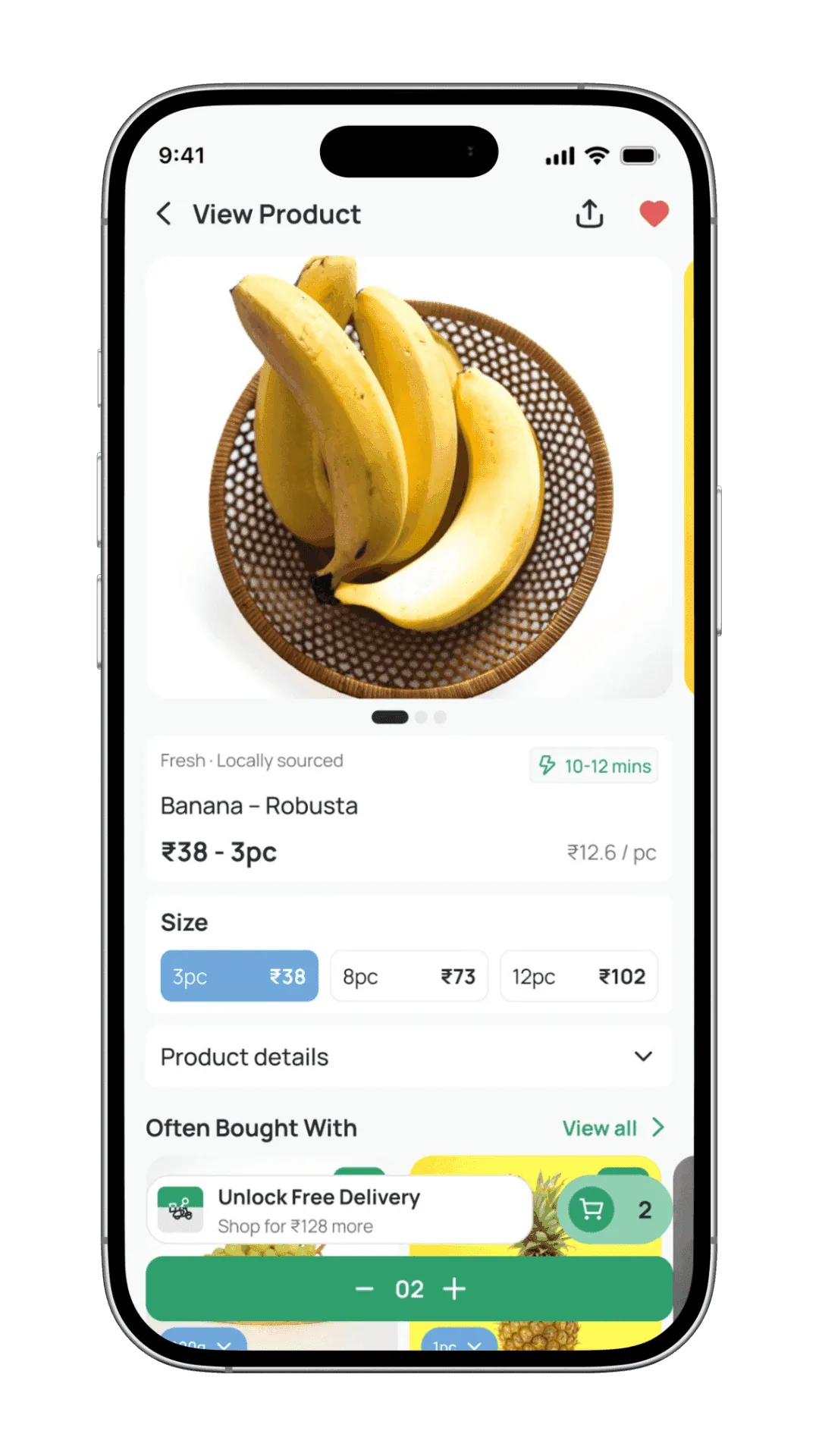
The product detail screen delivers all essential information at a glance — freshness indicators, pricing, pack size options, and estimated delivery. Smart cross-sell suggestions help users add complementary items in one tap.
Categories
The categories screen presents a clear, scannable overview of all grocery groups. Icon-based cards reduce visual load and make category selection effortless, even for first-time users.
Curated Category View
This view combines sub-category filtering with curated sections — daily essentials, seasonal picks, and promotions — to guide discovery and increase basket depth.
Product Listing
Quick filters for citrus, tropical, and seasonal varieties let users zero in on what they need. Inline quantity controls and clear stock indicators enable fast decisions without leaving the list.
View Product
The product detail screen delivers all essential information at a glance — freshness indicators, pricing, pack size options, and estimated delivery. Smart cross-sell suggestions help users add complementary items in one tap.
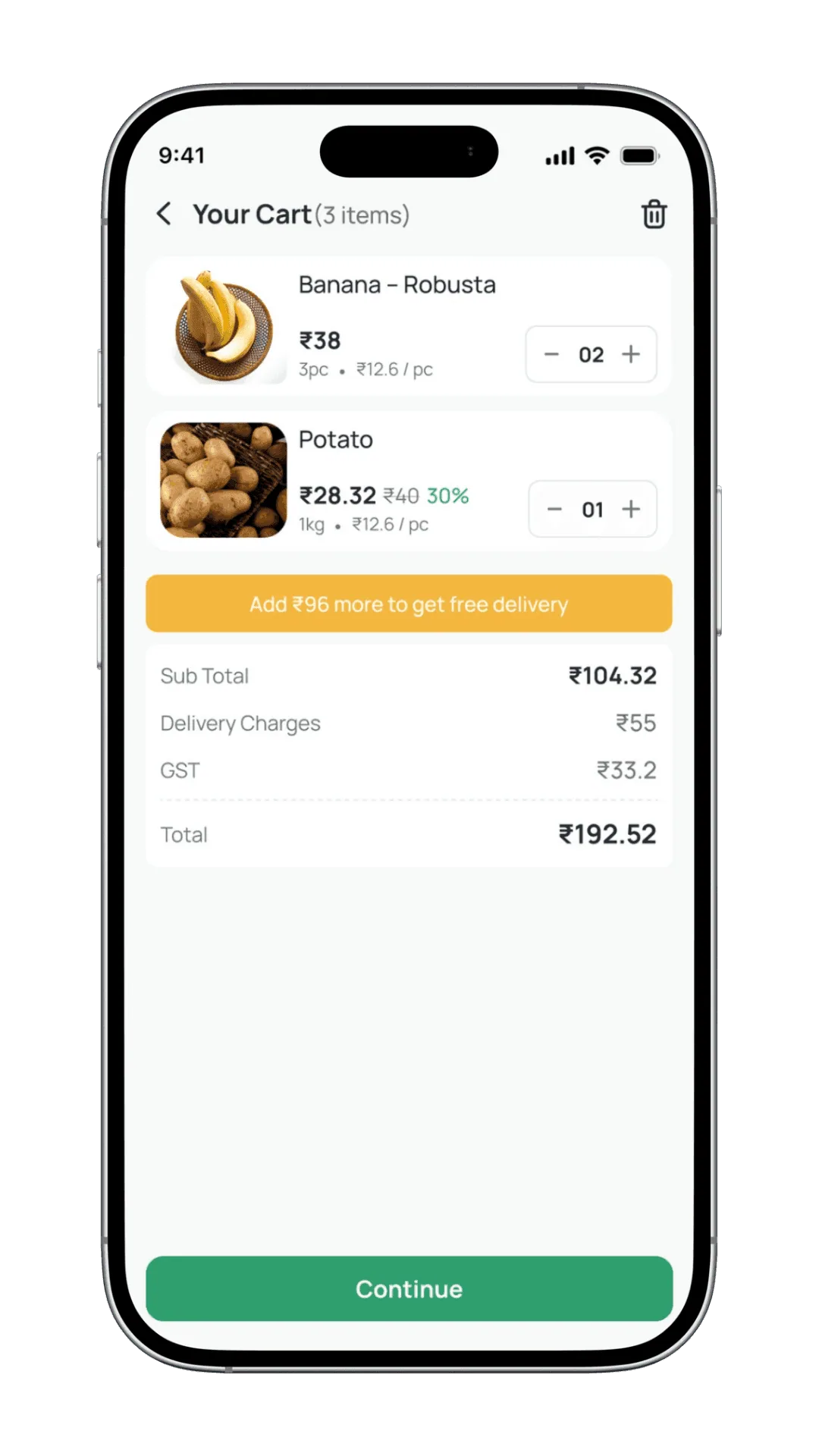
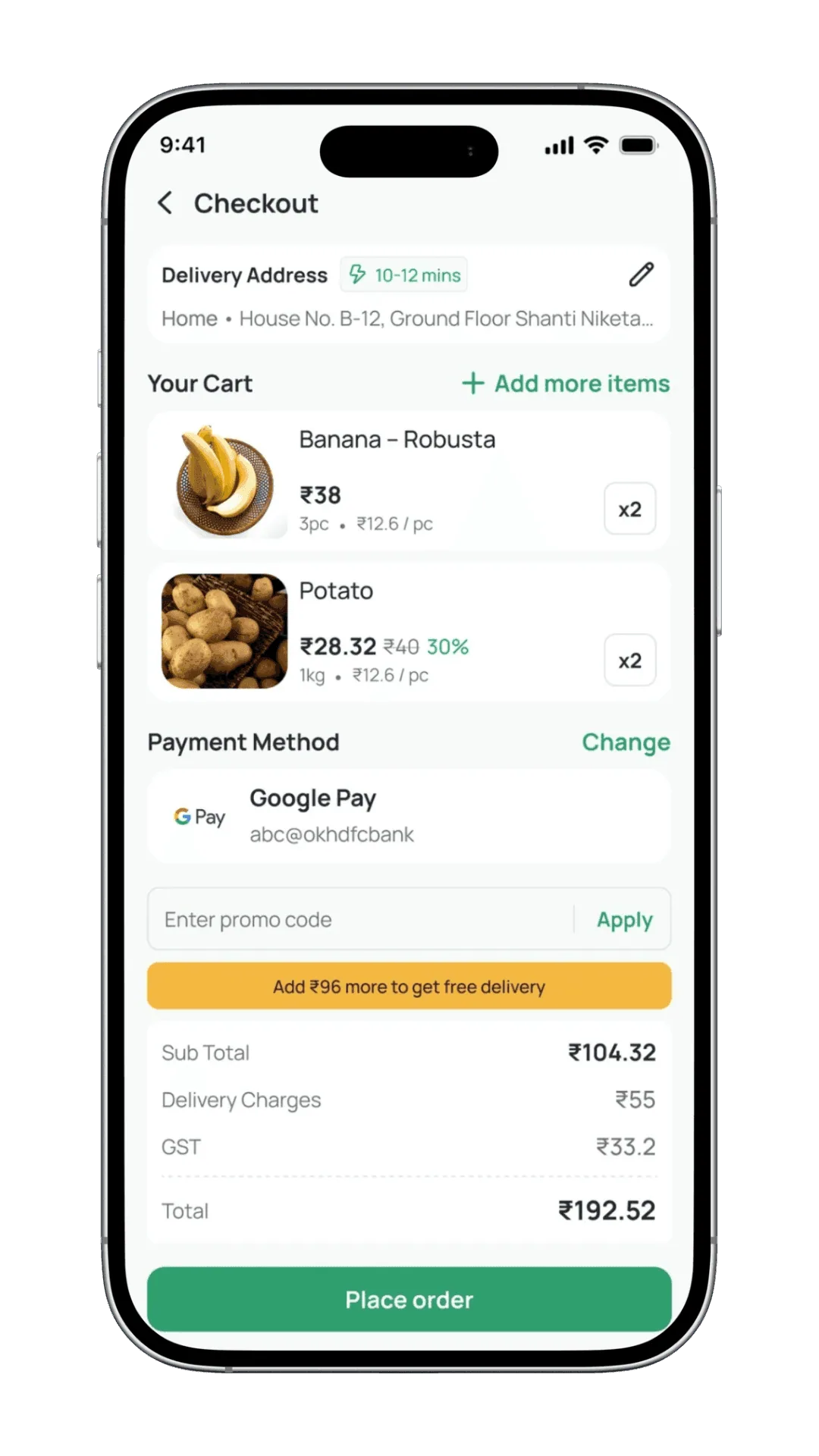
Cart & Checkout
All critical information — items, pricing, delivery charges, and payment — is kept transparent and editable at every step. Clear cost breakdowns and a streamlined checkout flow ensure users can place orders with confidence.
Cart & Checkout
All critical information — items, pricing, delivery charges, and payment — is kept transparent and editable at every step. Clear cost breakdowns and a streamlined checkout flow ensure users can place orders with confidence.
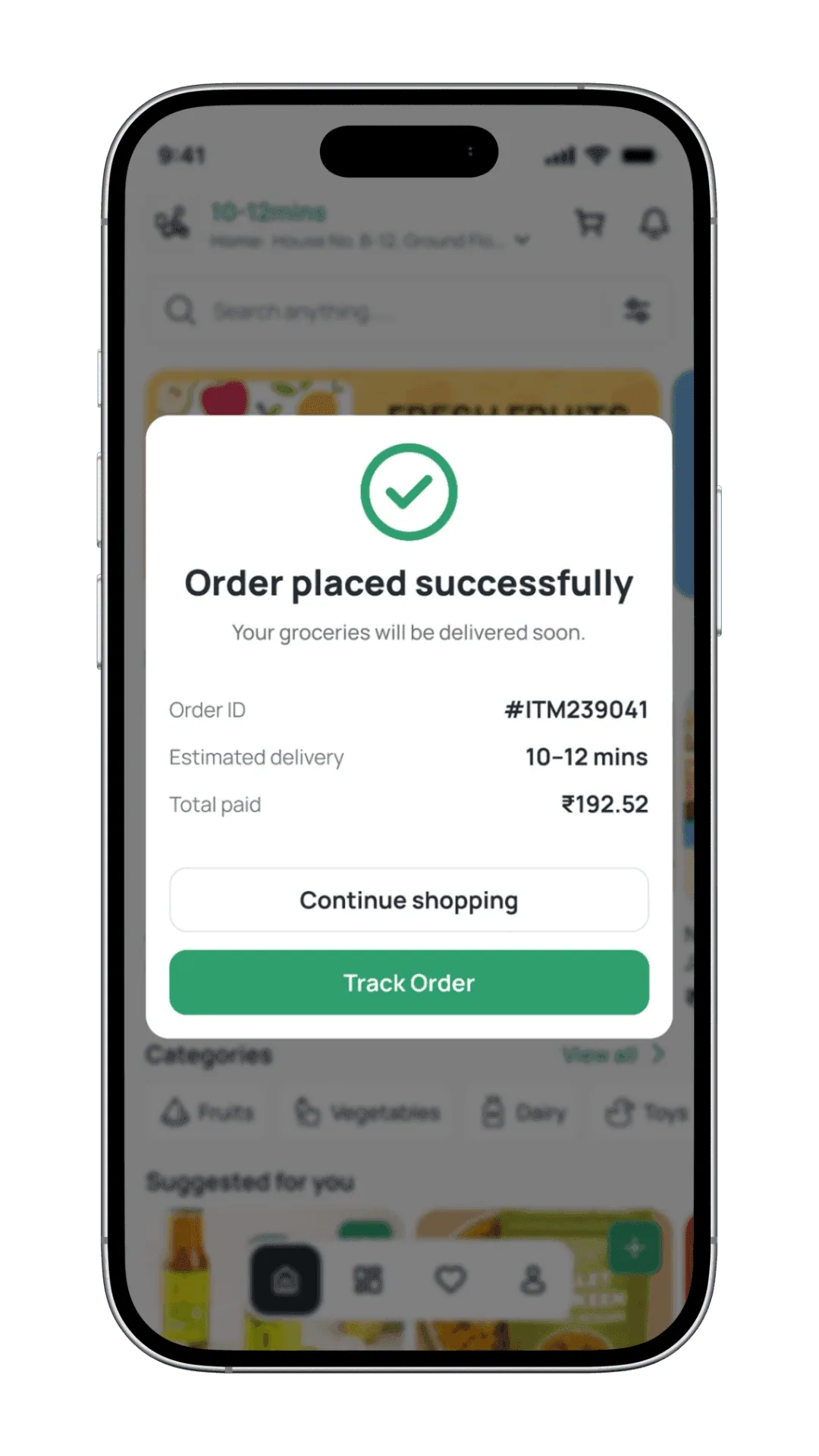
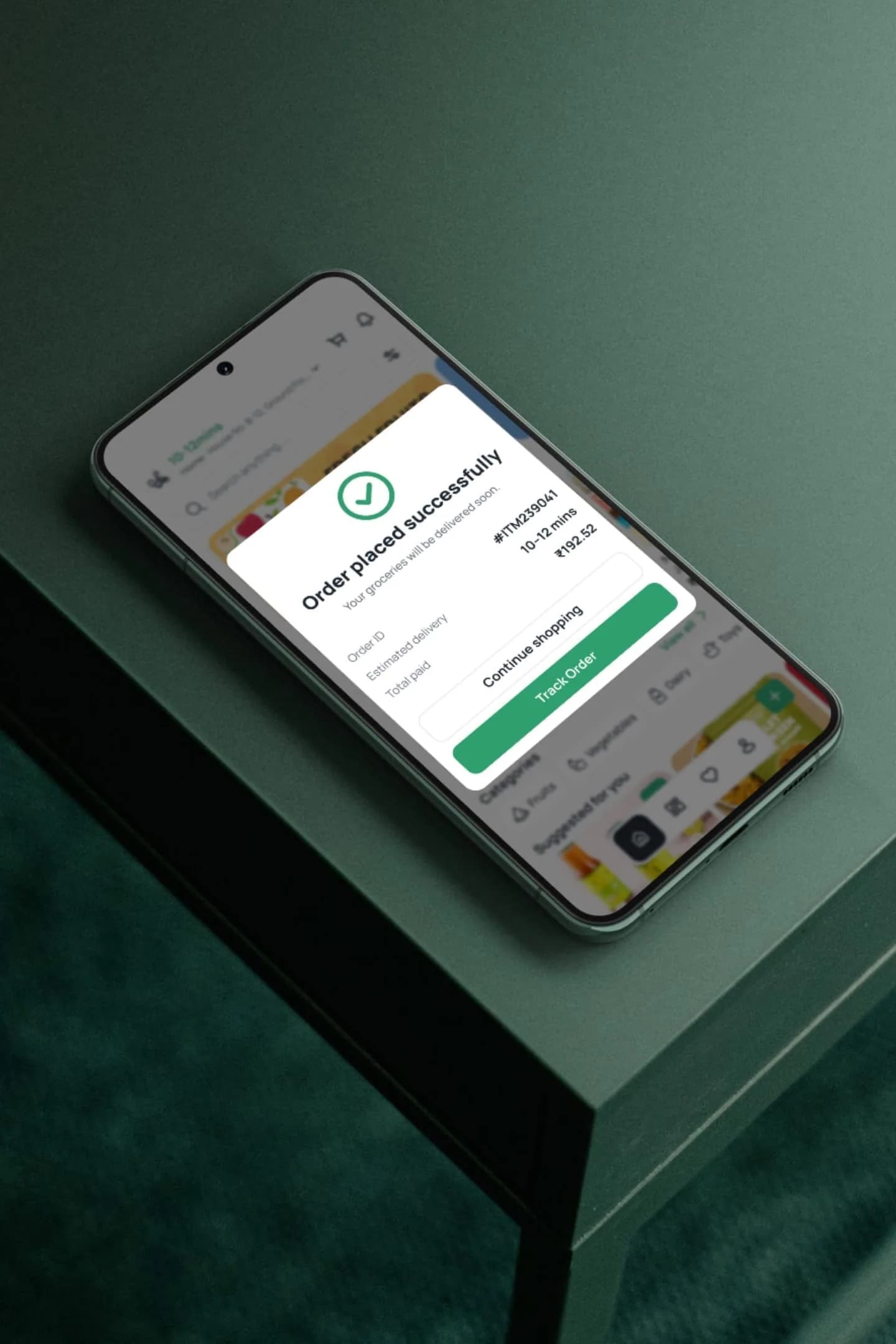
Order Success
Immediate confirmation with clear delivery timelines, order details, and next actions. Direct access to tracking or continued shopping reassures users and sustains momentum.
Order Tracking
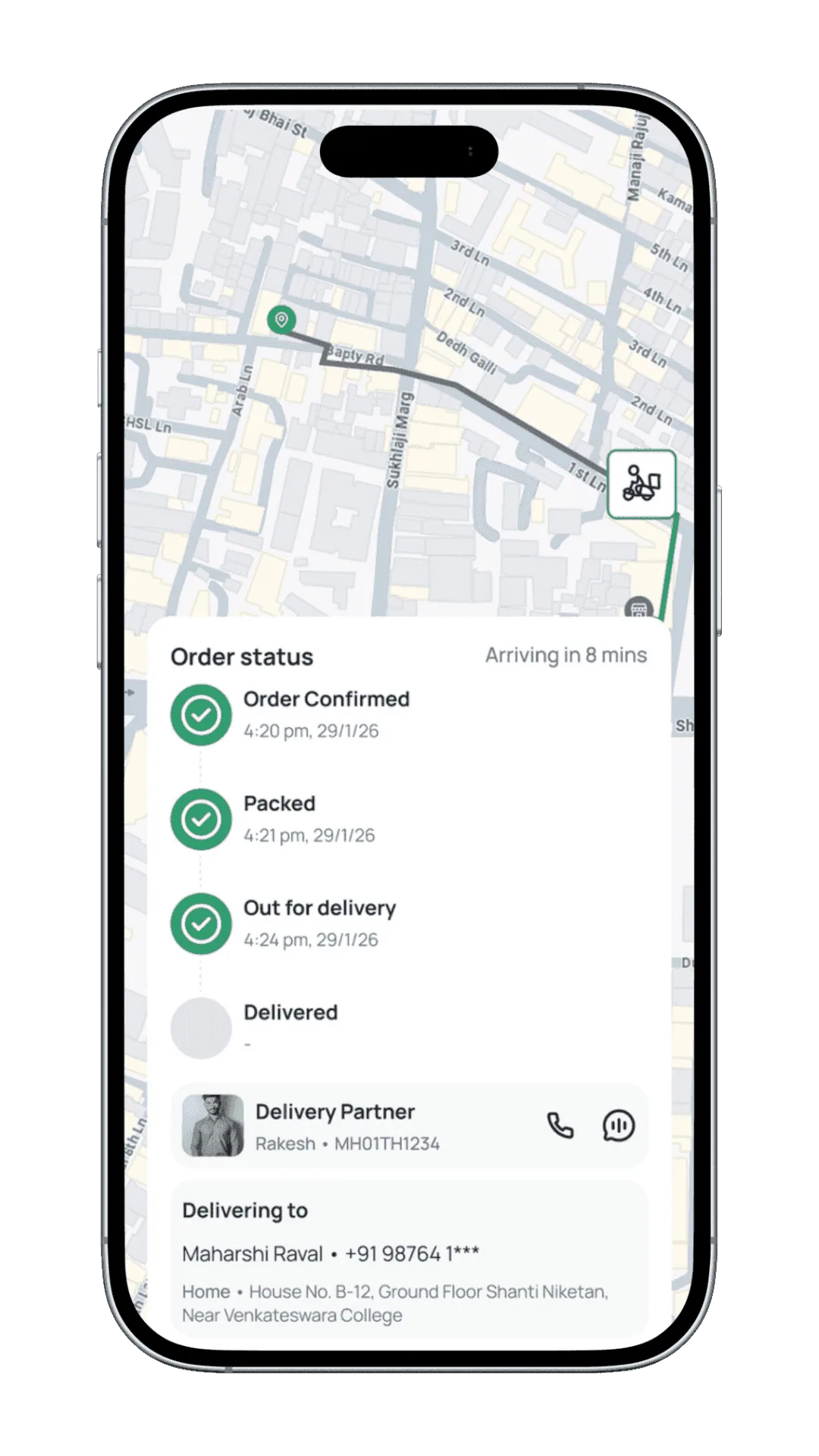
Real-time visibility into delivery progress through live maps, clear status updates, and partner details. Transparent timelines and one-tap communication keep users informed and confident.
Order Success
Immediate confirmation with clear delivery timelines, order details, and next actions. Direct access to tracking or continued shopping reassures users and sustains momentum.
Order Tracking
Real-time visibility into delivery progress through live maps, clear status updates, and partner details. Transparent timelines and one-tap communication keep users informed and confident.
Profile
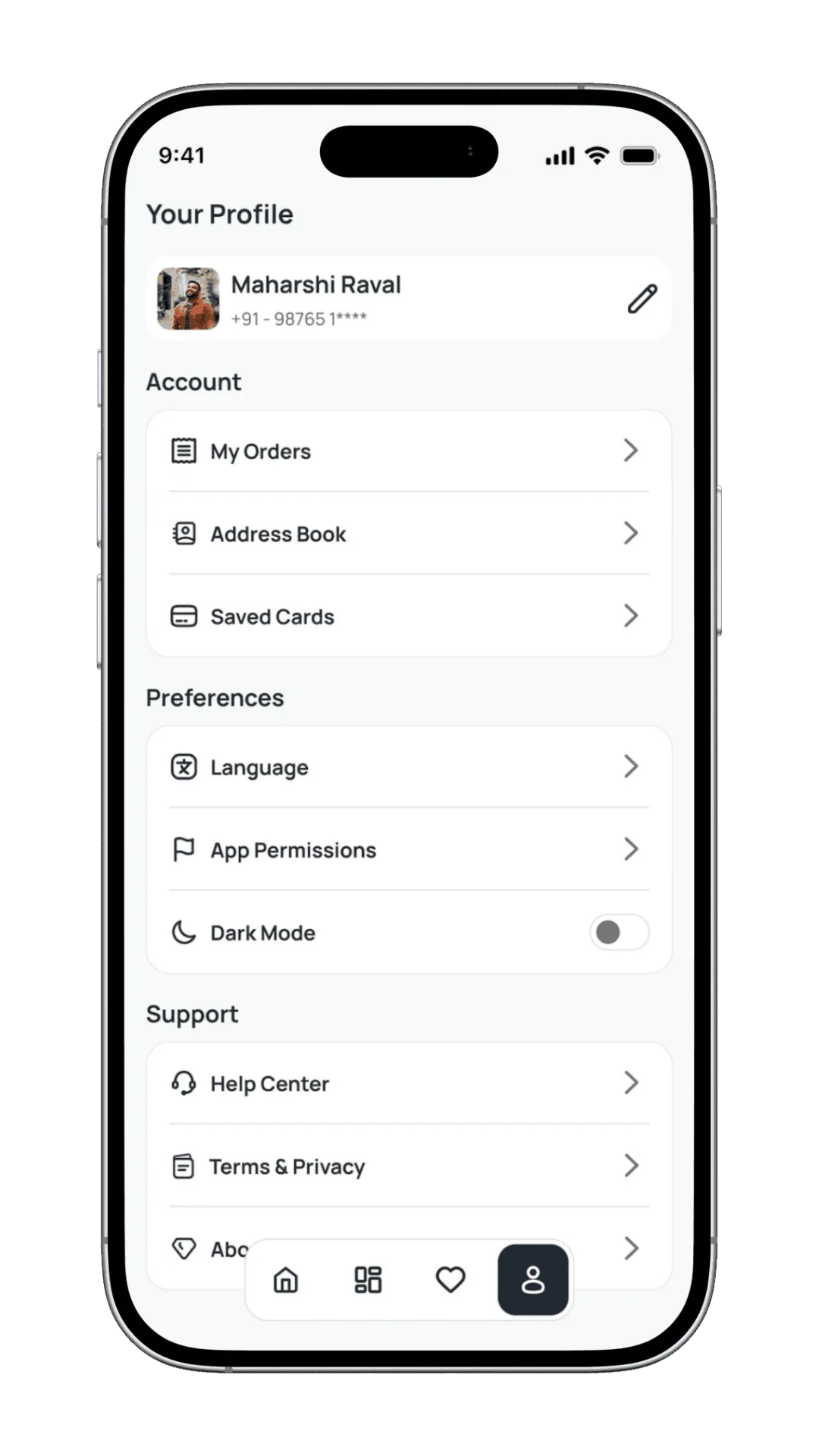
The profile screen centralises account management — saved addresses, payment methods, order history, and preferences — so users can update their details without navigating multiple sub-pages.
Profile
The profile screen centralises account management — saved addresses, payment methods, order history, and preferences — so users can update their details without navigating multiple sub-pages.
Orders
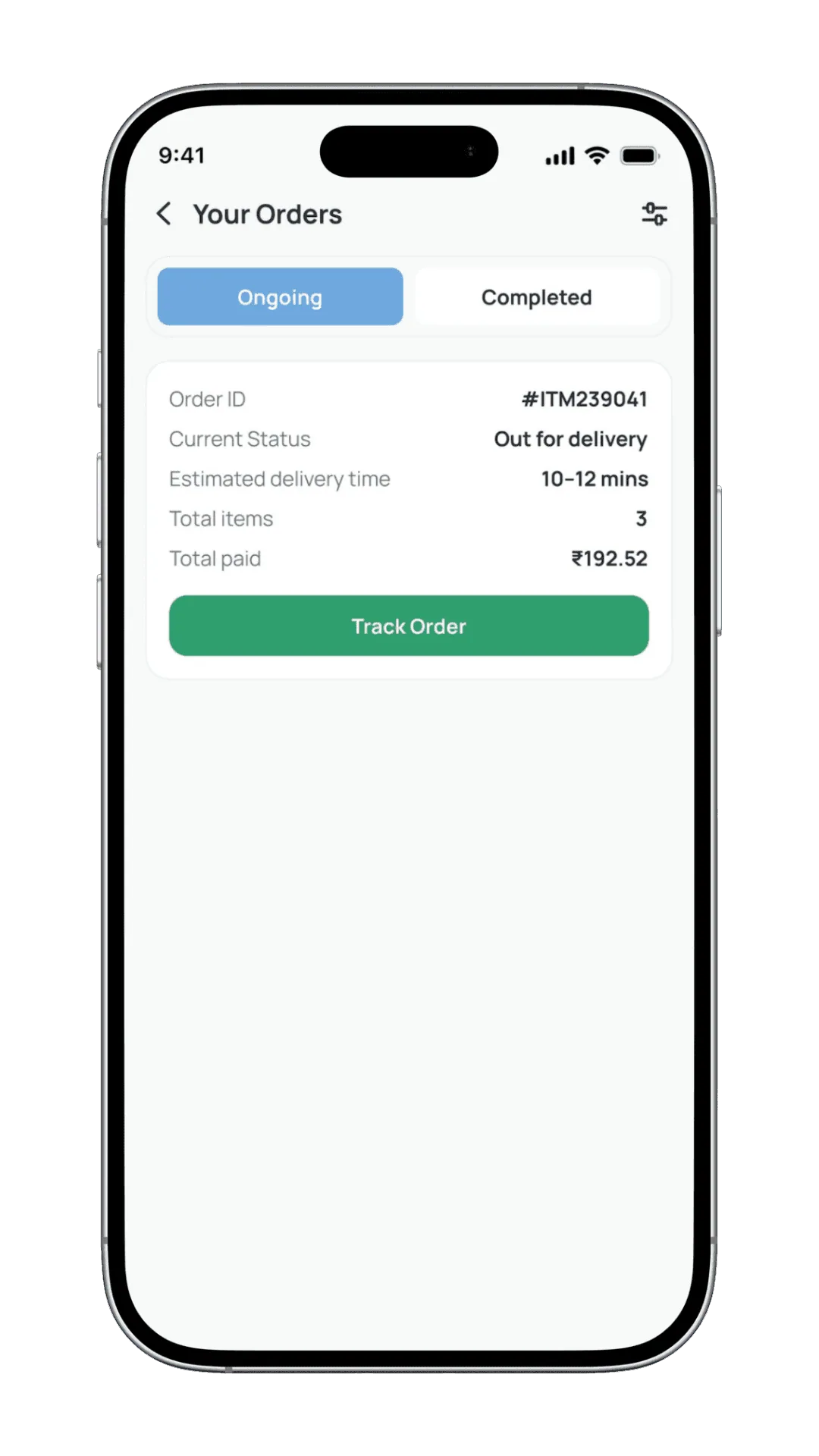
A clear overview of ongoing and completed orders — real-time status, delivery timelines, and payment summaries — all on one screen. One-tap access to tracking ensures users stay informed without extra navigation.
Orders
A clear overview of ongoing and completed orders — real-time status, delivery timelines, and payment summaries — all on one screen. One-tap access to tracking ensures users stay informed without extra navigation.
Results
The profile screen centralizes account management, preferences, and support options in a clean, easy-to-scan layout.
Clear grouping of actions helps users manage orders, addresses, and settings without cognitive overload.
Faster Product Discovery
Clear categorization, predictive search, and curated sections reduce the time required to find everyday essentials.
Reduced Cognitive Load
Minimal layouts, consistent components, and a strong visual hierarchy help users make decisions with confidence.
Higher Checkout Confidence
Transparent pricing, delivery timelines, and real-time order status reduce hesitation during checkout.
Improved Repeat Purchases
Features like "Buy Again," order history, and saved preferences support habitual grocery buying behavior.
Trust Through Visibility
Real-time order tracking and clear status updates improve post-purchase confidence and reduce anxiety.
Accessible & Inclusive Design
WCAG AA colour contrast, generous touch targets, and readable Manrope typography ensure the app is usable for a wide range of users and conditions.
Explore More
More Case Studies
See how we solve real-world challenges through thoughtful design and engineering.
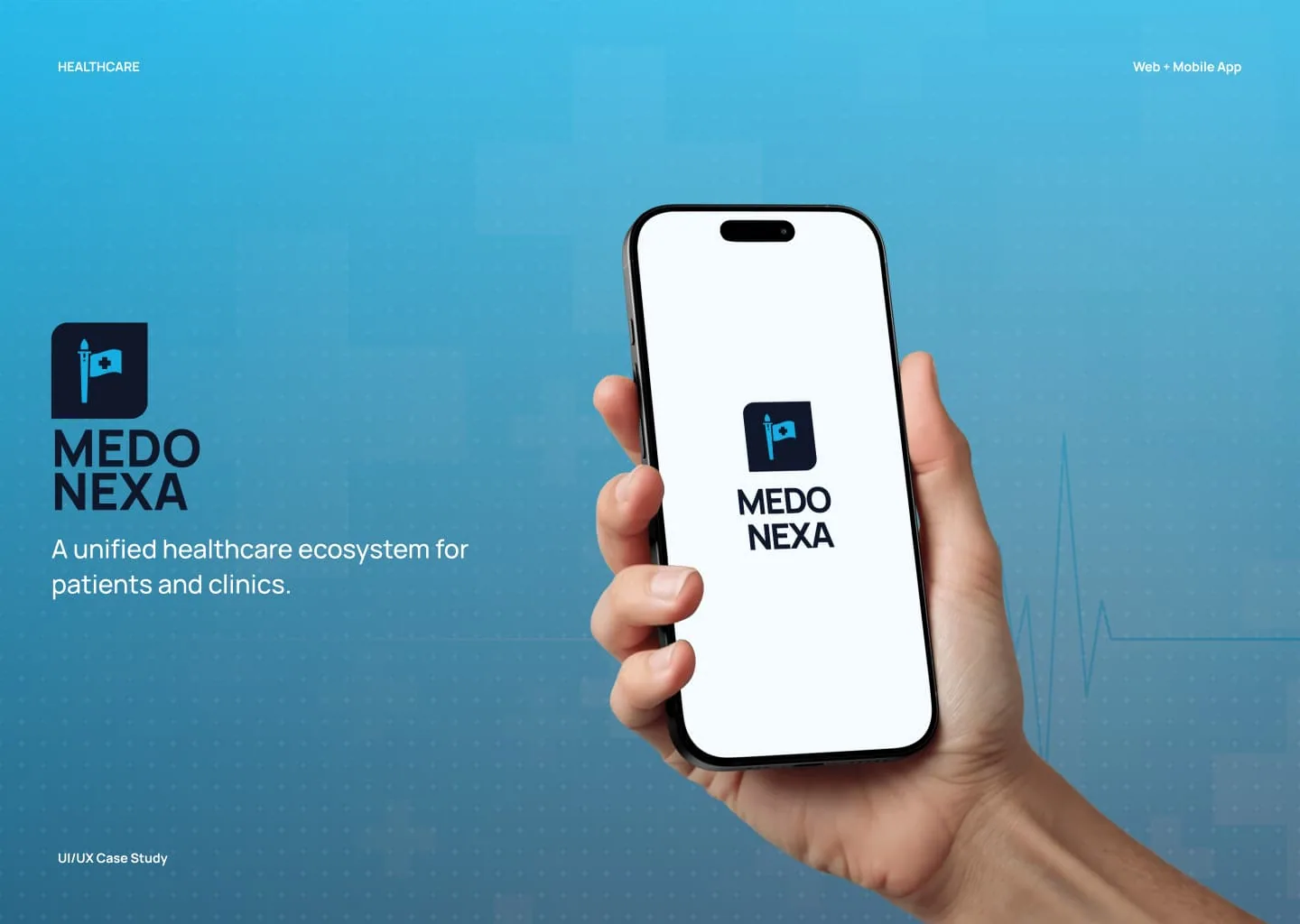
Healthcare Ecosystem
Medonexa - Modern Healthcare Appointment Platform
A modern healthcare appointment booking platform designed to simplify how patients access medical care and how clinics manage their daily operations.
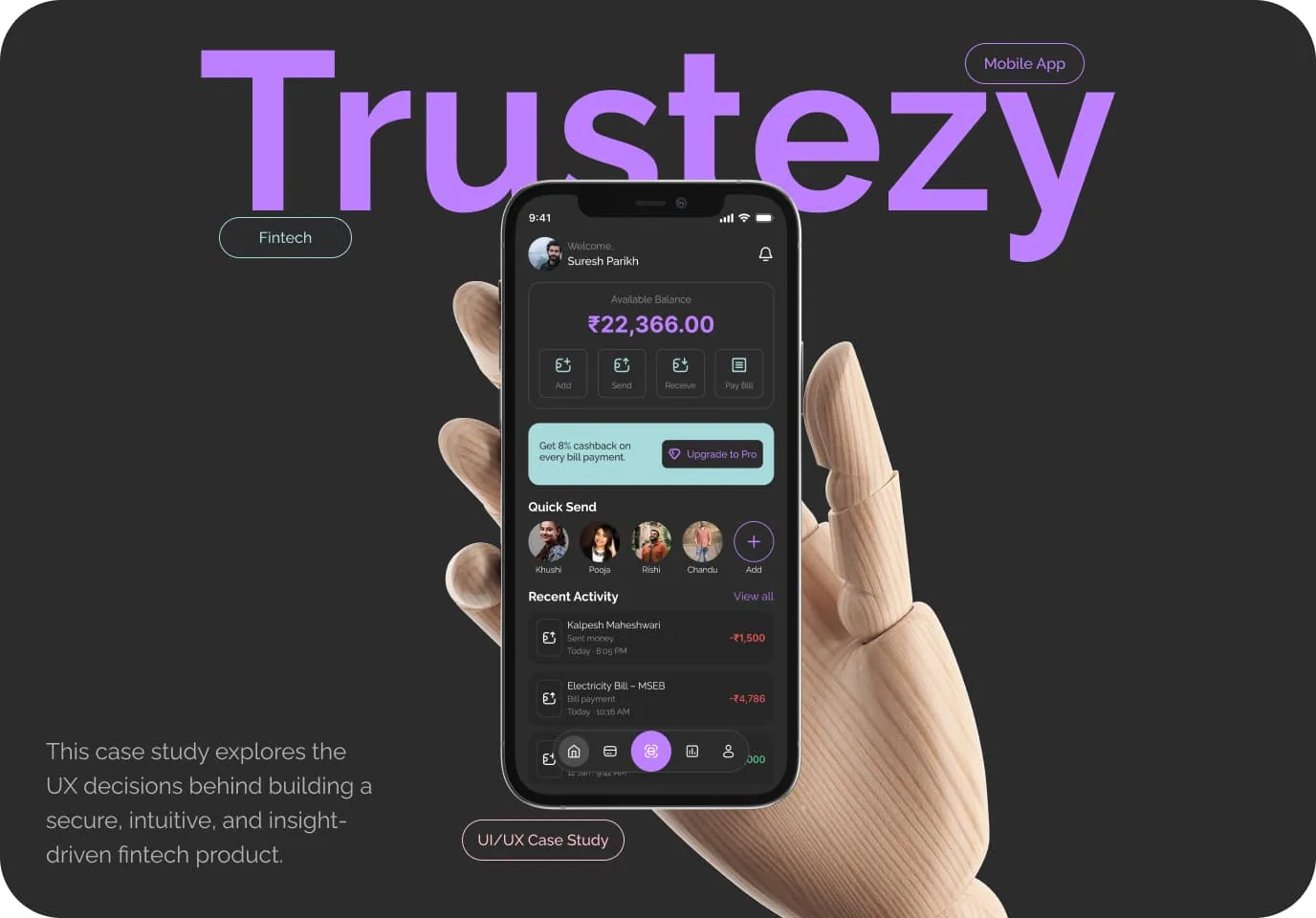
Fintech | Mobile App | UI/UX Case Study
Trustezy - Modern Digital Wallet & Fintech App
A modern digital wallet designed to simplify everyday payments, money transfers, and financial management with clarity, control, and security in one place.
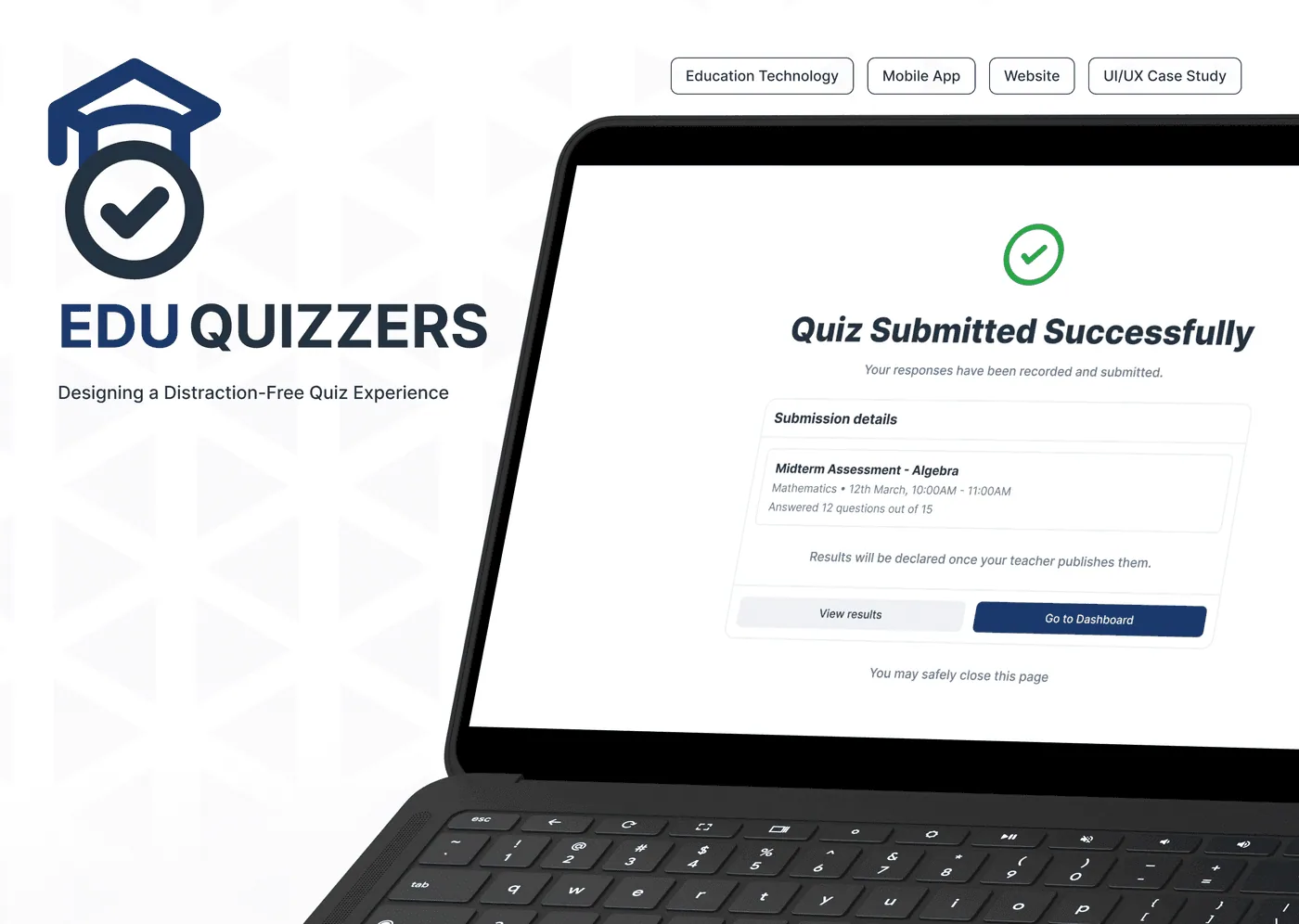
Education Technology | Mobile App | Website | UI/UX Case Study
EduQuizzers - Distraction-Free Quiz Platform
A distraction-free quiz platform designed to help students focus on assessments with clarity, confidence, and ease — from quiz creation to submission.
Have a Project in Mind?
We design and build digital products that solve real problems — from concept to launch. Tell us about your idea and let's bring it to life together.
50+
Projects Delivered
30+
Happy Clients
9+
Years of Experience
15+
Team Members